
Think your network is invisible to attackers? Think again.
Vulnerability scanners don’t guess, they map ports, identify services, and match versions to known flaws.
They automate weeks of manual work and flag real risks fast.
This post walks through the scanner’s detection process step by step, from port enumeration and service fingerprinting to vulnerability lookup, risk scoring, and reporting.
By the end you’ll know what scanners actually see, how they decide what matters, and what to do next to cut your exposure.
Core Workflow Behind a Vulnerability Scanner

Vulnerability scanners methodically collect data about devices and services across networks, web apps, or cloud setups, then match that info against databases of known security holes. The whole thing’s built around speed and consistency. You’re automating work that’d take weeks if done manually, and you’re cutting out the human errors that creep into repetitive discovery tasks. Scanners keep tabs on infrastructure around the clock, catch configuration drift, and flag new threats the moment vendors publish advisories.
At the top level, the scanning workflow moves through six connected stages. Each phase feeds into the next, building from raw network visibility to actual remediation guidance. The stages run in sequence, but they overlap plenty in modern continuous‑scanning setups.
- Asset identification – Find every device, host, and service inside your target scope (network ranges, cloud subscriptions, web endpoints).
- High‑level asset characterization – Grab basic metadata about each discovered asset: operating system, open ports, running services, software versions.
- Vulnerability lookup – Match collected fingerprints (service banners, version strings, config snapshots) against vulnerability databases (CVE, NVD, vendor advisories).
- Risk assessment – Figure out which discovered vulnerabilities are actually exploitable in your environment, filter out false positives, and rank the real risks.
- Severity correlation – Apply scoring systems (CVSS) and your own organizational context (internet exposure, data sensitivity) to prioritize what needs fixing first.
- Reporting – Generate docs that map each vulnerability to affected assets, include remediation steps, and track trends over time.
Later sections break down the technical details inside each stage. How ports get enumerated, how signatures match, how authentication changes visibility, and how remediation gets tracked and verified.
Vulnerability Scanner Discovery and Enumeration Mechanics

Discovery mechanics determine what assets exist and what services they’re running. Scanners start by sending network probes across defined IP ranges, subnet masks, or cloud resource inventories to locate active devices. Once something responds, the scanner enumerates open TCP and UDP ports, identifies which services are listening (web servers, databases, SSH daemons, DNS resolvers), and fingerprints software versions by analyzing service banners, protocol handshakes, and response timing. An HTTP server might respond with “Server: Apache/2.4.41 (Ubuntu)”, which the scanner logs as a precise version string for later vulnerability correlation.
Modern scanners use adaptive and agent‑assisted methods to make sure they’re not missing anything. Endpoint agents are small software clients installed on laptops, servers, and virtual machines that report inventory data directly to the scanning platform. This eliminates blind spots caused by firewalls or transient devices that disconnect before network scans finish. Adaptive scanning automatically triggers a fresh scan when a new MAC address or hostname appears on the network, so newly deployed cloud instances or developer workstations get assessed within minutes of connecting. Aggressive scanning configs can overwhelm network bandwidth or destabilize fragile legacy systems, so most organizations schedule intensive discovery sweeps during off‑peak hours or maintenance windows.
Device discovery – ARP requests, ICMP echo (ping), reverse DNS lookups, and cloud API queries to build an initial asset inventory.
Port enumeration – TCP SYN scans (half‑open), full TCP connect scans, and UDP probes to identify listening services on all 65,535 ports per protocol.
Service fingerprinting – Protocol‑specific handshakes (SSH version exchange, HTTP OPTIONS requests, TLS certificate parsing) to determine the exact service type.
Version detection – Banner grabbing, application‑layer queries, and behavioral tests that reveal software version numbers and patch levels.
Adaptive and agent methods – Endpoint agents that auto‑report inventory changes, network sensors that trigger scans when new devices join VLANs or DHCP pools.
Vulnerability Detection Methods Inside Scanners
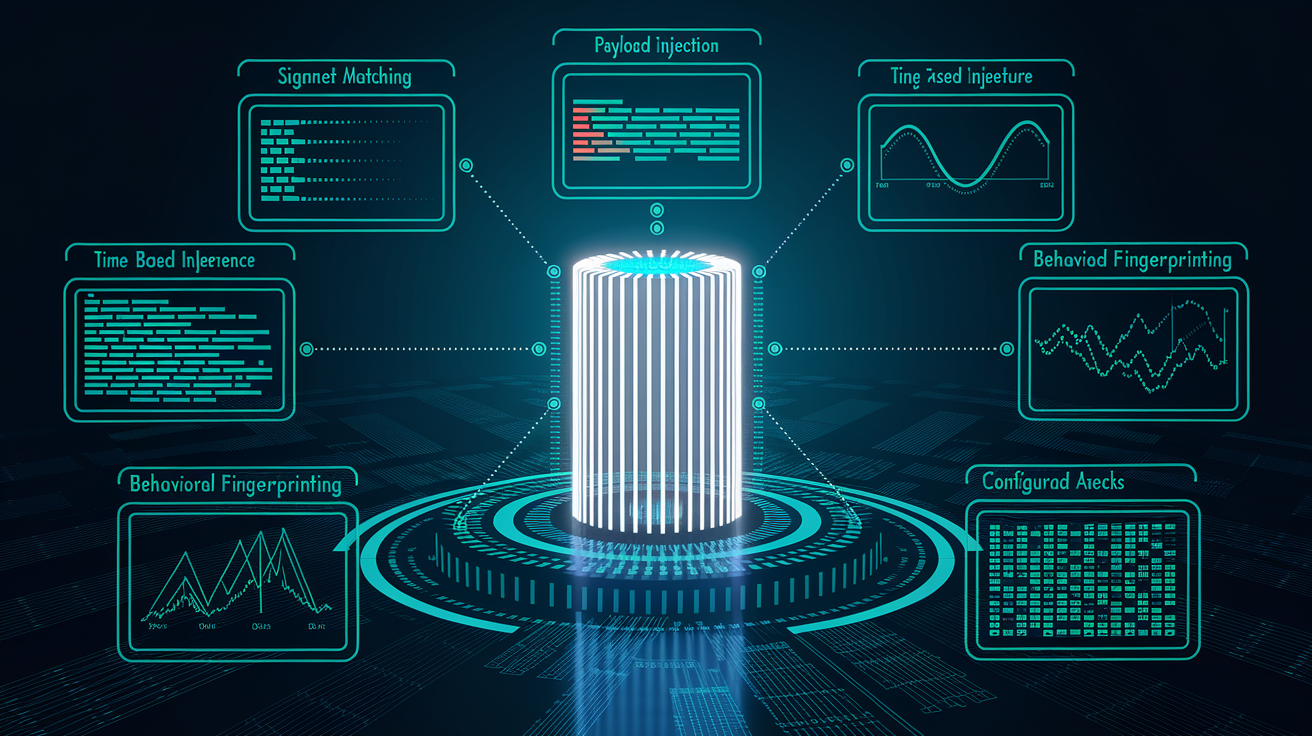
Once enumeration produces a catalog of services and versions, the scanner shifts to detection. Matching discovered software against databases of known vulnerabilities and testing for misconfigs or weaknesses that don’t rely on version numbers alone. Signature‑based detection is the most straightforward method. If the scanner finds Apache 2.4.29 and a CVE exists for that exact version, the vulnerability gets flagged. Scanners maintain local copies of CVE, NVD, and vendor‑specific advisories, updating them daily so new threats get caught within hours of public disclosure.
Heuristic and behavioral detection techniques go beyond simple version matching. For web apps, scanners inject test payloads (like ' OR '1'='1 for SQL injection, <script>alert(1)</script> for cross‑site scripting) and analyze responses for error messages, unexpected HTML reflection, or time delays that indicate successful exploitation. Time‑based tests matter for blind vulnerabilities. If a database query with a sleep command causes a five‑second delay, the scanner infers that SQL injection’s possible even without visible error output. Behavioral analysis also includes testing for directory traversal by requesting ../../etc/passwd and checking whether sensitive files come back, or measuring server response times to detect command‑injection opportunities.
Configuration checks round out detection by identifying security weaknesses that don’t map to a CVE. Scanners verify SSL/TLS certificate expiration, test for weak cipher suites, flag HTTP services that should require HTTPS, and detect default credentials on management interfaces. These checks rely on predefined rulesets that encode security best practices rather than known exploits. Modern web app scanners also analyze client‑side JavaScript for insecure API calls, hardcoded secrets, or vulnerable third‑party libraries embedded in the page source.
Signature matching – Correlate service versions and configs against CVE entries and vendor vulnerability databases.
Payload injection – Send SQL, XSS, command‑injection, and directory‑traversal test strings, analyze responses for successful exploitation indicators.
Time‑based inference – Measure response delays to detect blind SQL injection, out‑of‑band command execution, or server‑side request forgery.
Behavioral fingerprinting – Test application logic flows, redirect chains, and error‑handling paths to reveal business‑logic flaws or insecure defaults.
Configuration auditing – Check SSL/TLS settings, HTTP security headers, default passwords, open directory listings, and compliance with hardening benchmarks.
Authenticated vs Unauthenticated Vulnerability Scanning
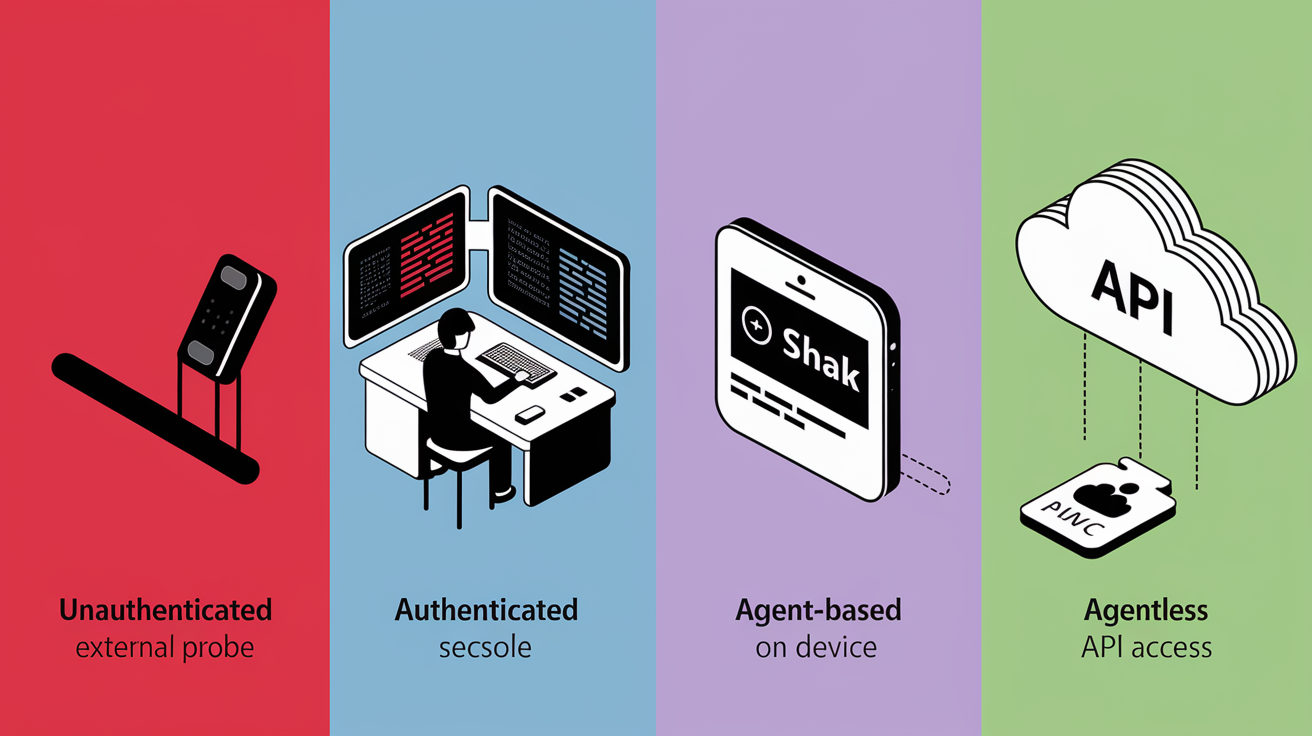
Authentication changes everything about what a scanner can see. Unauthenticated scans operate from an external perspective, probing only the ports and services visible to an anonymous network observer. That’s the view an attacker has before gaining credentials. These scans detect perimeter vulnerabilities, exposed management interfaces, and service‑version mismatches, but they can’t inspect internal config files, installed patch levels, or application‑layer settings that require login access. Unauthenticated scans are fast and safe but produce higher false‑positive rates because they’re inferring vulnerabilities from incomplete data.
Authenticated scans use provided credentials (SSH keys, API tokens, domain accounts) to log into systems and apps, then examine config files, installed packages, patch histories, and permission settings directly. This visibility dramatically improves accuracy. Scanners can confirm whether a security update was applied even if the version string didn’t change (common in backported patches), verify that a vulnerable feature is actually disabled, and detect privilege‑escalation risks that only appear to logged‑in users. Authenticated scanning also reduces bandwidth and time because the scanner queries local package managers or system APIs rather than inferring state from network probes.
| Scan Type | Key Characteristics |
|---|---|
| Unauthenticated | Probes visible network services and open ports, no access to system internals, higher false positives, detects perimeter and service‑level vulnerabilities, faster execution, suitable for external attack‑surface mapping. |
| Authenticated | Uses credentials to access config files, patch status, and internal settings, confirms fixes and detects backported patches, lower false positives, identifies privilege‑escalation and compliance issues, requires credential management and elevated permissions. |
| Agent‑based | Lightweight software installed on endpoints, auto‑reports inventory and vulnerabilities without network scanning, covers mobile devices and remote workers, real‑time visibility, requires agent deployment and maintenance. |
| Agentless | Operates remotely via network or API, no software installation on targets, easier initial deployment, limited visibility on endpoints behind firewalls or offline, relies on network accessibility and credential vaulting. |
Vulnerability Databases and Scoring Systems Used by Scanners

Scanners rely on centralized vulnerability databases to translate discovered software versions into known security issues. The two most widely referenced sources are CVE (Common Vulnerabilities and Exposures) and NVD (National Vulnerability Database). CVE provides unique identifiers (like CVE-2024-1234) for publicly disclosed vulnerabilities, so security teams, vendors, and tool developers all refer to the same issue with the same ID. NVD enhances CVE entries by adding CVSS (Common Vulnerability Scoring System) metrics, detailed descriptions, references to vendor advisories, and known exploitation timelines. Scanners download daily updates from these databases and cross‑reference every enumerated software package against the latest vulnerability catalog.
CVSS scores measure vulnerability severity on a scale from 0.0 to 10.0, calculated from a standardized vector string that encodes exploit characteristics. A CVSS vector /AV:N/AC:L/PR:N/UI:N/S:U/C:H/I:H/A:H decodes to: Attack Vector Network (remotely exploitable), Attack Complexity Low (no special conditions required), Privileges Required None (no authentication needed), User Interaction None (automatic exploitation), Scope Unchanged (impact confined to the vulnerable component), and High impact on Confidentiality, Integrity, and Availability. This vector produces a CVSS score of 9.8, classified as critical. A vector with Attack Complexity High and Privileges Required Low might score 7.7 even if all other factors stay constant, reflecting the additional barriers an attacker must overcome.
Generic databases like NVD assign base CVSS scores without product‑specific context, which can lead to inaccurate risk assessments when vendors backport security fixes to older package versions without changing version numbers. Vendor‑aware vulnerability databases account for these nuances by analyzing how a component is compiled, which features are enabled, and whether backported patches are present. A scanner relying solely on version‑number matching may flag a false positive when a vendor has quietly applied a fix to an older release, while a scanner that consumes vendor OVAL (Open Vulnerability and Assessment Language) definitions can detect the backported patch and correctly mark the system as secure. This difference is why certified scanners are required to consume vendor security data as the primary source of truth and implement OVAL support to reduce false positives in enterprise environments.
- Attack Vector (AV) – Defines how the vulnerability is exploited: Network (remotely accessible), Adjacent (same network segment), Local (requires local access), or Physical (physical device access required).
- Attack Complexity (AC) – Measures conditions beyond attacker control: Low (repeatable exploitation) or High (requires specific timing, configs, or user actions).
- Privileges Required (PR) – Specifies authentication level needed: None, Low (basic user), or High (administrative privileges).
- User Interaction (UI) – Indicates whether exploitation requires a user action: None (automatic) or Required (victim must click, open, or execute something).
- Scope (S), Confidentiality (C), Integrity (I), Availability (A) – Scope determines if impact crosses security boundaries, C/I/A each rate impact as None, Low, or High for data confidentiality, system integrity, and service availability.
Risk Evaluation and Prioritization in Vulnerability Scanning

Scanners produce extensive vulnerability lists that can number in the thousands for large enterprises, so prioritization separates signal from noise. Raw CVSS scores provide a starting point, but real‑world risk depends on environmental factors that CVSS doesn’t measure. Whether the vulnerable service is internet‑facing, whether compensating controls (firewalls, web application firewalls, intrusion prevention systems) mitigate the threat, and whether proof‑of‑concept exploit code is publicly available. Security teams layer contextual data on top of CVSS to build prioritized remediation queues, often using a four‑point severity scale (critical, important, moderate, low) that incorporates exploitability, asset criticality, and detected mitigations.
False positives are inevitable because scanners infer vulnerabilities from indirect evidence. Version strings, config snapshots, and behavioral tests don’t always reflect actual exploitability. Backported patches are a common cause: when a vendor applies a security fix to an older software version without incrementing the version number, version‑based scanners incorrectly flag the system as vulnerable. Verification workflows reduce false positives by cross‑checking scanner findings with OVAL definitions (machine‑readable vendor advisories that encode backport logic), manual exploit attempts, or secondary scans using different detection engines. False negatives (real vulnerabilities the scanner misses) occur when new attack techniques emerge before signatures are written, when encryption or authentication blocks enumeration, or when business‑logic flaws require human reasoning to detect.
| Factor | Role in Prioritization |
|---|---|
| Exploitability | Internet‑facing vulnerabilities with public exploit code receive highest priority, local‑only or complex‑prerequisite issues ranked lower. |
| CVSS Severity | Critical (9.0–10.0) and High (7.0–8.9) scores accelerate remediation timelines, Low scores may be deferred or accepted if risk is minimal. |
| Asset Criticality | Vulnerabilities on production databases, payment systems, or customer‑facing apps outrank issues on internal dev/test systems. |
| False Positive Verification | Manual validation or OVAL cross‑checks confirm findings before scheduling patches, unverified findings held in triage queues until evidence is clear. |
Treatment, Mitigation, and Remediation Workflow
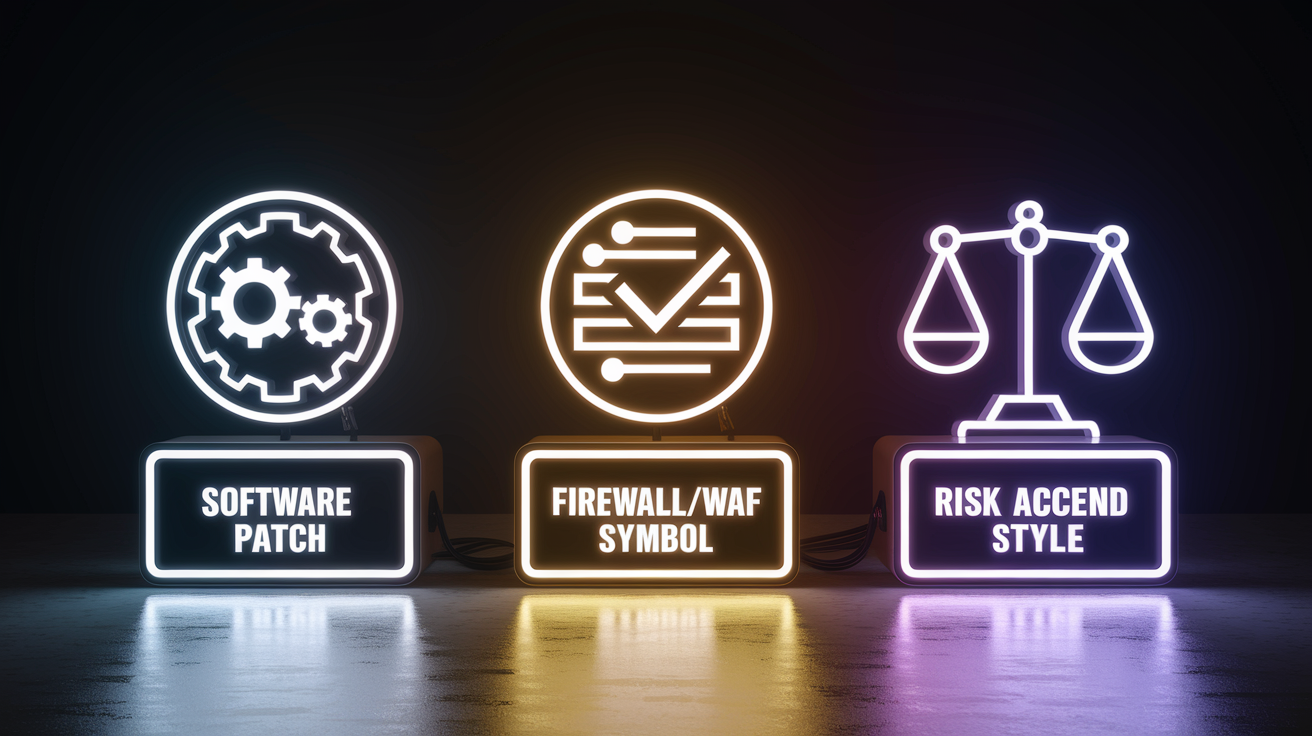
Once vulnerabilities are prioritized, treatment options split into three paths: patching, mitigation controls, or risk acceptance. Patching is the permanent fix. Installing vendor‑released updates that close the vulnerability at the code level. Patch management platforms integrate with vulnerability scanners to automate the deploy‑verify cycle: the scanner flags a vulnerable package, the patch manager schedules the update during the next maintenance window, and a post‑patch rescan confirms the vulnerability no longer appears. Automated workflows reduce the time between disclosure and remediation from weeks to hours for critical internet‑facing systems.
Mitigation controls are temporary measures used when patches aren’t yet available or when patching risks breaking production apps. Examples include firewall rules that block exploit traffic, web application firewall (WAF) signatures that filter malicious payloads, disabling vulnerable features, or isolating affected systems on restricted network segments. Scanners track mitigations by tagging vulnerabilities as “mitigated” rather than “fixed,” with annotations describing the compensating control and its expiration date. Risk acceptance applies when the cost or complexity of remediation exceeds the potential impact. Typically low‑severity issues on isolated systems or vulnerabilities that require physical access in environments with strong physical security. Accepted risks are documented with business justification and reviewed periodically to make sure assumptions remain valid.
Verification closes the loop. After patching or mitigation, teams trigger a targeted rescan of the affected assets to confirm the vulnerability no longer appears in scan results. Scanners log remediation timestamps, track mean time to remediate (MTTR) by severity tier, and flag recurring vulnerabilities that reappear after patches are rolled back or configs drift. This audit trail supports compliance reporting and helps security teams identify systemic issues (like unpatched base images or missing config‑management enforcement) that cause the same vulnerabilities to recur across multiple systems.
Patching – Install vendor updates to eliminate vulnerabilities at the source, verify with post‑patch rescans, track MTTR and patch‑compliance rates.
Mitigation controls – Deploy firewall rules, WAF signatures, feature disables, or network segmentation when immediate patching isn’t feasible, document control details and review dates.
Risk acceptance – Formally accept low‑impact vulnerabilities when remediation cost exceeds risk, require business owner sign‑off and periodic re‑evaluation.
Rescanning and verification – Trigger targeted rescans post‑remediation to confirm vulnerability closure, maintain audit logs of fix timestamps and recurring‑issue trends.
Reporting and Documentation Generated by Vulnerability Scanners

Vulnerability scanners generate customizable reports that serve multiple audiences. Technical teams need exploit details and remediation commands, executives need risk summaries and trend charts, and auditors need evidence of compliance with security frameworks. Technical reports include the exact HTTP request or network packet that triggered each finding, the vulnerable parameter or file path, the scanner’s confidence level, and step‑by‑step remediation instructions (like “Upgrade OpenSSL to version 1.1.1w or later”). These proof‑of‑finding artifacts let analysts manually verify results and provide developers with enough context to reproduce and fix the issue without requiring security expertise.
Executive dashboards aggregate vulnerabilities by severity, track remediation velocity (average days to close critical findings), and display trend lines showing whether the overall vulnerability count is rising or falling over time. Compliance modules map findings to specific controls in frameworks like PCI DSS, HIPAA, ISO 27001, or NIST, auto‑generating attestation reports that document scan frequency, coverage percentages, and outstanding issues. Scanners also produce exception reports that list vulnerabilities accepted as business risks, complete with approval signatures and expiration dates, so audit trails are complete and defensible during regulatory reviews.
Severity breakdown – Count of vulnerabilities by CVSS score range (critical/high/medium/low) and exploitability status (public exploit available, proof‑of‑concept exists, theoretical risk only).
Remediation guidance – Specific patch versions, config changes, or mitigation steps for each finding, links to vendor advisories and CVE details.
CVSS scores and vectors – Full CVSS v3.1 or v4.0 vector strings for each vulnerability, so teams can adjust temporal and environmental scores based on local context.
Proof‑of‑finding evidence – Captured HTTP request/response pairs, command output, or config file excerpts that demonstrate the vulnerability exists, used for manual validation and developer handoff.
Compliance and audit trails – Mappings to regulatory controls, scan timestamps, asset coverage reports, and historical trend data, exception logs with risk‑acceptance approvals and review schedules.
Specialized Vulnerability Scanning Across Modern Environments

Traditional network scanners focus on operating systems and infrastructure services, but modern environments require specialized scanning engines for cloud platforms, containers, and APIs. Cloud environment scanners integrate with provider APIs (AWS Security Hub, Azure Security Center, Google Cloud Security Command Center) to audit IAM permissions, storage‑bucket policies, encryption settings, and network security groups. These scans detect misconfigs like publicly accessible S3 buckets, overly permissive IAM roles, or unencrypted databases. Issues that don’t appear in traditional port scans because they exist at the control‑plane layer rather than the data plane.
Container vulnerability scanners analyze Docker images, Kubernetes manifests, and container registries to identify vulnerable base images, outdated dependencies, and insecure runtime configs. Image scanning occurs at build time (CI/CD pipeline integration), registry time (before images are pushed to production repositories), and runtime (scanning live containers for drift and newly disclosed vulnerabilities). Scanners parse software bills of materials (SBOMs) embedded in container layers, cross‑reference each package against CVE databases, and flag high‑severity issues that block image promotion to production. API security scanners test RESTful and GraphQL endpoints for authentication bypasses, broken object‑level authorization, mass assignment vulnerabilities, and rate‑limiting failures, using API specs (OpenAPI/Swagger) to auto‑generate test cases and verify that every documented endpoint enforces access controls correctly.
| Environment | Common Issues | Scan Methods |
|---|---|---|
| Cloud (AWS, Azure, GCP) | Public storage buckets, overpermissive IAM roles, unencrypted databases, missing logging/monitoring, insecure network security groups | API‑driven config audits, policy‑as‑code checks, CSPM (Cloud Security Posture Management) integration, compliance benchmark scans |
| Containers (Docker, Kubernetes) | Vulnerable base images, outdated packages, hardcoded secrets, privileged runtime settings, missing resource limits | Image‑layer analysis, SBOM parsing, registry scanning, runtime config checks, CI/CD pipeline gates |
| APIs (REST, GraphQL, SOAP) | Broken authentication, broken object‑level authorization, excessive data exposure, mass assignment, lack of rate limiting | Spec‑driven testing (OpenAPI/Swagger), endpoint enumeration, authentication bypass attempts, parameter fuzzing, authorization‑matrix validation |
Safe, Ethical, and Operational Considerations for Vulnerability Scanning

Vulnerability scanning must be conducted with explicit permission and careful operational planning to avoid legal liability and unintended disruptions. Scanning systems you don’t own or operate without written authorization is illegal in most jurisdictions. Unauthorized port scans and penetration tests can violate computer fraud statutes even if no data is accessed or damage occurs. Organizations should maintain signed rules‑of‑engagement documents that specify scan scope, timing, excluded systems, and incident‑response contacts before launching any assessment. Public bug‑bounty programs and responsible‑disclosure policies define safe‑harbor terms for external security researchers, but internal security teams still require formal change‑management approvals for production scans.
Aggressive scanning configs can degrade network performance or crash fragile legacy systems, so scheduling intensive discovery sweeps during maintenance windows or off‑peak hours minimizes business impact. Scanners should throttle request rates when targeting bandwidth‑constrained links (branch offices, remote sites, VPN tunnels) and respect rate limits on SaaS APIs to avoid triggering provider‑side denial‑of‑service protections. Test environments (staging clusters, isolated lab networks, or cloud sandboxes) provide safe proving grounds for tuning scan profiles and validating detection accuracy before targeting production infrastructure. Endpoint agents ensure full coverage by auto‑scanning laptops, mobile devices, and remote workers that rarely connect to corporate networks, eliminating blind spots that network‑based scanners miss.
Written permission – Obtain explicit authorization (signed engagement letter, change‑management ticket, executive approval) before scanning any system, verify scope boundaries and excluded assets.
Scheduling and throttling – Run intensive scans during maintenance windows, throttle request rates on constrained links, monitor bandwidth and system load during scans.
Test‑environment validation – Tune scan profiles and verify detection logic in non‑production environments before targeting live systems, use isolated sandboxes for aggressive exploit tests.
Endpoint agent deployment – Install lightweight agents on all managed devices to make sure laptops, mobile endpoints, and remote workers are continuously scanned regardless of network location.
Monitoring and incident response – Log all scan activity, define escalation paths if a scan triggers alerts or causes service degradation, maintain rollback plans for scan‑induced issues.
Final Words
in the action, we mapped the scanner’s end-to-end flow: asset identification, high-level characterization, vulnerability lookup against CVE/NVD, risk assessment, severity correlation, and reporting.
We then dug into discovery and enumeration mechanics, detection methods, authenticated vs unauthenticated scans, CVSS scoring, prioritization, remediation, reporting, specialized environments, and safe operational practices.
Keep scans regular, prefer authenticated or agent-assisted checks when possible, and always verify fixes with rescans. Watch scheduling and false positives.
Understanding vulnerability scanner how it works gives teams a clear way to reduce exposure and move forward with confidence.
FAQ
Q: What are the 4 types of vulnerabilities?
A: The four types of vulnerabilities are software (coding bugs), configuration (misconfigured systems), network (protocol or service weaknesses), and human (social engineering or insider errors).
Q: What are the three functions performed by a vulnerability scanner?
A: The three functions performed by a vulnerability scanner are asset discovery, vulnerability detection, and reporting. The three scanning steps are discover assets, match findings to databases, then assess and report risk.
Q: What are the three steps of the vulnerability scanning process?
A: The three steps of the vulnerability scanning process are to discover and inventory assets, check those assets against vulnerability information sources, and evaluate plus report the resulting risk for remediation.
Q: What are the 4 types of vulnerability assessment scanning methods?
A: The four types of vulnerability assessment scanning methods are unauthenticated (external) scans, authenticated/credentialed scans, agent-based endpoint scans, and passive network monitoring for traffic-based detection.