Could Google Imagen 3 be the first enterprise-ready text-to-image model you can trust for production?
Imagen 3 turns plain-language prompts into near-photoreal images and, as of December 3, 2024, is generally available to Vertex AI customers with a faster “Fast” option for quick iterations.
This post shows what changed, who it helps, and why it matters for marketing, product photography, and design.
You’ll get a clear look at features, performance gains over Imagen 2, limits to watch for, and how to get access and start using it.
What Is Google Imagen 3? Fast Overview

Google Imagen 3 turns text prompts into photorealistic images. It’s a generative AI model from Google, built into Vertex AI, Gemini, and Google Cloud services. On December 3, 2024, Google made Imagen 3 generally available to Vertex AI customers, with a faster companion model (Imagen 3 Fast) offered for quick iteration. The model sits at the core of Google’s enterprise AI push for visual content, aiming at production work like marketing campaigns, product photography, editorial illustration, and brand design. It replaces Imagen 2, which now looks outdated and produces noticeably worse outputs.
Imagen 3 delivers sharper images with fewer glitches, better lighting, cleaner edges, and more accurate object relationships than any earlier Imagen release. Complex multi-subject prompts work correctly now. “A golden retriever wearing sunglasses on a beach at sunset” parses right, placing each element in the correct spatial and lighting relationship. The model supports high-definition output up to 2048 pixels, generates images in under ten seconds for four high-quality variants, and embeds SynthID watermarking on every frame to help trace AI-generated content. Text rendering inside images (product labels, simple logos, poster titles) is available in limited beta, though it’s not ready for complex typography or final production without manual tweaking.
Google positions Imagen 3 as the first hyperscaler-backed text-to-image model built explicitly for enterprise safety and governance. Customer data doesn’t train the model, and Google offers an indemnity policy covering certain generative AI outputs. That’s a first among major cloud providers. The model supports multi-language prompts in Spanish, French, Urdu, and other languages, opening it to global teams without forcing English-only workflows.
Key Features and Capabilities of Imagen 3
Imagen 3 focuses on near-photographic realism, fine-grained prompt control, and flexible editing workflows. It’s good at generating images that look indistinguishable from camera-captured shots, handling subtle details like skin tone accuracy, background bokeh, natural shadows, and correct anatomical proportions. A test prompt (“Photorealist group of break-dancers dancing in a battle contest at the Paris Olympics, with Eiffel Tower in the background”) produced accurate upside-down faces, consistent clothing folds, and a single, correctly positioned landmark. Older models doubled the Eiffel Tower or blurred faces beyond recognition.
The model supports image-to-image workflows. Upload a reference photo and apply text-based edits: change clothing color, swap backgrounds, reframe from portrait to wide shot, or add new elements to an existing scene. A real example involved uploading a photo and converting it into a wide Pixelart-style image with additional background elements, all through a single text prompt. This capability is available on select partner platforms and through Vertex AI flows, though not universally enabled across all Google AI tools yet.
Imagen 3 includes granular controls over camera angle, lighting direction, and visual style. You can specify perspectives like left, right, top-down, macro, or wide shot, and choose from preset styles including cinematic, illustrated, flat, or glossy finishes. The model’s edge-aware refinement automatically blurs backgrounds, sharpens foregrounds, and reduces clutter in busy scenes, preserving facial symmetry and natural color balance without manual masking.
Major feature categories:
Text-to-image generation – High-definition images from natural-language prompts with strong contextual parsing.
Image-to-image editing – Upload and modify existing images with text instructions.
Multi-subject composition – Accurate placement and interaction of two or more entities in a single scene.
Text rendering (beta) – Simple text on objects, suitable for mockups and concept validation.
Customization and branding – Infuse brand colors, logos, product features, or stylistic elements into generated images (allowlist access).
Multi-language prompting – Supports non-English inputs including Spanish, French, Urdu, and others.
Technical Architecture and Model Improvements

Imagen 3 is built on an upgraded diffusion architecture that improves denoising efficiency, latent-space control, and scaling performance over Imagen 2. Google hasn’t published detailed parameter counts or training-dataset specifics, but the model uses a transformer-based text encoder paired with a cascade of diffusion stages that progressively refine image resolution and detail. Each stage applies learned noise schedules to produce sharper edges, more consistent textures, and better alignment between prompt semantics and pixel output.
The denoising process includes refinements to the score-based generative model framework, helping the system recover fine details (individual hair strands, fabric weave, reflective surfaces) without introducing the blotchy patches or anatomical distortions common in earlier versions. Latent-space optimization improves the model’s ability to handle layered prompts, where multiple attributes (color, position, object type, lighting condition) must coexist without conflict. For example, a prompt specifying “a teal-blue bowl of cooked white rice with basil on the right side of a light sandy-brown package” generates each element in the correct spatial relationship and color accuracy.
Scaling improvements mean Imagen 3 can generate four high-quality images in under ten seconds, compared to slower and less reliable outputs from Imagen 2. Imagen 3 Fast, optimized for low latency, produces four good-quality images in less than four seconds. That makes it practical for rapid ideation loops where you’re iterating on dozens of prompt variations in a single session. The architecture also supports conditional generation workflows, where an existing image serves as a starting point and text edits guide incremental changes, reducing the need to regenerate entire scenes from scratch.
Google’s internal testing shows the model reduces hallucinations (phantom objects, incorrect anatomy, duplicate landmarks) through better conditioning on semantic cues during the diffusion reverse process. Defects still occur, especially in complex multi-stage storytelling or when mixing incompatible prompt elements, but the rate and severity are measurably lower than Imagen 2. That makes Imagen 3 viable for external-facing production assets where visual accuracy directly impacts brand trust.
Image Quality Upgrades Compared to Previous Versions
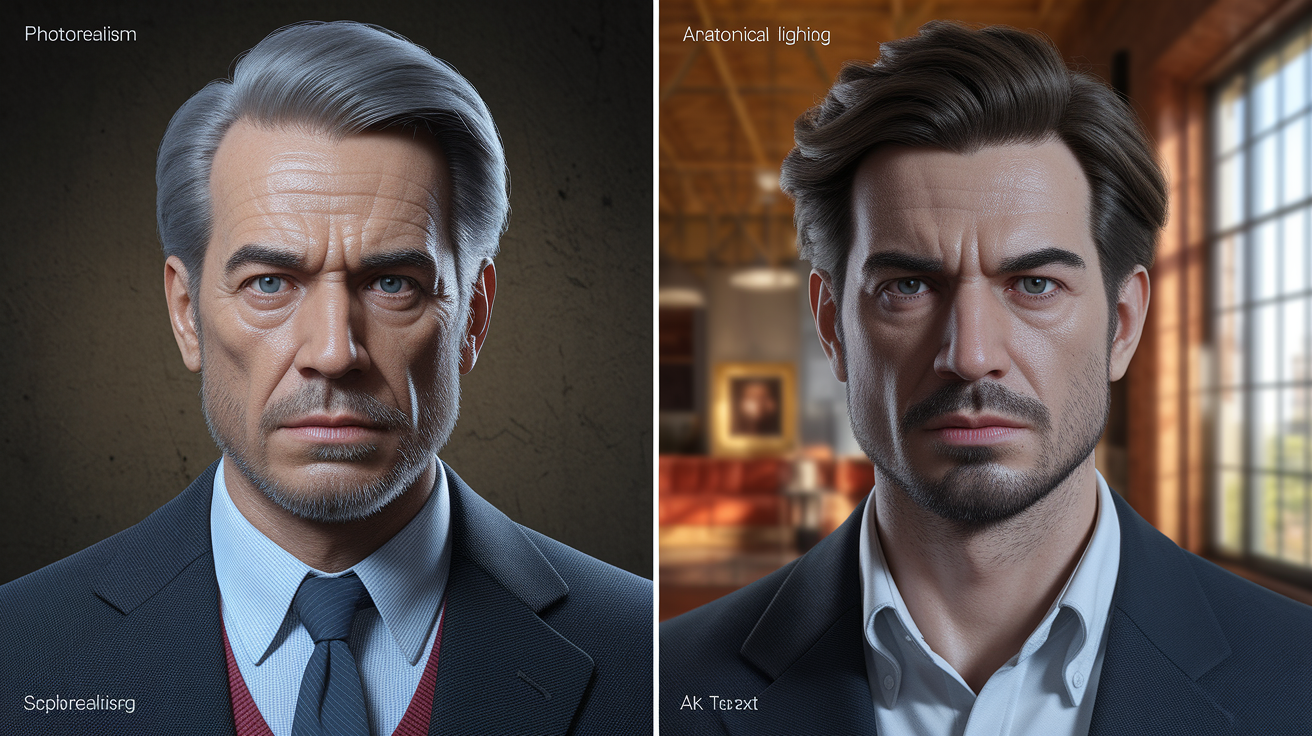
Imagen 3 delivers sharper edges, fewer distortions, improved anatomical rendering, and more accurate text placement compared to Imagen 2. A side-by-side test using the same Paris Olympics break-dancer prompt showed Imagen 2 producing wrong feet and legs, poor photorealism, and low contrast, while Imagen 3 handled upside-down faces and complex poses with correct limb placement and consistent lighting. Google Cloud teams now describe Imagen 2 as unusable for high-quality production work.
Text rendering is one of the most visible upgrades. Imagen 3 can place simple labels, logos, and product names directly onto objects. “Carrefour BIO” on a rice package with a green circle around “BIO” rendered with readable, aligned text that matches the object’s perspective and lighting. Imagen 2 struggled with text accuracy, often producing garbled characters or misaligned labels that required manual correction. Imagen 3’s beta text feature isn’t production-ready for complex typography or editable brand standards, but it’s sufficient for mockups, internal ideation, and early-stage concept validation.
The model also improves background blur and bokeh effects, mimicking depth-of-field behavior from real camera lenses. Foreground subjects remain sharp while backgrounds fade naturally, and lighting reflects realistic shadow direction and intensity. Skin tones are more consistent across different ethnicities, and facial symmetry holds even in challenging angles or partial occlusions. These upgrades matter most in advertising, product photography, and editorial contexts where subtle visual cues affect viewer trust and engagement.
| Aspect | Imagen 2 | Imagen 3 |
|---|---|---|
| Photorealism | Low contrast, blurry faces, poor lighting | High fidelity, accurate lighting, sharp edges |
| Anatomical accuracy | Incorrect limbs, duplicate features | Correct proportions, clean poses |
| Text rendering | Garbled or misaligned text | Readable labels, correct perspective (beta) |
| Generation speed (4 images) | Slower, inconsistent quality | Under 10 seconds (Imagen 3), under 4 seconds (Fast) |
| Background/foreground control | Flat depth, cluttered scenes | Edge-aware blur, semantic layering |
Comparison With Other AI Image Generators

Imagen 3 competes directly with Midjourney, DALL·E 3, and Stable Diffusion, but emphasizes photorealism, prompt alignment, enterprise safety controls, and text accuracy as its core differentiators. Midjourney remains the choice for stylized, artistic, or illustrative outputs with strong community aesthetics. Imagen 3 targets production-grade realism for brands that need images to look camera-captured rather than AI-generated. DALL·E 3, integrated into ChatGPT and Microsoft platforms, offers similar realism but lacks the enterprise governance, indemnity, and multi-platform orchestration that Vertex AI provides.
Stable Diffusion is open-source and highly customizable, making it popular for developers who need full control over model weights, training pipelines, and hosting infrastructure. Imagen 3 trades that flexibility for managed deployment, built-in safety filters, embedded watermarking, and guaranteed data governance. Customer data never trains the model, and processing follows strict customer instructions. For teams without dedicated AI infrastructure or legal clearance to self-host generative models, Imagen 3’s managed service removes operational and compliance overhead.
Text rendering is an area where Imagen 3 pulls ahead. DALL·E 3 and Midjourney still struggle with readable, perspective-correct text on objects, while Imagen 3’s beta feature can place simple labels and logos with correct alignment and lighting. This capability matters for product mockups, packaging design, and promotional assets where text is part of the visual composition, not a post-production overlay. Stable Diffusion models can be fine-tuned for text, but require custom training and prompt engineering to match Imagen 3’s out-of-the-box performance.
Prompt alignment (how closely the output matches the input description) is strong across all major models, but Imagen 3’s multi-subject and spatial understanding stands out in complex scenes. A prompt with layered instructions (“a golden retriever wearing sunglasses on a beach at sunset”) places each element correctly, with the dog in focus, sunglasses on the face (not floating nearby), and the beach and sunset in the background. Midjourney sometimes mixes foreground and background elements, and DALL·E 3 occasionally misinterprets spatial relationships when prompts include three or more interacting objects.
Key factors distinguishing Imagen 3:
Enterprise indemnity – Google offers copyright protection for certain generative AI outputs, a first among hyperscale providers.
Embedded watermarking – SynthID invisibly marks every image and frame, enabling content tracing without visible artifacts.
Data governance guarantees – Customer data is not used for training; all processing follows explicit customer instructions.
Multi-language prompting – Supports non-English inputs natively, unlike DALL·E and Midjourney, which optimize for English prompts.
Vertex AI orchestration – Customization, evaluation, and deployment workflows integrate directly with Google Cloud infrastructure, reducing integration friction for enterprise teams.
How to Access Google Imagen 3
Imagen 3 is available through Vertex AI for Google Cloud customers, with general availability starting the week of December 9, 2024. Access paths depend on the specific model variant and feature set. Imagen 3 (photorealistic, higher quality) is open to all Vertex AI users via API and console interfaces, while Imagen 3 Fast (low latency, ideation-focused) is accessible through the same endpoints for rapid iteration workflows. Veo, the companion video-generation model, remains in private preview and requires contacting a Google Cloud account representative for access.
Third-party platforms also integrate Imagen 3. ImagineArt lists Imagen 3 among 57+ AI models available on its platform, offering a workflow where users log in, select the Imagen 3 model, enter a text prompt (in multiple languages), optionally upload a reference image, customize style, lighting, camera angle, and aspect ratio, then click generate to produce outputs within seconds. Quora’s Poe integrates Gemini and Imagen, with plans to enable Veo access via Vertex AI, bringing generative video to millions of users. WPP uses Imagen 3 inside its WPP Open system, and Honor is integrating the model into millions of smartphones for on-device image enhancement and generation.
For developers and teams building custom workflows, Vertex AI provides API endpoints, SDKs, and orchestration tools to embed Imagen 3 into existing pipelines. Documentation includes sample code, prompt templates, and integration guides for common use cases like automated product photography, marketing asset generation, and content personalization. Access to advanced features (customization like brand/logo infusion, certain editing modes, and allowlisted capabilities) might require additional setup or approval, depending on enterprise agreements and compliance requirements.
Pricing and Usage Limits

Google hasn’t publicly disclosed detailed pricing for Imagen 3 as of the latest updates, but the model is expected to follow the pay-as-you-go structure common across Vertex AI services. Costs typically depend on four factors: prompt complexity, output resolution, number of images generated per request, and whether customization or advanced editing features are used. Imagen 3 Fast is likely priced lower per image than the full Imagen 3 model, reflecting its faster generation time and slightly lower output fidelity.
Usage limits and quotas are managed through Google Cloud’s standard resource allocation system. Enterprise customers can negotiate custom quotas, SLAs (service-level agreements, uptime and performance commitments), and volume discounts based on anticipated usage. Free-tier access or trial credits might be available through Google Cloud’s onboarding programs, allowing teams to test the model before committing to production workloads.
Pricing factors:
Resolution and quality tier – Higher-resolution outputs and photorealistic quality settings cost more per image.
Prompt length and complexity – Detailed, multi-attribute prompts might incur higher processing costs.
Customization and editing – Advanced features like brand infusion, image-to-image edits, and text rendering might carry additional charges.
Volume and frequency – Bulk generation and continuous API calls are typically billed at cumulative rates, with discounts at higher usage thresholds.
Best Use Cases for Imagen 3

Imagen 3 is designed for production-grade visual creation across advertising, product design, editorial content, and brand storytelling. Mondelez used Imagen 3 to generate hundreds of thousands of customized marketing assets across 100+ brands sold in 150 countries, planning to expand into video with Veo. This scale of asset production (brand-consistent images tailored to regional campaigns) shows the model’s ability to handle high-volume, high-variation workflows without manual design overhead.
Product photography and mockups are natural fits. A 500-gram Carrefour Bio Thai rice package example demonstrates the model’s ability to replicate detailed visual attributes: top light-blue serrated edge, bottom sandy-brown section, “Carrefour BIO” in large green letters with a green circle around “BIO,” dark-brown “Riz — Rijst THAI,” left-side nutrition label, right-side teal-blue bowl of cooked white rice with basil, EU green-leaf organic logo, Nutri-Score ‘A’ in green, and “500ge” printed in blue. This level of detail supports packaging prototypes, A/B testing of label designs, and regional product variations without physical photoshoots.
Agoda, a global travel platform with over 4.5 million hotels and properties, is testing Imagen and Veo to generate destination visuals and videos, speeding up content creation for property listings and marketing campaigns. The ability to produce localized imagery (beach resorts at sunset, mountain lodges in snow, urban hotels at twilight) without location shoots or stock-photo licensing reduces both cost and production time. Editorial teams can illustrate articles, blog posts, and social content with custom images that match tone and subject without relying on generic stock libraries.
Creative applications extend to concept art, character design, and entertainment assets. Imagen 3 handled a literary illustration task using an excerpt from James and the Giant Peach, producing dark, unsettling, accurate scene images that matched the source material’s tone and narrative details. Comic and storyboard generation is possible, though multi-panel consistency requires a stage-by-stage approach. Generate each panel individually with explicit persona details (hair color, clothing, facial features) to keep the same character across frames. A three-panel marriage-proposal comic (flowers → jewelry → proposal) mixed elements when generated in a single prompt, but succeeded when each stage was prompted separately with consistent character descriptions.
Safety, Ethics, and Responsible Use Controls

Imagen 3 includes built-in content filters, embedded watermarking, bias mitigation, and policy guardrails designed to reduce harmful outputs and align with Google’s Responsible AI principles. Every image and frame generated by Imagen 3 and Veo carries an invisible SynthID watermark, enabling content tracing and verification without visible artifacts or degradation. This watermarking is embedded at the pixel level and survives common edits like cropping, resizing, and compression, helping platforms and publishers identify AI-generated content even after redistribution.
Safety filters block prompts and outputs that violate Google’s content policies, including violent, sexually explicit, hateful, or deceptive imagery. The filters operate at both input and output stages. Prompts are scanned before generation, and outputs are reviewed before delivery to catch edge cases that evade prompt-level checks. Google hasn’t published false-positive or false-negative rates for these filters, but internal testing shows reduced hallucinations and fewer policy violations compared to Imagen 2, which occasionally produced unintended harmful content from benign prompts.
Bias mitigation efforts focus on skin tone accuracy, demographic representation, and avoidance of stereotypical associations. Imagen 3’s training included steps to reduce over-representation of certain demographics in occupation-related prompts (like “doctor” or “engineer”) and to improve coverage of underrepresented groups in photorealistic outputs. Google acknowledges that bias work is ongoing and that the model might still reflect training-data imbalances in some scenarios, particularly in niche or culturally specific contexts where training examples are sparse.
Five core safety mechanisms:
SynthID watermarking – Invisible, pixel-level markers embedded in every image and frame for content tracing.
Input and output content filters – Block prompts and images that violate Google’s Responsible AI policies.
Bias mitigation – Training adjustments to improve demographic balance and reduce stereotypical outputs.
Data governance guarantees – Customer data is not used to train the model; all processing follows explicit customer instructions.
Copyright indemnity – Google offers an indemnity policy for certain generative AI outputs, protecting enterprise customers from IP claims under specified conditions.
Example Outputs and Performance Notes

Imagen 3 produces high-quality images with strong prompt adherence, especially in complex scenes and stylized artwork. A photorealistic break-dancer test at the Paris Olympics (with the Eiffel Tower in the background) demonstrated accurate upside-down faces, consistent clothing, correct limb placement, and a single, properly positioned landmark. Imagen 3 Fast handled the same prompt but produced blurry faces and occasional duplicate landmarks, confirming its role as an ideation tool rather than a final-output generator. Imagen 2 failed entirely, rendering wrong feet, poor contrast, and low photorealism.
Text rendering in beta produces readable labels on objects, suitable for mockups and internal reviews. A Carrefour rice-package prompt generated a package with correct “Carrefour BIO” lettering in green, a green circle around “BIO,” and readable “500ge” in blue, matching the source image’s label layout. The text was aligned with the package’s perspective and lighting, though fine typographic details (kerning, exact font weights) weren’t production-ready without manual refinement.
Multi-stage storytelling outputs require a panel-by-panel approach to maintain character consistency. A single-prompt three-panel comic mixed elements and characters across frames, but generating each panel individually with explicit persona attributes (hair color, clothing, facial features, background setting) preserved continuity. This workflow is practical for storyboards, concept pitches, and narrative illustration, though it adds iteration steps compared to single-prompt multi-panel requests.
Performance is strong across marketing, branding, and editorial use cases. Imagen 3 outputs are high enough quality for external-facing campaigns, with sharp details, natural lighting, accurate object relationships, and minimal artifacts. Imagen 3 Fast is recommended for rapid ideation and prompt iteration, where speed matters more than pixel-perfect fidelity, and outputs are intended for internal review rather than public release.
Final Words
Imagen 3 delivers higher realism, clearer text rendering, and better prompt alignment, a clear step up from Imagen 2.
This article covered what Imagen 3 is, its key features and architecture, image quality upgrades, competitor comparisons, access and pricing, top use cases, safety controls, and sample outputs.
Try it via Google AI Studio or partner APIs, monitor costs and safety settings, and start with small tests. The google imagen 3 model makes professional-grade image creation easier and more reliable, so it’s worth trying in your next project.
FAQ
Q: Is image Gen 3 free? What is the cost of Imagen3?
A: Imagen 3 isn’t universally free; pricing follows Google’s pay-as-you-go model, with costs based on image resolution and prompt complexity. Limited free trials or partner-platform access may be available.
Q: How accurate is Imagen 3?
A: Imagen 3 is highly accurate at rendering photorealistic scenes and readable text, producing fewer hallucinations than earlier versions; final accuracy still depends on prompt clarity and complexity.
Q: Is Imagen 3 better than other image generators?
A: Imagen 3 often outperforms rivals on realism, text fidelity, and fewer artifacts, while other tools may win on stylized results, speed, or integration—pick based on your quality and workflow priorities.