

Think a model upgrade is just marketing?
Gemini 2.0 Flash proves otherwise.
Released to general availability on Feb 5, 2025, it brings a 1,000,000-token context window, multimodal input, native tool calls, and simpler pricing that cut real costs for large workloads.
This post breaks down the performance specs you need to know, shows where the model actually helps in coding, long-form summarization, and multimodal analysis, and gives practical steps for testing and deploying it in production.
Read on to decide if Gemini 2.0 Flash belongs in your stack.
Core Capabilities of the Gemini 2.0 Flash Model

Google pushed Gemini 2.0 Flash to general availability on February 5, 2025. It’s a serious upgrade over the 1.5 generation in performance, context handling, and pricing.
The model supports a 1,000,000 token context window. That’s roughly 1,500 pages of text in 12 point Arial. You can drop entire books, lengthy technical docs, or large codebases into a single request.
Gemini 2.0 Flash accepts multimodal input (text combined with images or other formats), but right now it outputs text only. Native tool use is built in, so the model can invoke functions, query databases, or trigger external APIs directly within a conversation. Google designed the model with a concise default output style to reduce token usage and cost, though you can prompt it into a more verbose, conversational tone when you need it for support or chat applications.
Rate limits are higher than the 1.5 series. Google simplified the pricing structure by charging a single rate per input type, eliminating the separate tiers for short versus long context requests that existed in Gemini 1.5 Flash. For mixed context workloads, this can lower costs even as performance improves. Google also maintains what it calls an industry leading free tier to support developer onboarding and experimentation.
Major improvements in Gemini 2.0 Flash:
Expanded context window – 1M tokens, up from the 1.5 Flash limit, enabling whole document reasoning and retrieval augmented generation (RAG) workflows without chunking.
Multimodal input support – accepts images alongside text for vision based question answering, document analysis, and content moderation.
Native tool invocation – no separate orchestration layer required for function calling or API integration.
Simplified, unified pricing – one rate per input modality, removing context length tiers and making cost forecasting straightforward.
Higher rate limits – designed to handle production scale traffic and high throughput batch processing.
Significant benchmark gains – outperforms Gemini 1.5 Flash across multiple evaluation suites, though Google hasn’t yet published numeric scores for all tasks.
Google’s roadmap includes image and audio output capabilities and a Multimodal Live API, both expected to reach general availability in the coming months. These additions will enable real time conversational interfaces, video generation workflows, and interactive voice applications. Typical use cases today center on coding assistance, large scale text generation, document summarization, and multimodal content analysis. Scenarios where the 1M token window, tool use, and cost efficiency deliver measurable advantages over smaller or older models.
Architecture and Efficiency Advances in Gemini 2.0 Flash

Gemini 2.0 Flash builds on transformer architecture improvements that reduce memory footprint and increase throughput compared to the 1.5 generation. Google describes the model as optimized for high throughput workloads, using enhanced attention mechanisms to handle the 1M token context window without proportional increases in latency or compute cost. Developers report faster response behavior in practice, though Google hasn’t disclosed numeric latency figures or the specific architectural techniques (such as sparse attention patterns, grouped query attention, or custom kernel optimizations) that underpin the speed gains.
The model’s efficiency improvements are designed to support both cloud and edge deployment scenarios. Flash attention techniques reduce the quadratic complexity of standard self attention, allowing the model to scale to long contexts while maintaining lower memory use per token. Quantization and pruning strategies, common in production grade model serving, likely contribute to the reduced inference cost and faster time to first token, though Google hasn’t published parameter counts or disclosed whether the model uses mixed precision inference by default.
Cache optimizations play a key role in cost and latency management. When you send repeated or incremental prompts (common in conversational agents, document Q&A, and coding assistants), cache hits reuse previously processed tokens at a lower cost and faster speed. Google Vertex AI charges a per hour cache storage fee in addition to cache hit pricing, while other providers use cache write fees or no storage fees at all. Understanding your provider’s cache pricing model is essential for estimating real world costs in production.
| Feature | Impact on Performance |
|---|---|
| Flash attention mechanism | Reduces memory bandwidth usage and enables larger context windows with lower latency overhead |
| 1M token context window | Allows entire documents or codebases in a single request, eliminating chunking and retrieval overhead |
| Native tool invocation | Streamlines integration with external APIs and functions, reducing orchestration latency |
| Simplified pricing and cache support | Lowers cost per request for mixed context workloads and repeated prompts, improving economics at scale |
| Quantization and pruning strategies | Decreases inference cost and memory footprint, enabling faster deployment and higher request throughput |
For real time applications (live chat, code completion, interactive agents), the combination of reduced latency, higher throughput, and predictable cache behavior makes Gemini 2.0 Flash a practical choice. Developers building low latency pipelines should measure time to first token and end to end response time with their own prompts and workloads, as provider specific infrastructure, network conditions, and concurrency settings can all influence observed performance in production environments.
Multimodal Strengths and Input/Output Behavior of Gemini 2.0 Flash

Gemini 2.0 Flash accepts text and image input, allowing you to build applications that analyze photos, interpret diagrams, extract information from scanned documents, or answer questions about visual content. The model can describe images, identify objects, read text from images, and reason over combined text and image prompts. Output is currently text only, which means the model can’t generate images, audio, or video in its present release.
Google upgraded image generation in the Gemini app to Imagen 3, delivering richer detail, improved textures, and better instruction following for prompts that request specific styles, compositions, or elements. While Imagen 3 is a separate model, the integration demonstrates Google’s broader multimodal strategy and the planned expansion of Gemini 2.0 Flash’s output capabilities. The Multimodal Live API, expected to reach general availability in the coming months, will add image and audio output, enabling real time conversational interfaces, video synthesis, and interactive voice applications.
When designing multimodal prompts, consider these strategies:
Place critical instructions early. The model processes prompts sequentially, so front load the task description and any constraints before including large images or long text passages.
Specify output format explicitly. Ask for structured outputs like JSON, numbered lists, or tables when you need to parse the response programmatically.
Reference images clearly in the prompt. Use phrases like “in the attached image” or “the diagram above” to guide the model’s attention to the correct visual content.
Test instruction following with varied styles. Imagen 3’s improvements mean more reliable adherence to style and composition requests, but always validate with your specific prompt patterns.
Future output modalities will expand use cases significantly. Image output will enable automated content creation, design prototyping, and visual explanation workflows. Audio output will support voice agents, accessibility features, and real time translation or dubbing applications. Developers building multimodal products today should design APIs and prompt templates with these upcoming capabilities in mind, structuring code so adding image or audio outputs requires minimal refactoring when the features reach general availability.
Context Window Management and Long Document Handling

Gemini 2.0 Flash’s 1,000,000 token context window handles roughly 1,500 pages of text in a single request, removing the need to chunk documents for summarization, question answering, or citation extraction. This capacity supports entire technical manuals, full length books, large codebases, and multi document analysis workflows without requiring retrieval augmented generation (RAG) infrastructure for many use cases.
When working with long documents, structure your prompts to help the model locate and prioritize the most relevant information. Place the task description and any specific questions or instructions at the beginning of the prompt, then append the long document. If you need the model to reference multiple sections, use clear section headers or numbered markers in the input text to guide the model’s attention. For tasks like summarization or key point extraction, explicitly state the desired length and format of the output to avoid overly verbose responses that increase token costs.
To maximize accuracy and efficiency with large context prompts:
- Front load the task and constraints. State the objective, output format, and any exclusions before providing the full document.
- Use explicit section references. If asking about specific parts of a long document, include headers, page numbers, or markers like “Section 3” or “Appendix B” in both the input and the question.
- Request structured outputs. Ask for JSON, tables, or numbered lists when you need to parse or filter the response programmatically.
- Test prompt length incrementally. Start with shorter documents to validate your prompt structure, then scale up to full length inputs once the output format is stable.
- Monitor token usage and cache behavior. Use token counting tools (referenced in Google’s pricing documentation) to estimate input size and cache hit savings for repeated or incremental queries.
Long context accuracy depends on how well the prompt directs the model’s attention. Gemini 2.0 Flash processes the entire input, but performance on retrieval style questions (finding a specific fact in a 1,000 page document) improves when the question clearly identifies the relevant section or provides enough context to narrow the search space. For workloads that repeatedly query the same large document, cache pricing becomes a key cost factor, since the input tokens are processed once and reused across multiple requests at a lower cache hit rate.
Performance Benchmarks and Intelligence Evaluation for Gemini 2.0 Flash

Google states that Gemini 2.0 Flash delivers significant performance improvements over Gemini 1.5 Flash across multiple benchmarks, though the company hasn’t published detailed numeric scores for all evaluation suites. The experimental variant of Gemini 2.0 Flash received an Artificial Analysis Intelligence Index score of 17, compared to a median of 11 for non reasoning models in the same class. This score reflects performance across a broad set of tasks, not a single narrow benchmark.
Intelligence Index Breakdown
The Intelligence Index v4.0 combines results from 10 evaluation suites: GDPval AA, τ² Bench Telecom, Terminal Bench Hard, SciCode, AA LCR (long context reasoning), AA Omniscience, IFBench, Humanity’s Last Exam, GPQA Diamond (graduate level science questions), and CritPt. Each suite tests different capabilities: scientific reasoning, coding accuracy, instruction following, long context retrieval, and domain specific knowledge. The aggregate score provides a single metric for comparing models, but you should review per task breakdowns to understand where Gemini 2.0 Flash excels and where it may lag behind specialized or larger models.
Performance Metric Definitions
Artificial Analysis defines three key latency metrics. Output speed measures tokens generated per second during streaming responses. Time to first token (latency) tracks how long the model takes to begin generating output after receiving a prompt. End to end response time measures the total seconds required to output a fixed token count, such as 500 tokens, from prompt submission to completion. Google references these definitions in its documentation but hasn’t released numeric values for Gemini 2.0 Flash across all providers.
| Metric | Definition | Why It Matters |
|---|---|---|
| Output speed | Tokens generated per second during streaming | Determines perceived responsiveness in chat, code completion, and real time applications |
| Time to first token | Seconds from prompt submission to first output token | Critical for low latency use cases like autocomplete, live agents, and interactive tools |
| End to end response time | Total seconds to output a fixed token count (e.g., 500 tokens) | Measures overall throughput for batch processing and long form generation |
| Intelligence Index score | Aggregate performance across 10 evaluation suites | Provides a single comparison point for model capabilities across reasoning, coding, and knowledge tasks |
| Cache hit pricing | Cost per million tokens for reused prompt segments | Affects economics for conversational agents, document Q&A, and repeated queries on the same context |
You should run your own benchmarks using representative prompts, token counts, and workload patterns before committing to production deployments. Measure latency and throughput under realistic concurrency and load conditions, track cost per request including cache fees, and validate accuracy on domain specific tasks that may not align with public benchmark suites. Provider specific infrastructure, API rate limits, and network latency all influence observed performance, so first party API results may differ from multi provider median figures reported in third party analyses.
Pricing Model, Rate Limits, and Cost Optimization for Gemini 2.0 Flash

Gemini 2.0 Flash and Gemini 2.0 Flash Lite both use simplified pricing with a single rate per input type, removing the distinction between short context and long context requests that existed in Gemini 1.5 Flash. This change makes cost estimation more straightforward and often reduces total cost for workloads that mix short and long prompts. Flash Lite is positioned as the most cost efficient option, optimized for high volume text generation where latency and advanced multimodal features are less critical than throughput and price.
Cache pricing varies significantly by provider and can materially affect total cost for conversational agents, document Q&A, and other workflows that reuse large portions of the prompt across multiple requests. Google Vertex AI and Gemini API charge a per hour cache storage fee in addition to cache hit pricing, meaning you pay to keep cached tokens in memory between requests. Anthropic charges separate cache write fees with different rates for 5 minute and 1 hour time to live (TTL) windows, with the 1 hour TTL costing more but providing longer reuse. OpenAI, DeepSeek, and some other providers charge only cache hit pricing with no write or storage fees. Blended pricing charts typically show cache hit only values, so you need to add write and storage fees separately when estimating real world costs.
Cost optimization strategies for production workloads:
Choose Flash Lite for high volume, text only batch jobs. It offers lower per token pricing and is designed for throughput over latency or multimodal features.
Use cache aware prompt design. Structure prompts so large, static context (like system instructions or reference documents) appears first and can be cached across requests, minimizing repeated input token costs.
Monitor cache TTLs and storage fees. If your provider charges per hour storage, balance cache expiration times against reuse frequency to avoid paying storage fees for rarely accessed cached content.
Estimate blended costs including cache write and storage. Use actual usage patterns (prompt size, request frequency, cache hit rate) to model total cost, not just advertised per token rates.
Track tiered pricing thresholds. Some providers apply different rates for prompts above 200,000 tokens, so structure large context requests to stay under tiers when possible or plan for the higher rate.
Designing workloads around provider specific fees requires understanding your request patterns. If you send the same 500,000 token document with different questions 100 times per day, cache hit pricing dominates your cost structure, and providers with no write fees or lower storage fees may be more economical. If you send unique, variable length prompts with minimal reuse, simplified per token pricing without cache tiers offers better cost predictability. Always validate pricing assumptions with small scale tests before scaling to production traffic levels.
Integration Guide: APIs, SDKs, and Deployment Options for Gemini 2.0 Flash
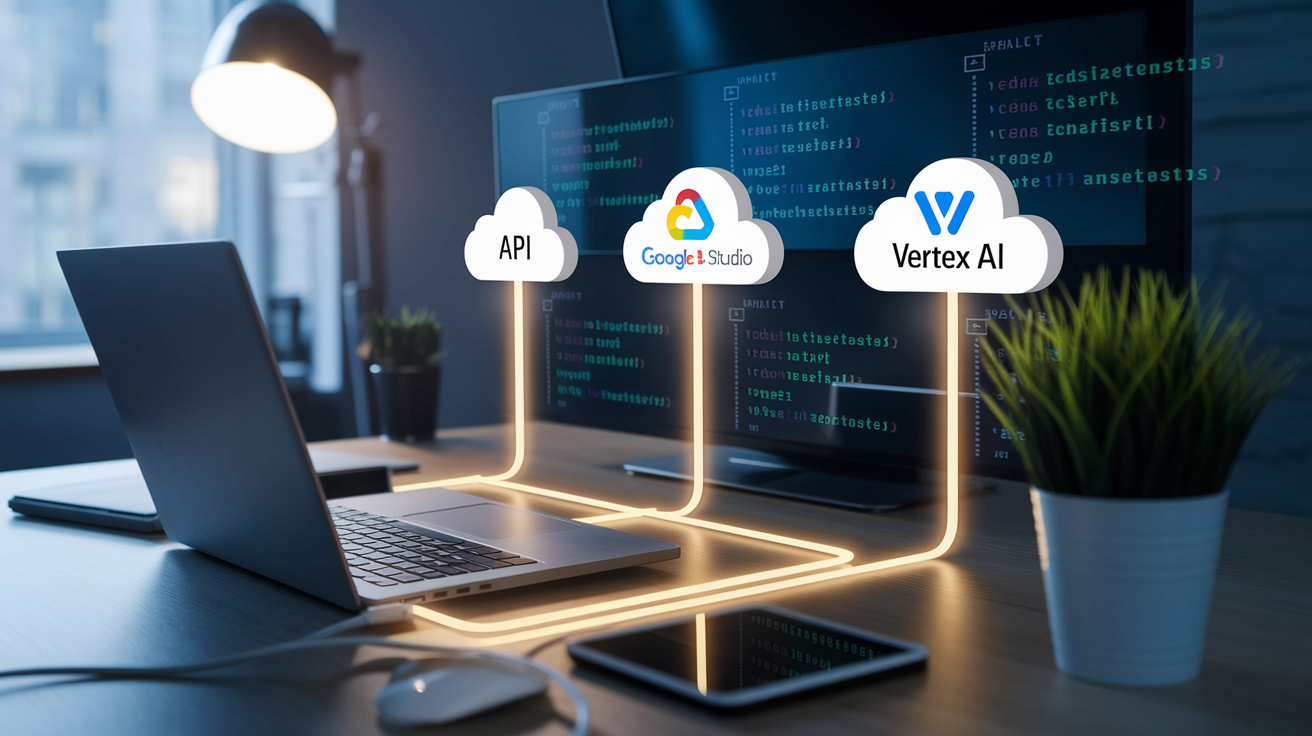
Gemini 2.0 Flash is available through three primary channels: the Gemini API (for lightweight integrations and prototyping), Google AI Studio (a web based experimentation and tuning environment), and Vertex AI (Google Cloud’s enterprise ML platform with advanced tooling, security controls, and infrastructure integration). Google states developers can begin building with the model in “four lines of code,” emphasizing a low friction onboarding experience for common tasks like text generation, question answering, and image analysis.
The Gemini API and Vertex AI both support REST and gRPC interfaces, and Google provides official SDKs for Python, JavaScript (Node.js), Go, and other languages. Documentation includes token counting utilities to help estimate input size, output length, and cache behavior before sending requests. While the scraped sources don’t include explicit provider endpoints or full SDK samples, typical integrations follow a pattern of initializing a client, configuring model parameters (temperature, max tokens, stop sequences), and sending a prompt with optional multimodal attachments.
Python and JavaScript Usage
In Python, developers typically install the google-generativeai or Vertex AI SDK, authenticate with an API key or service account, and call a generate_content method with a prompt string or structured input. Initialize the client, set the model name to ‘gemini-2.0-flash’, pass your prompt and any images as a list, then parse the response text. In JavaScript (Node.js), the pattern is similar: import the SDK, configure authentication, construct a prompt object, and await the model’s response. Import the Gemini library, create a model instance, call generateContent with your text and image inputs, and handle the returned promise to extract the output.
Deployment Models
Cloud deployments via Vertex AI offer built in logging, monitoring, and integration with Google Cloud services like BigQuery, Cloud Storage, and Pub/Sub, making it straightforward to build end to end ML pipelines. Edge deployments (running inference on mobile devices, embedded systems, or on premises servers) are possible with quantized or distilled variants if Google releases them, but Gemini 2.0 Flash’s default configuration targets cloud based serving for most use cases.
When debugging or logging model behavior in production, capture input token counts, output token counts, cache hit status, latency metrics (time to first token, total response time), and any error codes or rate limit signals. Structured logging of these fields enables cost analysis, performance tuning, and troubleshooting of unexpected responses or timeouts. Google’s AI Studio provides built in experiment tracking and prompt versioning for iterative development, while Vertex AI integrates with Cloud Logging and Cloud Monitoring for production observability.
Safety, Alignment, and Hallucination Mitigation in Gemini 2.0 Flash

Gemini 2.0 Flash includes safety filters and moderation capabilities designed to reduce harmful outputs, enforce content policies, and detect misuse patterns. Google’s safety mechanisms (referenced across provider documentation but not detailed in the scraped sources) typically include classifiers for violence, hate speech, sexually explicit content, and dangerous or illegal advice. You can configure safety thresholds and filter responses that exceed risk levels appropriate for your application context.
The model’s default concise output style can help reduce hallucinations by limiting verbose, speculative responses. When prompted for factual information, shorter answers tend to stick closer to the input or known data, reducing the chance of fabricated details. You can further control output behavior by explicitly requesting citations, asking the model to mark uncertain statements, or structuring prompts to demand evidence based answers rather than open ended generation.
Hallucination mitigation strategies to include in your prompt design:
Request citations or references. Ask the model to cite sources, quote directly from input documents, or identify which section of the context supports each claim.
Use structured output formats. JSON, tables, or numbered lists reduce free form prose and make it easier to validate factual accuracy programmatically.
Prompt for explicit uncertainty markers. Instruct the model to preface uncertain statements with phrases like “based on the provided context” or “I cannot confirm.”
Validate outputs against ground truth. For critical applications, cross check model responses with trusted databases, APIs, or human review before surfacing results to end users.
For production deployments, test failure modes explicitly. Send edge case prompts: ambiguous questions, contradictory input, requests for information outside the model’s knowledge cutoff (August 2024), or adversarial queries designed to elicit unsafe or incorrect responses. Log and review these cases to build guardrails, refine prompts, and set appropriate user expectations about the model’s capabilities and limitations.
Comparing Gemini 2.0 Flash to Earlier Models and Alternatives
Gemini 2.0 Flash outperforms Gemini 1.5 Flash across benchmarks, context handling, and cost efficiency. The 2.0 variant includes a 1,000,000 token context window (versus smaller limits in 1.5 Flash), multimodal input, native tool use, simplified pricing without context length tiers, and higher rate limits. Gemini 1.5 Flash and Gemini 1.5 Pro remain accessible for a few weeks following the 2.0 release, allowing developers to finish ongoing conversations and migrate workloads without immediate disruption.
Gemini 1.5 Pro offers stronger performance on complex reasoning tasks and larger parameter counts but at higher cost and lower rate limits than Gemini 2.0 Flash. For most production use cases (coding assistance, document summarization, conversational agents, multimodal content analysis), Gemini 2.0 Flash delivers better price performance. Developers running specialized workloads that benefit from deeper reasoning or more nuanced language understanding may still prefer Gemini 1.5 Pro or the experimental Gemini 2.0 Pro variant, which targets coding and complex prompts.
| Model | Context Window | Modalities | Pricing Notes |
|---|---|---|---|
| Gemini 2.0 Flash | 1M tokens | Text + image input, text output | Simplified single rate pricing, higher rate limits, lower cost for mixed context workloads |
| Gemini 1.5 Flash | Smaller context window | Text + image input, text output | Separate short/long context pricing tiers, lower rate limits, being phased out |
| Gemini 1.5 Pro | Moderate context window | Text + image input, text output | Higher per token cost, stronger reasoning, lower throughput, available for transition period |
| Gemini 2.0 Flash Lite | 1M tokens | Text focused | Most cost efficient option, optimized for high volume text generation and batch processing |
When migrating from Gemini 1.5 to 2.0, test prompts for behavioral differences. The 2.0 Flash default concise style may produce shorter answers than 1.5 Flash on the same prompt, requiring adjustments to system instructions or output length parameters. Developers relying on specific output formatting, citation patterns, or verbose explanations should validate and refine prompts during the transition period. Google’s continued availability of 1.5 models for a few weeks provides a buffer to test, compare, and migrate incrementally.
Open source alternatives like Llama, Mistral, and Falcon offer transparency, customization, and on premises deployment options but typically lack the multimodal capabilities, context window size, and native tool integration of Gemini 2.0 Flash. The tradeoff centers on control versus convenience: open models let you fine tune weights, audit architecture, and avoid vendor lock in, while proprietary models like Gemini 2.0 Flash deliver higher performance, better tooling, and managed infrastructure at the cost of less transparency and dependence on Google’s API and pricing.
Real World Use Cases and Application Patterns for Gemini 2.0 Flash

Google’s recommended model mapping guides workload selection. Gemini 2.0 Flash handles high performance production use cases that demand multimodal input, tool use, and large context processing: coding assistants, document analysis platforms, conversational agents, and content generation pipelines. Gemini 2.0 Flash Lite targets cost sensitive, high throughput text generation like batch summarization, large scale content moderation, and automated report creation where latency and multimodal features are secondary to volume and price.
Gemini 2.0 Pro (experimental) focuses on coding assistance and complex prompt handling, offering stronger reasoning for tasks like code generation, debugging, and multi step problem solving. Gemini 2.0 Flash Thinking Experimental, a previously launched variant, uses explicit chain of thought reasoning before answering, making it suitable for math problems, logic puzzles, and scenarios where showing intermediate steps improves output quality or user trust.
Production use cases and application patterns:
Coding assistants. Autocomplete, bug detection, code explanation, and refactoring suggestions using the 1M token context to process entire repositories or large modules.
Document summarization and Q&A. Extracting key points, answering questions, or generating executive summaries from technical manuals, legal contracts, research papers, or customer feedback logs.
Conversational support agents. Handling customer inquiries, troubleshooting steps, and personalized responses with tool use for order lookups, knowledge base retrieval, or ticket creation.
Content creation workflows. Drafting articles, generating product descriptions, translating text, or rewriting content for different audiences with multimodal input for reference images or brand assets.
Retrieval augmented generation (RAG). Embedding large documents directly in the context window to eliminate chunking and retrieval overhead for specialized knowledge domains.
Multimodal content moderation. Analyzing images and text together to detect policy violations, spam, or harmful content in user generated posts.
When selecting a model variant for your workload, prioritize context window requirements, modality needs, tool use integration, latency sensitivity, and budget constraints. Flash Lite makes sense for text only batch jobs where you process millions of requests and cost dominates architecture decisions. Gemini 2.0 Flash fits interactive, multimodal applications where responsiveness, tool integration, and the 1M token window justify slightly higher per token pricing. Pro and Flash Thinking variants serve specialized use cases (coding, reasoning, chain of thought) where model behavior differences outweigh cost or throughput considerations.
Future Roadmap, Release Notes, and Expected Updates for Gemini 2.0 Flash
Google’s public roadmap for Gemini 2.0 Flash includes general availability of image and audio output capabilities and the Multimodal Live API, both expected to launch in the coming months. These features will enable real time conversational interfaces with voice and visual responses, video generation workflows, and interactive applications that combine text, image, and audio in a single session. Developers building multimodal products today should design APIs and data pipelines to accommodate these output formats with minimal refactoring when they become available.
Continued cost reductions and higher rate limits are part of Google’s stated strategy to support production scaling. As infrastructure efficiency improves and competition drives pricing down across the industry, Google is expected to lower per token costs further and increase request throughput limits for both free tier and paid accounts. These updates will make Gemini 2.0 Flash more viable for high volume, cost sensitive workloads and expand accessibility for startups and individual developers experimenting with large scale generative applications.
Upcoming general availability features and timeline expectations:
Image output. Scheduled for GA in coming months, enabling generated diagrams, illustrations, design mockups, and visual explanations as part of model responses.
Audio output. Planned for GA alongside image output, supporting voice responses, real time speech synthesis, and conversational voice agents via the Multimodal Live API.
Multimodal Live API. A unified interface for real time, streaming multimodal interactions combining text, image, and audio input and output in a single session, targeted for GA release within the next few months.
Final Words
Core strengths: a 1M-token context window, multimodal input (text + images today), and architecture tuned for lower latency and higher throughput.
You’ve seen practical details on pricing, rate limits, integration options, and safety tips to reduce hallucinations. Use those to pick Flash vs Flash‑Lite and design cost-aware workloads.
Roadmap items — image and audio output via the Multimodal Live API and continued rate/price improvements — mean capabilities will keep expanding.
If you’re evaluating large-context multimodal systems, the gemini 2.0 flash model is worth testing in a short pilot.
FAQ
Q: What is the Gemini 2.0 flash model?
A: The Gemini 2.0 Flash model is Google’s high-performance multimodal LLM (GA Feb 5, 2025) with a 1,000,000-token context window, multimodal input, text-only output today, native tool use, and improved benchmarks.
Q: Can you still use Gemini 2.0 flash?
A: You can still use Gemini 2.0 Flash; it’s generally available with higher rate limits and simplified pricing, while older 1.5 variants remain accessible briefly—plan migration and testing now.
Q: How to use Gemini 2.0 flash model?
A: To use Gemini 2.0 Flash, call the Gemini API or Google AI Studio/Vertex AI, send text or images, structure prompts for long contexts, and follow SDK examples and native tool integrations for best results.
Q: Is Gemini 2.0 Flash a thinking model?
A: The Gemini 2.0 Flash model is not solely a “thinking” model; a separate Flash Thinking variant targets reasoning-first workloads, while Flash supports controlled prompts for more deliberate, step-by-step reasoning.

