

What if your browser is a wide-open door attackers walk through every day?
A zero-day vulnerability is a software flaw vendors don’t know about yet, so attackers get a head start before a patch arrives.
Web browsers are prime targets because a single exploit can reach millions.
This post explains how those zero-days work, who’s at risk—from everyday users to enterprise fleets—and why it matters for your accounts, data, and devices.
Most importantly, you’ll learn the practical steps to protect yourself now: update, fully restart, and check any apps that embed Chromium.
Understanding Zero-Day Vulnerabilities Affecting Modern Web Browsers

A zero-day vulnerability is a software flaw the vendor doesn’t know about yet. Developers get zero days to ship a patch before attackers start using it. Web browsers make perfect targets because one exploit can hit billions of people. Chrome runs on billions of devices, which makes a working browser zero-day incredibly powerful. When something’s being exploited “in the wild,” attackers can use it for days or weeks before anyone notices or fixes it.
Most browser zero-days go after low-level memory problems like use-after-free bugs or iterator invalidation. CVE-2026-2441, Chrome’s first zero-day of 2026, is a High-severity use-after-free flaw in CSSFontFeatureValuesMap caused by iterator invalidation. The problem happens when code loops over a set of font feature values while changing that set at the same time, leaving the loop pointing at memory that’s already been freed. Attackers can turn this into arbitrary code execution inside the browser’s tab sandbox. The sandbox limits what they can do initially, but pairing this with a sandbox escape gets them full system access.
Even without breaking out of the sandbox, code execution inside a tab is dangerous:
- Session tokens and credentials get stolen from open web apps
- Cloud accounts get hijacked and backdoors planted
- Any data the tab can see gets read or modified, including corporate SaaS
- Malicious extensions get installed and stick around after the tab closes
- When chained with privilege escalation, you get lateral movement and malware
Google shipped Chrome version 145.0.7632.75/76 to fix CVE-2026-2441 and confirmed active exploitation, though they didn’t say who was targeted. Downloading the patch doesn’t protect you until you restart the browser completely. A lot of people leave browsers open for days. When a zero-day patch drops, update and restart immediately.
Technical Mechanics Behind Browser Zero-Day Exploits
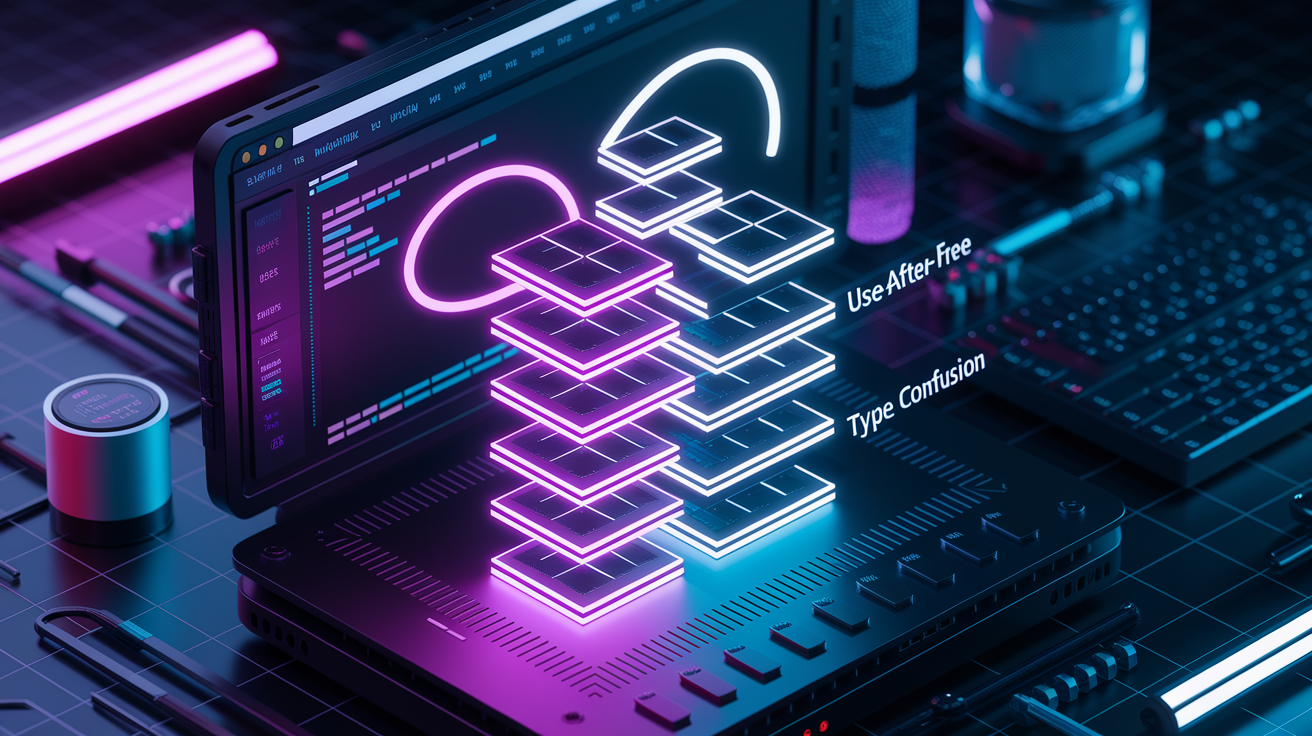
Memory corruption flaws are the most common way into browsers. Use-after-free happens when code references memory that’s already been deallocated, letting attackers control that freed space and run arbitrary code. Type confusion tricks the engine into treating one data type as another, bypassing safety checks. Heap corruption and JIT compilation bugs in JavaScript engines like V8 create more attack surface. CVE-2026-2441 shows iterator invalidation in action: code modified a collection while looping over it, creating a stale pointer attackers can exploit. This kind of memory issue is hard to catch with normal tools because the vulnerability lives in legitimate browser logic, not something obviously malicious.
Exploit chaining makes everything worse. Attackers use something like CVE-2026-2441 to get code execution inside the tab sandbox first. Then they deploy a sandbox escape to break out of the browser’s isolation. Finally, they escalate privileges to install malware, steal data, or move across the network. The March 2025 CVE-2025-2783 campaign used exactly this chain: sandbox bypass plus RCE to install espionage malware on Windows. Each link has to work for full compromise, but defenders only need to stop the first stage.
| Vulnerability Class | Description | Typical Outcome |
|---|---|---|
| Use-After-Free (UAF) | Code references memory after it’s been freed, letting attacker-controlled data occupy that space. | Arbitrary code execution within the browser process. |
| Type Confusion | Engine treats one data type as another, bypassing type safety and memory protections. | Memory read/write primitives leading to RCE. |
| Sandbox Escape | Exploit breaks out of the browser’s isolated process to access the underlying OS. | Full system access, malware installation, persistence. |
Recent Zero-Day Incidents in Chrome and Chromium-Based Browsers
CVE-2026-2441 got reported in February 2026 as Chrome’s first zero-day of the year. Google pushed an emergency stable-channel update (version 145.0.7632.75 for Linux, 145.0.7632.75/76 for Windows and macOS) instead of waiting for the next major release. That signals elevated risk and immediate need to update. They confirmed active exploitation but didn’t share details about targets, frequency, or indicators to limit attacker advantage during early rollout.
CVE-2025-2783 was patched on March 25, 2025, after attackers chained a sandbox bypass with another exploit to deliver espionage-focused malware. The campaign targeted Windows systems, though researchers think the same flaw could potentially hit macOS. Google said “an exploit for CVE-2025-2783 exists in the wild,” triggering immediate patching requirements across the Chromium ecosystem. This was the second Chromium vulnerability in 2025 with known real-world exploitation.
Cross-browser impact was significant. Chromium-based browsers like Microsoft Edge, Brave, Vivaldi, Opera, Opera GX, Opera Air, and Arc all inherited the vulnerability from the shared codebase. Edge, Brave, and Vivaldi got updates on March 26, 2025, one day after Chrome’s patch. Opera and Opera GX patched on March 27, but Opera Air for Mac hadn’t been updated since March 5 and likely stayed vulnerable. Arc got an update on March 27 to an older Chromium build and remained vulnerable as of publication. These delays show the backporting challenge: browsers based on older Chromium codebases have to manually backport security fixes, which can leave users exposed for days or weeks.
Non-browser apps make the risk window even longer. Lots of desktop apps embed Chromium via the Electron framework. Think 1Password, Discord, Dropbox, Figma, GitHub Desktop, Microsoft Teams, Signal, Skype, Slack, Trello, Twitch, WhatsApp Desktop, WordPress Desktop, and Zoom. These apps can stay vulnerable for months if their maintainers don’t update the underlying Electron/Chromium framework quickly. A patched browser doesn’t protect you from exploits delivered through unpatched Electron apps.
Security Risks and Impact of Zero-Day Browser Vulnerabilities
User-facing impacts start with credential and session theft. Code execution inside a browser tab can read cookies, session tokens, and autofill data, letting attackers hijack accounts in webmail, cloud storage, and corporate SaaS. Attackers can plant persistent backdoors in cloud services, modify sensitive data, or reroute traffic to phishing pages. Even without escaping the sandbox, browser-level access is enough to steal intellectual property, financial data, and personal information.
Enterprise consequences include regulatory fines under GDPR, HIPAA, or PCI-DSS if customer data gets exfiltrated. Operational downtime happens when incident response teams isolate compromised endpoints, rebuild systems, and audit access logs. Data exfiltration can cost trade secrets, competitive intelligence, and customer trust. Reputational damage and incident response costs (forensics, legal fees, breach notification) add financial burden. When chained with sandbox escapes and privilege escalation, zero-day exploits can enable ransomware deployment, lateral movement across enterprise networks, and persistent espionage campaigns.
Common indicators tied to browser exploits include:
- Unexpected browser crashes or freezes during routine browsing
- Automatic redirects to unfamiliar websites or pop-up ads despite ad blockers
- New browser extensions appearing without user installation
- Suspicious child processes launched by the browser (check Task Manager or Activity Monitor)
- Slow performance or high CPU/memory usage when only a few tabs are open
- Unusual outbound network traffic to unknown IP addresses or domains
Patch Deployment and the Browser Zero-Day Disclosure Process

CVE identifiers get assigned by MITRE or other CVE Numbering Authorities when a vulnerability is reported. Vendors like Google usually hold back detailed exploit mechanics during active campaigns to prevent copycat attacks. For example, Google confirmed CVE-2026-2441 was exploited in the wild but didn’t disclose which organizations were targeted, what delivery methods were used, or what indicators defenders should monitor. This limited disclosure buys time for users to patch before attackers refine or broaden their campaigns. Once enough people have updated, vendors sometimes release more technical details to help researchers and defenders understand the attack.
Patch distribution varies by browser. Google releases stable-channel updates that download automatically in the background, but the patch isn’t applied until you restart the browser. Chrome version 145.0.7632.75 was released in February 2026 for CVE-2026-2441. Windows and macOS got build 145.0.7632.75 or .76, while Linux got .75. You can manually trigger an update check by going to the three-dot menu, selecting Settings, then About Chrome. If an update’s available, Chrome downloads it right away and prompts for a restart. Automatic updates are recommended, but plenty of people leave browsers open for days, delaying protection. Restart requirements mean a downloaded patch provides zero protection until the browser is fully closed and reopened.
Organizations managing large browser fleets face extra responsibilities. IT teams have to track patch levels across all browsers and non-browser Chromium apps, prioritize deployment of emergency patches, and audit endpoints for legacy or custom builds. Backport delays mean browsers like Arc or Opera Air can stay vulnerable even after Chrome has patched. Electron-based apps need separate updates from their vendors. Checking the app’s version number and comparing it to the vendor’s release notes is the only way to confirm protection. Centralized management tools (SCCM, Jamf, Intune) can push browser updates, but custom or user-installed apps often fall outside managed inventories.
Defensive Strategies to Protect Against Browser Zero-Day Attacks
Baseline protection starts with immediate updating. Update Chrome and all Chromium-based browsers to version 145.0.7632.75 or later and restart immediately. Enable automatic updates to remove human delay and restart browsers regularly. Leaving tabs open for days keeps unpatched code running. Enable Chrome’s Enhanced Protection mode (Settings → Privacy and security → Security → Enhanced protection) for real-time checks against dangerous sites, downloads, and extensions. Cut attack surface by disabling unnecessary plugins, limiting browser extensions to trusted sources, and avoiding unsolicited links in email, messages, or social media.
Layered defense adds depth when zero-day patches aren’t available yet or deployment is delayed. Deploy Endpoint Detection and Response tools that monitor process behavior, detect unusual child processes launched by browsers, and block exploit chains. Use current antivirus and anti-malware with web protection modules that scan downloads and block known exploit domains. Set up network segmentation and zero-trust principles to limit lateral movement if a browser is compromised. Run browsers with least-privilege user accounts instead of administrator accounts to contain privilege escalation attempts. Monitor telemetry for signs of sandbox escapes, like browsers spawning cmd.exe, powershell.exe, or other system utilities.
Advanced strategies include:
- Tighten sandbox policies using enterprise browser management tools to restrict file system and network access beyond default settings
- Audit and limit browser extensions organization-wide. Remove or blocklist extensions with broad permissions or unknown publishers
- Set up Content Security Policy headers on internal web applications to prevent inline script execution and cut XSS risks
- Disable remote debugging ports and developer tools in production browser deployments to prevent attacker reconnaissance
- Enable exploit mitigations like Address Space Layout Randomization and Control Flow Integrity at the OS level to make memory corruption harder to exploit
- Enforce automatic updates via Group Policy (Windows) or configuration profiles (macOS) and verify update compliance with inventory scans
- Establish fleet-wide browser version baselines and alert when endpoints fall below the minimum patched version
Enterprise Response Playbook for Suspected Browser Zero-Day Compromise

You should suspect browser compromise when users report unexpected crashes during routine browsing, automatic redirects to unfamiliar websites, pop-ups or ads appearing despite blockers, or slow performance with only a few tabs open. IT teams might observe unknown processes launched by the browser, new extensions appearing without user consent, or unusual outbound network traffic to unknown domains. If any of these signs appear shortly after a zero-day disclosure, assume potential compromise and act immediately.
Steps from detection through remediation:
- Isolate the affected machine from the network if organizational policy or threat level dictates, to prevent lateral movement or data exfiltration.
- Update Chrome and all Chromium-based browsers to the latest patched version (145.0.7632.75 or later for CVE-2026-2441) and fully restart the browser and system.
- Run full endpoint scans using updated antivirus and EDR tools, focusing on browser directories, temp folders, and startup items.
- Review and remove suspicious browser extensions by going to chrome://extensions and checking installation dates, permissions, and publishers.
- Audit recent application installs and system settings changes using Event Viewer (Windows), Console logs (macOS), or configuration management tools.
- Remove persistence mechanisms like scheduled tasks, Launch Agents/Daemons, registry keys, or startup scripts tied to unknown binaries.
- Collect forensic artifacts (browser history, cache, cookies, process memory dumps, network logs) for investigation and threat intelligence sharing.
- Reinforce defenses by enabling automatic updates, deploying Breach and Attack Simulation tools to validate controls, and running adversarial exposure validation to close identified gaps.
Long-Term Hardening and Future Outlook for Browser Zero-Day Defense

Proactive measures cut future exposure by catching vulnerabilities before attackers do. Fuzz testing tools like ClusterFuzz and libFuzzer continuously bombard browser components with malformed inputs to discover memory corruption bugs. Automated vulnerability discovery using static analysis, dynamic testing, and machine learning can spot patterns that lead to UAF or type confusion flaws. Continuous Threat Exposure Management principles help organizations maintain a unified, continuous inventory of assets and exposures instead of relying on reactive patching. Integrating threat intelligence feeds lets teams prioritize vulnerabilities actively exploited in the wild and focus remediation on highest-risk items first.
Hardened browser configurations and cross-ecosystem update alignment are essential. Establish baseline configurations that disable risky features (like WebGL, WebRTC in high-security environments), enforce strict extension policies, and enable all available exploit mitigations. Coordinate update schedules across browsers, Electron-based apps, and embedded Chromium components to close the gap between Chrome’s patch release and downstream adoption. The V8 JavaScript engine has a history of type confusion vulnerabilities, and debate continues around adopting memory-safe languages like Rust for critical browser components to eliminate entire classes of bugs at the source.
| Strategy | Purpose | Example Tool/Method |
|---|---|---|
| CTEM (Continuous Threat Exposure Management) | Maintain real-time inventory of assets, exposures, and attack paths. Prioritize fixes based on active threats. | Integrated asset management + threat intelligence feeds + exposure validation platforms. |
| Fuzz Testing | Discover memory corruption and logic bugs by feeding malformed inputs to browser components before attackers do. | ClusterFuzz, libFuzzer, AFL (American Fuzzy Lop), custom fuzzers for specific APIs. |
| Threat Intelligence Integration | Prioritize patching and compensating controls based on CVEs actively exploited in the wild. | CISA Known Exploited Vulnerabilities catalog, vendor advisories, commercial threat intel feeds. |
Final Words
In the action, this article defined zero-day risks, explained the technical root cause (use-after-free in CSSFontFeatureValuesMap / CVE-2026-2441), and mapped recent Chrome timelines and cross-browser impacts.
We also covered user and enterprise consequences, patching mechanics (Chrome 145.0.7632.75+ and restart), practical defenses, and an incident response playbook you can use now.
Keep applying updates, enable layered protections, and monitor telemetry. Reducing exposure to a zero day vulnerability in web browsers is achievable with steady, practical steps and coordinated hardening.
FAQ
Q: What is a zero-day vulnerability and why are browsers targeted?
A: A zero-day vulnerability is a software flaw unknown to the vendor that attackers can exploit before there’s a fix. Browsers are targeted because they process untrusted web content and reach billions of users.
Q: What is CVE-2026-2441 and how serious is it?
A: The CVE-2026-2441 is Chrome’s first 2026 zero-day: a high-severity use-after-free in CSSFontFeatureValuesMap (iterator invalidation) that can enable arbitrary code in the sandbox; patched in Chrome 145.0.7632.75/76 and requires a restart.
Q: How do browser zero-days get exploited technically?
A: Browser zero-days are exploited by triggering memory corruption (use-after-free, type confusion, JIT bugs). The iterator invalidation creates a stale pointer, enabling RCE in a tab and possible chaining to escape the sandbox.
Q: Which browsers and versions are affected, and who should update?
A: Chrome and Chromium-based browsers are affected; update Chrome to 145.0.7632.75 or later. Vendors patched at different times and some Chromium-based apps may lag, so audit all embedded browser versions.
Q: What immediate steps should I take to protect my browser?
A: To protect your browser update to the patched version (Chrome 145.0.7632.75+), restart the browser, enable Enhanced Protection, avoid unsolicited links, and keep endpoint detection and antivirus active.
Q: What are common indicators of a browser compromise?
A: Common indicators of a browser compromise include unexpected crashes, unexplained redirects, frequent pop-ups, abnormal processes, new or unapproved extensions, and suspicious outbound network traffic.
Q: How should organizations respond to a suspected browser zero-day compromise?
A: Organizations should isolate affected machines, apply the browser update and restart, run full scans, collect telemetry, audit extensions and installs, remove persistence, perform forensics, then validate fixes with BAS/CTEM.
Q: Why do patches require browser restarts and why does cross-browser timing vary?
A: Patches require restarts because fixed code replaces in-memory components; cross-browser timing varies due to vendor backporting, differing Chromium branches, release schedules, and embedded engine updates in other apps.
Q: What long-term measures reduce zero-day risk?
A: Long-term risk reduction includes continuous fuzz testing and automated discovery, CTEM and BAS practices, threat-intel prioritization, adopting hardened configuration baselines, and keeping all Chromium-based apps updated.
Q: Can traditional security tools detect zero-day browser exploits?
A: Traditional security tools may miss early zero-day exploit behavior; combine EDR, network monitoring, tuned detection rules, and threat intelligence to improve detection and speed up response.

