

Was file sharing an afterthought for Dropbox, added years after the product launched?
No — sharing was baked in from the beginning.
A 3‑minute April 2007 screencast showed syncing and the seed of shared folders, and the public launch in September 2008 shipped shared folders and public links alongside sync and storage.
That early focus on sharing drove rapid user growth and changed how teams exchanged files.
Later, Dropbox Transfer arrived in May 2019 for one‑off large deliveries, but the core sharing story starts in 2008.
Core Timeline Answer: Dropbox’s Initial File Sharing Launch Date
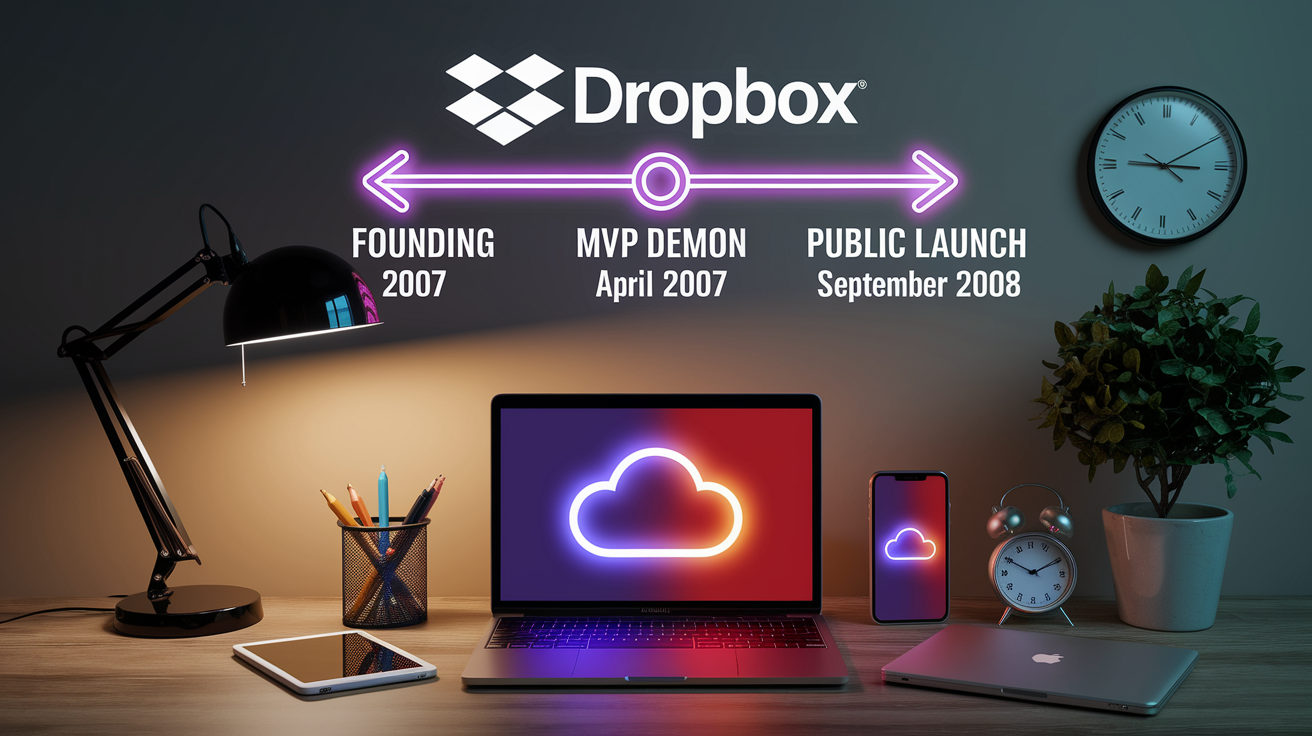
Dropbox went public in September 2008, and file sharing wasn’t some afterthought tacked on later. Shared folders and public links shipped from day one. The whole pitch was cloud storage plus sync plus sharing in one package, so you could ditch the email attachments and USB drives for good.
The idea first surfaced in April 2007 when Drew Houston and Arash Ferdowsi posted a 3-minute screencast to Hacker News. That early demo showed files syncing across devices and the bones of what sharing would look like, mostly to see if anyone cared before they built the full thing. The actual public launch came 18 months after that, turning the prototype into a free service you could actually use.
Dropbox Transfer showed up much later, in May 2019. Transfer’s for sending big files without forcing people to create accounts or sync folders to their machines. The 2008 stuff (shared folders, public links) stayed the backbone for collaboration inside Dropbox, while Transfer handled quick one-off deliveries.
- Founding year: 2007
- MVP demonstration: April 2007 (Hacker News screencast)
- Public launch: September 2008
- First sharing mechanisms: Shared folders and public links
Dropbox File Sharing Origins and Early Feature Rollout

User feedback shaped sync and sharing long before the public saw anything. Houston and Ferdowsi built early prototypes, handed them to small groups, and refined things based on how people actually used the tool. That April 2007 screencast wasn’t polished marketing. It was a working demo posted to a developer forum to collect reactions. The response validated demand and surfaced workflow problems that influenced how folders, permissions, and link access would work once things scaled.
Founder-led engineering kept the product focused. Houston handled most of the sync engine while Ferdowsi managed client architecture and early scaling issues. Iterative testing (alpha builds, invite-only waves, controlled rollouts) let the team stress-test sharing logic, resolve sync conflicts, and optimize performance under multi-user load before opening the gates.
- Internal alpha testing with private builds shared among close contacts and early users.
- Invite-only beta phase to validate sync reliability and folder-sharing workflows.
- Hacker News screencast demo to gauge developer and early-adopter interest.
- Refinement of conflict resolution and permission models based on tester feedback.
- Pre-launch hardening of the sync engine to handle concurrent edits and large file sets.
Dropbox’s Public Launch (2008) and Core Sharing Features at Release

Shared folders let multiple people see the same files in their local Dropbox directories. Someone changed a file, it synced automatically to everyone with access. No more emailing revised drafts back and forth, no version numbers to track, no conflicting copies to reconcile.
Public links let you share files with anyone, even people who didn’t have Dropbox. Right-click a file, generate a URL, send it via email or chat. Recipients opened the link in a browser and downloaded the file. No signup, no installation.
The simplicity drove viral adoption. Dropbox’s referral program offered 500 MB of free storage per referral, up to 16 GB total, so people invited colleagues and friends. That referral loop, combined with frictionless sharing, pushed Dropbox from 100,000 registered users to 4,000,000 in 15 months. Sharing wasn’t just a feature. It was the growth engine.
| Feature | Available at Launch? | Notes |
|---|---|---|
| Shared folders | Yes | Real-time sync for multiple users; changes visible to everyone with access |
| Public links | Yes | Browser-based downloads; no recipient account required |
| Cross-device sync engine | Yes | Unified file state across desktop and web; foundation for sharing workflows |
| Referral-driven expansion | Yes | 500 MB per referral (up to 16 GB bonus); turned users into distribution channels |
Evolution of Dropbox File Sharing After 2008

Dropbox added granular permissions, password-protected links, and expiration dates over the next few years. These controls let you restrict who could view, edit, or download files, which mattered a lot for enterprise and privacy concerns the original open-link model didn’t address. Team features arrived with Dropbox Business: centralized admin dashboards, audit logs, company-wide sharing policies.
The product shifted from sync-and-storage into a collaborative workspace. Dropbox Paper launched as a real-time document editor, Showcase provided branded file-presentation tools, and third-party integrations connected apps directly to shared folders. Later rebranding positioned Dropbox as a “living workspace” instead of just cloud storage, reflecting the move toward team collaboration and content creation. By the time the company passed 500 million users, sharing had grown far beyond folders and links.
The IPO confirmed market validation for the collaboration shift. Analytics and user behavior data drove product decisions, with the company investing heavily in features that increased sharing frequency and folder engagement.
Key Stages of Sharing Feature Expansion
Permission refinement introduced view-only access, edit restrictions, and download controls, so owners could tailor access levels for different collaborators. Password protection and link expiration added security for sensitive files. Team-focused sharing brought centralized management, with IT admins able to enforce policies, track activity, and revoke access across shared content. Workspace expansion integrated file comments, task assignments, and real-time editing, turning shared folders into active project hubs. Cross-platform support extended sharing to 20 languages and kept sync seamless across desktop, mobile, and web.
Dropbox Transfer (2019) and How It Differs from 2008 File Sharing

Dropbox Transfer launched in May 2019 as a standalone service for sending large files without syncing them to recipients’ devices or requiring folder access. Transfer’s for scenarios where you need to deliver a one-time package (final video renders, design mockups, completed project archives) without cluttering someone’s Dropbox storage or granting ongoing folder permissions.
The original 2008 file-sharing tools assume ongoing collaboration. Shared folders keep everyone synced to the latest version, and public links point to files stored in your Dropbox account. Transfer decouples delivery from storage: you upload files, generate a transfer link with optional password and expiration, and recipients download a package without any account requirement or sync overhead. Once the transfer expires or gets deleted, the files disappear from the recipient’s view.
- Purpose: 2008 sharing is for persistent collaboration; Transfer handles one-off delivery.
- Workflow: Shared folders sync continuously; Transfer creates a temporary download package.
- Audience: Original tools serve teams and repeat collaborators; Transfer targets clients, vendors, or anyone outside your regular Dropbox network.
Dropbox’s Growth Metrics and Impact on the File-Sharing Market

The referral system increased signups by 60 percent, turning existing users into a distributed acquisition channel. Word-of-mouth amplified things: every new user who found shared folders useful invited more collaborators, creating compound growth. Within 15 months, Dropbox jumped from 100,000 to 4,000,000 registered accounts, driven mostly by sharing workflows that made the product immediately useful.
That growth reshaped market expectations for cloud storage. Competitors adopted freemium models, referral incentives, and seamless sync because Dropbox proved the model worked. The company’s approach (combine storage, sync, and sharing in one frictionless experience) became the blueprint for consumer and business file services. By the time user estimates passed 500 million, Dropbox had normalized always-on file access and real-time collaboration as baseline requirements for any serious cloud platform.
- Referral-driven signups accelerated adoption without traditional advertising spend.
- Shared folder workflows replaced email attachments and manual version control for millions of teams.
- Public link distribution eliminated barriers for one-off file sharing with non-users.
- Cross-device sync made collaboration location and device agnostic.
- Freemium entry lowered friction for individuals and small teams testing the service.
- Viral mechanics turned satisfied users into active promoters, compounding organic reach.
Final Words
Dropbox went public in September 2008, and file sharing was part of the product from day one.
The idea showed up earlier in a 3-minute demo in April 2007, and founders refined sharing through invite-only testing. Later tools like Dropbox Transfer (2019) changed workflows for big files but didn’t erase the original sharing model.
If you’re asking when did dropbox launch file sharing, the public September 2008 release is the answer — and those early choices made sharing simple and reliable for years to come.
FAQ
Q: When was file sharing invented?
A: The invention of file sharing dates to the early ARPANET era; FTP (File Transfer Protocol) was standardized in 1971, creating the first widely used networked file-transfer system.
Q: Who is Dropbox’s biggest competitor?
A: Dropbox’s biggest competitors are Google Drive and Microsoft OneDrive; Google Drive leads in consumer reach, while OneDrive competes strongly in enterprise through Office 365 integration.
Q: Does Dropbox have file sharing?
A: Dropbox does include file sharing: shared folders and public links were available at its public launch, enabling collaboration, link-based access, and automatic syncing across devices.
Q: What year did Dropbox come out?
A: Dropbox came out publicly in 2008, launching in September 2008 after an April 2007 demo screencast that showed early syncing and sharing concepts.

