

What if your fully updated software still had a hidden backdoor only attackers knew about?
A zero-day is that hidden flaw: a bug vendors haven’t discovered, so there’s no patch and defenders get no warning.
That makes zero-days especially dangerous for companies and everyday users.
This article explains what zero-days are, how attackers weaponize them, real-world cases that show the damage, and clear steps you can take now to reduce your risk.
Core Explanation of Zero‑Day Vulnerabilities

A zero-day vulnerability is a security flaw in software, hardware, or firmware that the vendor doesn’t know exists yet. The name comes from the timeline: developers have had zero days to fix it before attackers can use it. Think of it like a hidden unlocked door in a building that only the intruder knows about. Security teams can’t lock or alarm what they don’t know is there.
When someone discovers a zero-day, they can write code to take advantage of it. That’s called a zero-day exploit. When attackers actually use that exploit to break into systems, it becomes a zero-day attack.
Zero-days are especially dangerous because defenders get no warning and no patch to install. Traditional antivirus recognizes patterns from known threats, so it typically can’t detect a completely new exploit method. By the time security teams learn about the flaw—often because attackers are already using it—damage may already be underway. You can’t defend against what you don’t know exists. This window of exposure, from first exploitation until a patch becomes available and gets deployed, is when the most harm happens.
How Zero‑Days Differ From Regular Vulnerabilities

Most software vulnerabilities get discovered through security research, bug bounties, or internal audits, then disclosed to the vendor before attackers know about them. The vendor creates a patch, announces the flaw publicly, and users apply the fix. These are known vulnerabilities, sometimes called N-day vulnerabilities.
Zero-days skip that orderly process. Attackers find and exploit them before the vendor even knows there’s a problem. There’s no patch waiting, no public advisory, and no signature to help security tools recognize the threat.
Key differences:
Disclosure: Regular vulnerabilities are known to the vendor and often publicly documented with CVE identifiers. Zero-days are secret until someone notices the attacks or a researcher privately reports them.
Patch availability: Known flaws usually have a fix ready or in development. Zero-days have no patch at the moment attackers strike.
Detection difficulty: Security tools can scan for known vulnerabilities. Zero-days are invisible to signature-based defenses until after they’re discovered.
Attacker advantage: Exploiting a known flaw requires finding unpatched systems. Exploiting a zero-day works against every system running the vulnerable software, even fully updated ones.
Real‑World Examples of Zero‑Day Attacks

Zero-day exploits have been behind some of the most damaging cyber incidents in history. Looking at actual cases shows how attackers use these hidden flaws and the scale of harm they can cause.
Stuxnet (2010) – This worm used four separate Windows zero-day vulnerabilities to spread through networks and sabotage industrial control systems. It specifically targeted programmable logic controllers in Iran’s uranium enrichment program, causing physical damage to centrifuges. Stuxnet proved that cyberattacks exploiting zero-days could destroy physical equipment, not just steal data.
MOVEit Transfer SQL Injection (May 2023, CVE-2023-34362) – The Cl0p ransomware group exploited a zero-day SQL injection flaw in Progress Software’s MOVEit file-transfer platform. More than 2,700 organizations were compromised, and roughly 93 million individuals had personal data exposed. Attackers moved quickly before a patch was available, using the flaw to plant web shells and exfiltrate sensitive files.
Ivanti Connect Secure VPN (January 2024, CVE-2023-46805 and CVE-2024-21887) – Attackers chained two zero-days together: an authentication bypass and a command injection. They compromised VPN appliances. Exploitation started at least in December 2023, before public disclosure. More than 1,700 devices were confirmed compromised, with attackers installing custom backdoors and web shells for persistent access.
These incidents share common patterns. Attackers targeted widely deployed enterprise software, moved fast before patches were available, and often used the initial foothold to install persistent access tools. The shift toward exploiting network-edge devices like VPNs and file-transfer platforms reflects attackers’ focus on internet-facing systems that run with elevated privileges and offer direct paths into corporate networks.
How Attackers Use Zero‑Days

The life of a zero-day begins when someone discovers a previously unknown flaw. That someone might be a security researcher, a nation-state hacking team, or a cybercriminal. If the discoverer chooses not to report it to the vendor, they can build an exploit: a piece of code or a specific sequence of actions that triggers the vulnerability to do something harmful, like execute malware or bypass login screens.
Once an exploit is ready, attackers deploy it. Common delivery methods include phishing emails with booby-trapped attachments, malicious websites that exploit browser flaws when someone visits, or direct attacks against exposed services like VPN gateways and web servers. By 2024, attackers increasingly targeted internet-facing devices. Firewalls, VPNs, and managed file-transfer platforms are always online, often run with high privileges, and sit at the network edge where a breach grants immediate access to internal resources.
Speed matters. Attackers know their advantage disappears the moment the vendor learns about the flaw and releases a patch. Recent data shows a mean time-to-exploit of roughly negative one day. Exploitation often starts before the vulnerability is even publicly disclosed. In the first half of 2025, about 32 percent of exploited vulnerabilities saw active use on or before the day researchers published the CVE identifier. This urgency drives attackers to weaponize and deploy zero-days within hours or days of discovery, maximizing the window when no defenses exist.
Why Zero‑Days Matter for Everyday Cybersecurity

Zero-day vulnerabilities aren’t just a problem for governments and large corporations. They affect anyone who uses software, because every application and operating system can harbor hidden flaws. When attackers exploit a zero-day in a popular web browser, email client, or smartphone app, millions of ordinary users become potential victims before a patch exists.
For individuals and organizations, zero-day risks include:
Silent device compromise – Attackers can install spyware, ransomware, or remote-access tools without triggering alerts, because security software has no signatures to detect the new exploit method.
Data theft and privacy breaches – Zero-days in file-sharing platforms, VPNs, and collaboration tools can expose personal records, financial information, health data, and confidential communications.
Financial losses – Ransomware delivered via zero-day exploits can lock critical files and demand payment. Businesses also face remediation costs, regulatory fines, and lost revenue during downtime.
Trust erosion – When companies suffer zero-day attacks, customer confidence drops, especially if sensitive data is exposed or services remain offline for extended periods.
Beyond immediate harm, zero-days carry economic consequences. Exploit brokers have advertised top-tier iOS zero-click remote-code-execution exploits for up to roughly two million dollars. That reflects the value attackers place on undetectable access. Governments and cybercriminal groups invest heavily in discovering or purchasing zero-days because they bypass standard defenses. For everyday users, this means that even fully updated, well-protected systems can be vulnerable until a patch arrives and is installed. That reality underscores the importance of layered security and rapid response.
How Users Can Reduce Their Risk
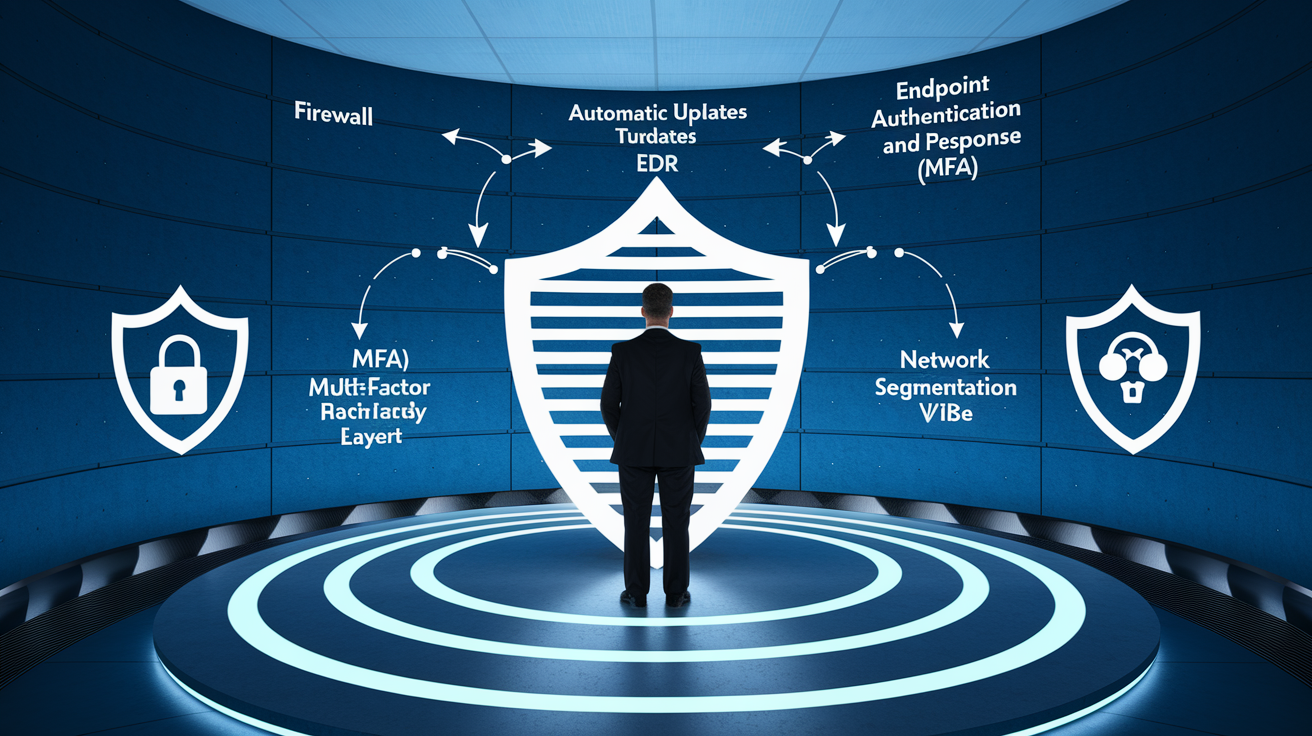
You can’t patch a vulnerability the vendor doesn’t know about. But you can still lower your exposure and limit the damage if a zero-day exploit reaches you.
Start by enabling automatic updates on all devices and software. When a vendor releases an emergency patch for a newly discovered zero-day, automatic updates ensure you install it within hours, not weeks. Aim to deploy critical patches within 24 to 72 hours of release, and apply emergency fixes immediately.
Use behavior-based security tools – Traditional antivirus relies on signatures of known threats. Choose endpoint detection and response (EDR) or extended detection and response (XDR) solutions that watch for suspicious behavior. Unusual network connections, unexpected file changes, or privilege escalation can catch zero-day exploits even without a signature.
Limit your attack surface – Disable unnecessary services, browser plugins, and features you don’t use. The fewer entry points you expose, the fewer opportunities attackers have to exploit unknown flaws.
Apply network segmentation and least privilege – Even at home or in small offices, separate critical devices (file servers, work laptops) from less-trusted ones (smart TVs, guest devices). Use separate VLANs if possible, and ensure accounts run with the minimum permissions needed. This limits how far an attacker can move if they exploit a zero-day on one device.
Enable multi-factor authentication (MFA) everywhere – If attackers steal credentials through a zero-day, MFA adds a second check (a code from your phone, a hardware key) that blocks access even with a valid password.
Keep offline backups – Maintain regular backups stored offline or in an air-gapped location, retaining at least 30 days of history. If ransomware delivered via a zero-day locks your files, you can restore from a clean backup without paying.
Layered security helps because no single control stops every threat. Behavioral detection might flag unusual activity from a zero-day exploit, segmentation contains the breach to one network zone, MFA prevents credential theft from turning into full account takeover, and backups provide a recovery path. Together, these measures reduce the window of vulnerability and give you options even when facing an unknown threat. Subscribe to security advisories from vendors you rely on, and consider joining threat-intelligence sharing communities so you learn about emerging zero-days as soon as researchers or incident responders publish indicators of compromise.
Final Words
We defined a zero‑day as a software flaw unknown to the vendor and unpatched, contrasted it with regular vulnerabilities, gave real examples like Stuxnet and browser/Exchange zero‑days, and showed how attackers weaponize them.
You saw why they matter for consumers and organizations, plus practical steps to reduce risk: keep updates on, use behavior‑based defenses, and follow zero‑trust principles.
If you still wonder what does zero day mean in cyber security, it’s a flaw attackers exploit before a fix exists. With basic hygiene, you can cut exposure and stay safer.
FAQ
Q: What is the meaning of zero days?
A: The meaning of zero days is a software flaw unknown to the vendor and unpatched, so attackers can exploit it before a fix exists, leaving defenders without prior warning or protection.
Q: What is the difference between day 0 and day 1 vulnerability?
A: The difference between day 0 and day 1 vulnerabilities is that day 0 (zero-day) is undisclosed and unpatched, while day 1 means the vendor knows and a patch or mitigation is available to defenders.
Q: What is a zero-day phishing attack?
A: A zero-day phishing attack is phishing that uses a previously unknown exploit or novel social-engineering technique to bypass filters and deliver malware or credentials before defenders have signatures or fixes.
Q: What is the most famous zero-day?
A: The most famous zero-day is Stuxnet (2010), which used multiple zero-day exploits to sabotage Iranian centrifuges and showed how state-linked malware can target industrial systems.

