What causes database outages, and why do they still happen in cloud and high-availability setups?
Hardware failures, software bugs, network problems, resource exhaustion, security events, and human mistakes all contribute.
This intro maps those root causes, shows how they combine, and points to practical steps teams can take right away.
You’ll see which failures are rare but catastrophic, which are common and preventable, and the quick checks that cut recovery time.
By the end, you’ll know what to watch for and what to fix first.
Core Factors Behind Database Outages Explained
A database outage happens when your system goes partially or fully dark, blocking apps from reading or writing data. Modern high availability setups don’t eliminate outages. They just shift the risk. HA protects you from physical infrastructure dying, but it can’t save you from human mistakes, buggy code, network weirdness, or config files gone wrong.
Distributed systems and cloud platforms have made datacenter-wide disasters less common. But companies still lose time to operational slip-ups, broken replication settings, and defects hiding in database engines or the layers underneath.
The stuff that breaks most often? Human error during deployments. Config drift. Software bugs that sneak into new releases. Resource exhaustion when traffic spikes or a query runs wild. Medium-frequency problems include network misconfigurations, DNS failures, and partial cluster failures that create split-brain chaos. The rare but brutal incidents involve catastrophic hardware death, datacenter power outages, and ransomware attacks that shut everything down and trigger long forensic investigations.
The most common root causes:
- Hardware component failures: disk controllers, storage devices, memory, network interfaces
- Software defects in the database engine, operating system, or firmware
- Human error during schema changes, deployments, or config updates
- Network connectivity issues, including routing errors, DNS problems, and load balancer misconfigurations
- Resource exhaustion from CPU saturation, full disks, connection pool limits, or I/O bottlenecks
- Security events like DDoS attacks, credential compromise, and ransomware infections
Real incidents show how bad it gets. A network configuration error once knocked out roughly half the internet in Japan. One misconfigured route cascaded across everything. In 2019, a bank’s primary datacenter failed. Then the backup failover datacenter failed at the same time. They had no recourse. Legacy disaster recovery models assume a single backup site will always be there. That assumption doesn’t always hold.
Hardware and Infrastructure Failures That Trigger Database Downtime

Storage, compute, and power are the physical foundation. When disk controllers fail, SSDs or spinning drives develop bad sectors, RAID arrays lose redundancy, or network cards stop responding, your database can’t persist or retrieve data anymore. Power outages force immediate shutdowns that can corrupt in-flight transactions. OS crashes, kernel panics, CPU or memory faults halt everything. The database stays offline until you replace hardware or reboot.
Physical datacenter failures are rare but devastating. Fire, flooding, cooling system failure, construction accidents that sever fiber cables. These events are infrequent, yet they render entire facilities inoperable for hours or days. If you don’t have geographic replication, you face total data unavailability. Recovery means restoring backups in alternate locations.
| Failure Type | Typical Impact |
|---|---|
| Disk fault (HDD/SSD failure) | Immediate read/write errors; minutes to hours downtime depending on RAID protection |
| RAID controller failure | Loss of array visibility; requires controller replacement and possible array rebuild (hours) |
| NIC failure | Loss of network connectivity; automatic failover if bonded, otherwise manual intervention required |
| OS crash or kernel panic | System reboot required; database recovery process runs on restart (minutes to tens of minutes) |
Software Bugs and Configuration Problems Leading to Database Outages

Database engine bugs, operating system defects, compatibility issues between drivers and libraries. They all create instability. Crashes, data corruption, silent performance degradation. Race conditions in concurrency control. Memory leaks that exhaust RAM over days. Logic errors in query optimization. Any of these can trigger failures.
Vendor releases sometimes introduce regressions that only appear under specific workloads. Firmware bugs in storage controllers or network adapters cause intermittent faults that are tough to diagnose. When these defects align with high traffic periods or specific query patterns, they escalate from nuisances to full outages.
Configuration mistakes make things worse. Incorrectly configured replication topologies create single points of failure. Misconfigured quorum settings allow split-brain scenarios. Bad schema migration scripts deployed without sufficient staging tests can lock tables for hours or corrupt indexes. Misapplied patches introduce breaking changes into production. Organizations that skip rollback plans or fail to validate patches in staging face extended downtimes when a new version proves unstable.
You’ve got to balance urgency against risk. Critical security patches should be applied within seven days. But hasty deployments bring their own danger.
A faulty deployment on August 1, 2012, caused a trading firm to lose approximately $440 million. A software error triggered unintended trading behavior at scale. One config or code defect, once released into production, cascaded into catastrophic financial and operational damage within minutes. Proper staging environments, automated pre-flight validation, and the discipline to halt deployments when anomalies appear are essential safeguards.
Human Error as a Major Source of Database Outages

Human error ranks among the most frequent causes because every deployment, config change, and manual intervention carries the risk of mistake. Operators accidentally execute destructive commands like DROP TABLE or DELETE without WHERE clauses. They push incorrect config files that break replication. They apply schema migrations that lock critical tables during peak hours. Rushed changes made under pressure, unclear documentation, insufficient pre-deployment checklists. All of it increases the likelihood of mistakes that take databases offline.
Key safeguards to reduce human error:
- Role-based access control (RBAC) that restricts destructive operations to authorized personnel
- Multi-person approval workflows for schema changes and production deployments
- Automated preflight checks that validate configuration syntax and run integration tests before promotion
- Scripted deployment tooling that enforces repeatable, version-controlled processes
- Documented rollback plans tested regularly so teams can reverse bad changes quickly
Lack of documentation and runbooks contributes directly to prolonged downtimes. When an incident occurs and the on-call engineer has no playbook describing symptoms, diagnostic steps, or recovery procedures, valuable minutes or hours are lost while the team investigates from scratch. Well-maintained runbooks that outline common failure modes, list relevant monitoring dashboards, and provide step-by-step restoration commands allow teams to restore service faster. Organizations that treat runbook development as an ongoing operational priority experience shorter outages and fewer repeat incidents than those that rely on institutional memory and ad hoc troubleshooting.
Network and Connectivity Issues Causing Database Downtime

DNS resolution failures, routing misconfigurations, load balancer errors, network partitions. They all break the connectivity that applications need to reach database endpoints. When DNS servers return stale records or fail to resolve hostnames, clients can’t locate the database. Incorrect routing tables send traffic into black holes or create asymmetric paths that break TCP sessions. Load balancer health checks incorrectly mark healthy nodes as unavailable, removing capacity from the pool. Misconfigured firewall rules block legitimate traffic.
Cross-availability-zone link failures in cloud environments can isolate replicas, forcing applications to time out or fail over to degraded read-only modes.
Common network failure modes:
- DNS failure preventing hostname resolution and service discovery
- Routing misconfiguration directing traffic to unreachable subnets or incorrect interfaces
- Network partitioning that splits a distributed cluster into isolated segments
- Cloud provider regional outages affecting connectivity between zones or to external clients
A network configuration error once caused outages affecting roughly 50% of internet traffic in Japan. One routing mistake cascaded across large infrastructure footprints and impacted millions of users. In distributed database clusters, partitions create split-brain conditions where isolated nodes continue accepting writes. This leads to conflicting data states that require manual reconciliation.
Preventing these scenarios requires redundant network paths, multi-region replication that tolerates entire zone failures, and quorum-aware cluster configurations that refuse to serve writes when consensus can’t be reached. Regular validation of BGP announcements, DNS configurations, and health-check logic reduces the frequency of network-induced outages.
Resource Exhaustion and Performance Degradation Leading to Outages

Resource exhaustion happens when CPU utilization exceeds sustainable levels, disk space fills completely, memory pressure forces the OS to swap, connection pools hit their limits, or I/O throughput saturates storage subsystems. High CPU usage above 80 percent sustained over several minutes means the database can’t keep up with query demand. Response times slow. Timeouts happen. Disk space below 20 percent free triggers warnings. When drives reach full capacity, write operations fail and transactions abort. Connection pool exhaustion prevents new clients from establishing sessions, effectively rendering the database unavailable to additional users even though existing connections continue functioning.
Lock contention and long-running transactions compound performance problems by holding resources that block other queries. A single poorly written query that scans millions of rows without proper indexes can monopolize I/O and CPU, starving concurrent workloads. Rapid transaction log growth fills log volumes and forces frequent log switches that add latency. Sudden spikes in write load overwhelm replication systems, increasing lag between primary and replica nodes and risking data loss if failover occurs before replication catches up.
Real thresholds illustrate the severity. A table jumping from roughly 3,000 rows to 3,000,000 rows in a short period changes query execution plans dramatically. Fast index lookups turn into full table scans that consume orders of magnitude more resources.
Monitoring systems that track CPU, disk free space, connection counts, replication lag, and IOPS help teams detect exhaustion early. Autoscaling read replicas, implementing connection pooling with defined maximum pool sizes, and setting query timeouts prevent individual issues from escalating into full outages. Capacity planning that maintains headroom and alerting at actionable thresholds allow operators to intervene before resources are completely depleted.
Security Attacks and Breaches That Lead to Database Outages

Malicious actors cause outages through ransomware that encrypts database files and demands payment for decryption keys, distributed denial of service (DDoS) attacks that saturate network or compute resources, and SQL injection exploits that corrupt data or grant unauthorized access. Ransomware infections force administrators to shut down affected systems to prevent spread. Immediate downtime while forensic analysis and restoration from backups proceed. DDoS attacks overwhelm connection limits, exhaust CPU processing inbound requests, or flood network links. The database becomes unreachable to legitimate users. Stolen credentials and privilege escalation attacks allow attackers to execute destructive commands, delete critical tables, or exfiltrate sensitive data. This prompts emergency shutdowns and incident response procedures.
Major threat types:
- Ransomware infections that encrypt database files and demand ransom for restoration
- DDoS attacks that saturate resources and block legitimate client connections
- Credential compromise enabling unauthorized destructive operations or data theft
A major credit bureau breach in 2017 exposed roughly 147 million consumer records due to an unpatched vulnerability in web application software. The incident required extensive remediation. Database forensics, credential rotation, and public disclosure. All of it contributed to prolonged service disruptions and massive reputational and financial costs.
Preventing security-driven outages requires network segmentation to isolate databases from public-facing services, multi-factor authentication (an extra login check) for database administrator access, least-privilege access controls, frequent vulnerability scanning, and maintaining offline or air-gapped backup copies that ransomware can’t reach. Regular security patching within seven days for critical vulnerabilities and incident response drills ensure teams can contain breaches quickly and restore service with minimal data loss.
Failover, Replication, and Distributed System Weaknesses Causing Outages
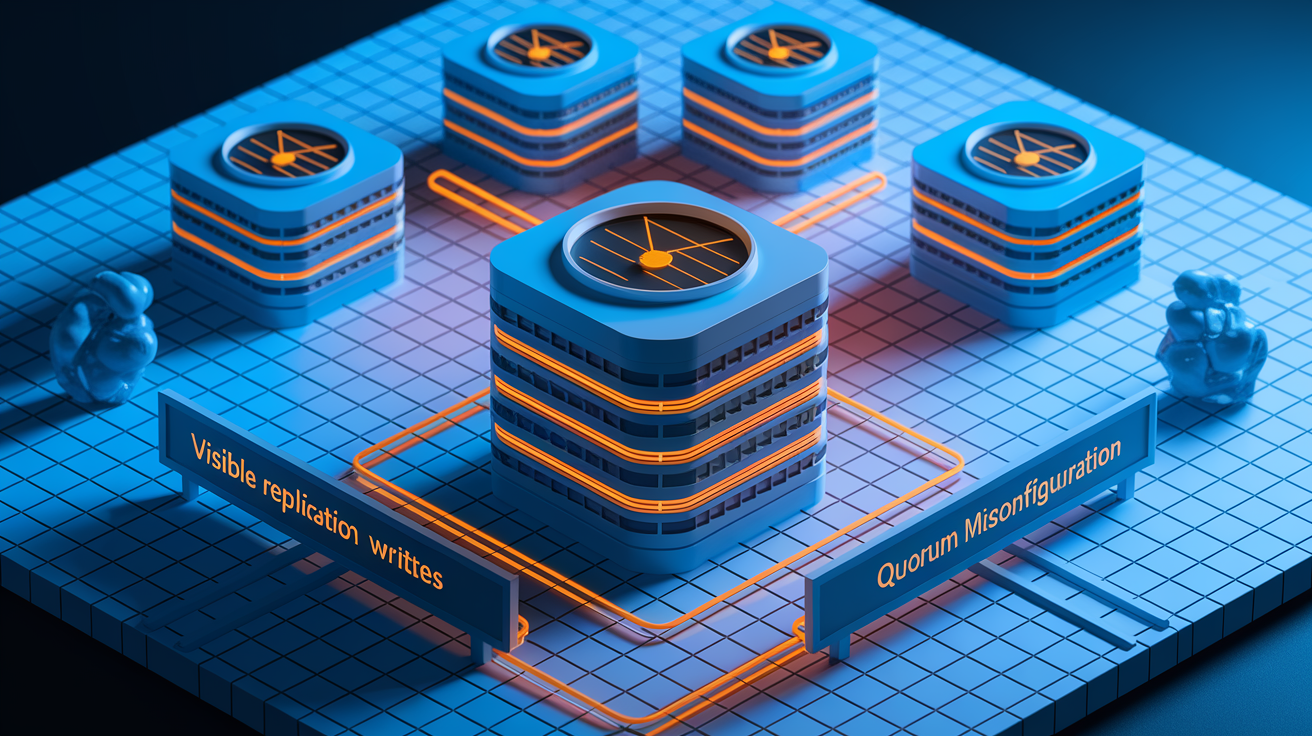
Distributed database systems reduce the risk of single datacenter failures but introduce new failure modes related to replication, cluster membership, and consensus. Replication lag occurs when replica nodes fall behind the primary due to network delays, insufficient replica capacity, or bursts of write traffic. If failover happens while lag is significant, recent transactions are lost. This violates recovery point objectives.
Split-brain conditions arise when network partitions isolate cluster members. Multiple nodes believe they’re the primary and accept conflicting writes. Misconfigured quorum settings that allow writes without majority consensus, outdated cluster membership lists, and race conditions in leader election algorithms all create scenarios where the cluster becomes unavailable or data integrity is compromised.
Legacy disaster recovery approaches that rely on a single backup datacenter introduce hidden risks. A 2019 banking outage demonstrated this when both the primary site and the designated failover datacenter experienced simultaneous failures. The organization had no operational capacity. Traditional hot-standby synchronization and manual failover procedures often go untested for months or years. When disaster strikes, teams discover that replication has silently failed, failover scripts reference outdated hostnames, or the backup site lacks sufficient capacity to handle production load.
Example Failure Mode
Replication lag combined with automatic failover creates a race condition. The system promotes a replica that hasn’t yet received the latest committed transactions. Applications that successfully wrote data to the old primary see those writes disappear after failover. Data loss and application errors.
Consensus algorithm failures force the cluster into read-only mode or complete unavailability until operators manually intervene. Preventing these scenarios requires monitoring replication lag in real time, configuring failover logic to respect lag thresholds, and running frequent failover drills to validate that automated systems behave correctly under failure.
Preventing Database Outages Through Resilience and Testing

Resilience starts with defining recovery time objectives (RTO, the maximum acceptable downtime) and recovery point objectives (RPO, the maximum acceptable data loss). Critical systems typically target RTO under 15 minutes and RPO near zero. This requires synchronous replication within local clusters and automated failover that doesn’t depend on human intervention.
Disaster recovery planning extends beyond technology to include documented procedures, clear escalation paths, and regular validation that backups are restorable and failover mechanisms work as designed. Organizations that treat DR as a checkbox exercise discover gaps only during actual incidents, when pressure is highest and time is shortest.
Four key practices to prevent outages:
- Automated disaster testing and chaos engineering (like Netflix’s Simian Army) that injects failures routinely to validate recovery
- Self-healing databases with automatic rebalancing and node replacement without manual intervention
- Multi-region transactional replication that eliminates single points of failure and maintains consistency across geographies
- Backup validation through quarterly full restore tests and monthly point-in-time recovery drills
Concrete operational cadences reduce risk. Monthly failover drills verify that automated promotion logic functions correctly and that monitoring alerts fire as expected. Quarterly full restore tests confirm that backup procedures capture all necessary data and that restoration completes within RTO targets. Critical security patches should be applied within seven days of release, with staging tests completed beforehand to catch regressions. Regular maintenance windows every 30 to 90 days allow teams to apply non-urgent updates in controlled environments with rollback plans ready.
Migration and upgrade projects carry inherent risk because they involve significant changes to configuration, software versions, and sometimes hardware platforms. Careful rollout strategies that begin with canary deployments to a small subset of traffic, followed by phased rollouts that can be paused or reversed if metrics degrade, prevent widespread outages. Blue-green deployment models, where the new environment runs in parallel with the old until fully validated, provide a safe path to cut over with minimal downtime. Organizations that rush migrations without adequate testing, skip staging environments, or lack rollback procedures regularly experience prolonged outages when unforeseen issues appear in production.
Final Words
We traced the core triggers—human error, software and config bugs, network and hardware failures, resource exhaustion, security events, and replication/failover gaps—and showed why HA setups don’t remove all risk.
That matters for teams: prioritize runbooks, monitoring, RBAC, staged rollouts, failover drills, and backup validation. Small, routine actions stop big outages.
Understanding what causes database outages is the first step to prevention. With regular testing, quick patching, and clear change controls, you can reduce downtime and recover faster.
FAQ
Q: What are the causes of database failure? What causes a data outage? What are the possible causes of a database connection error?
A: The causes of database failure, data outages, and connection errors include human mistakes and misconfiguration, software or driver bugs, hardware/OS faults, network problems (DNS/routing), resource exhaustion (CPU, I/O, pools), and security incidents.
Q: How to handle database outage?
A: To handle a database outage, detect and isolate the issue, switch to a tested failover or read-only mode if safe, throttle traffic, follow your runbook to repair or restore from validated backups, notify stakeholders, and run a postmortem.