

Is 99.9% uptime lying to you?
Availability numbers look clean on dashboards but often miss real user pain.
Monitoring service availability means more than counting minutes offline.
You need synthetic checks, real user monitoring, health endpoints, API probes, and component checks working together.
This post explains the practical tools and methods to track uptime, measure business impact, set SLIs/SLOs, and spot problems before customers do.
Read on to learn what to measure, how to set thresholds, and the quick steps teams should take when alerts fire.
Core Methods for Monitoring Service Availability in Modern Systems

Service availability monitoring tracks whether your applications and infrastructure are up, accessible, and working as expected. Pick a monitoring tool, configure initial checks against your critical endpoints, and measure availability using the standard formula: Availability = 100% × (AST − DT) / AST, where AST is agreed service time and DT is downtime. If your service runs 100 hours in a reporting period and experiences 2 hours of downtime, availability is 100% × (100 − 2) / 100 = 98%.
You need multiple techniques working together to catch failures before users report them. Synthetic monitoring runs scripted checks from fixed locations to verify endpoints respond correctly. Real user monitoring captures actual user experience data, revealing issues synthetic tests might miss. Health checks query specific endpoints to confirm services are ready. API probes validate critical integrations. Component checks verify databases, caches, and message queues are functioning, and uptime tracking aggregates all signals into a single availability percentage.
Here’s the thing: basic availability percentages can mislead because they don’t reflect business impact. A single eight-hour outage during peak hours causes far more harm than eight one-hour outages spread across off-peak windows, yet both produce the same weekly availability number. Track response time, error rate, and transaction duration alongside uptime to get the full picture of service health.
You need to implement:
- Synthetic checks that simulate user actions on schedules
- Real user monitoring that captures live session data
- Health endpoints built into applications for readiness verification
- API availability probes for critical integrations
- Component checks for databases, caches, and queues
- Uptime tracking that aggregates availability across reporting periods
Establishing a Service Availability Monitoring Strategy

A monitoring strategy connects technical measurements to customer expectations and business commitments. Start by defining Service Level Indicators (SLIs), the specific metrics you’ll measure, such as HTTP success rate, API response time, or error count per minute. Next, set Service Level Objectives (SLOs), the target values for each SLI. For example, 99.9% of requests succeed within 200 milliseconds. Finally, formalize Service Level Agreements (SLAs) with customers, which include SLO targets, planned downtime rules, reporting periods, and penalties for breaches.
Customers care about specific functions, not abstract uptime percentages. An ATM that dispenses cash but can’t print statements is far more valuable than one completely offline, yet both scenarios might appear identical in a simple availability report. Build your strategy around the functions that drive business value, and tie monitoring to error budgets so teams can balance reliability work against feature development.
To build an effective monitoring strategy:
- Define SLIs for each critical service based on what customers experience (success rate, latency, throughput).
- Select SLO targets that reflect acceptable performance and align with business risk tolerance.
- Map business critical functions and rank them by impact so monitoring focuses on what matters most.
- Establish measurement rules for planned downtime, reporting periods (weekly, monthly, quarterly), and how partial outages count.
- Link monitoring to error budgets so teams know how much failure remains acceptable within the current period.
Identifying Critical Functions for Effective Service Availability Monitoring

Not all service functions carry equal weight. Identifying which capabilities matter most to customers and the business lets you prioritize monitoring coverage and incident response. An ATM’s cash withdrawal function is critical. If it fails, the ATM is effectively down. Statement printing is a convenience. Its failure is annoying but doesn’t prevent the core transaction. Monitoring every function equally wastes time and creates alert noise that masks real problems.
Build a function-impact table that ranks each capability by business consequence and assigns a monitoring priority. High-impact functions need tighter thresholds, faster detection intervals, and immediate escalation. Lower-impact functions can tolerate longer detection windows and may only require daily summary reports instead of real-time alerts.
| Function | Business Impact | Monitoring Priority |
|---|---|---|
| Payment processing | Revenue blocking, immediate customer impact | Critical — 30 second checks, instant alerts |
| User authentication | Access blocking, affects all users | Critical — 1 minute checks, instant alerts |
| Reporting dashboard | Informational, affects internal teams | Medium — 5 minute checks, batched alerts |
| Email notifications | Delayed delivery acceptable, no blocking impact | Low — hourly checks, daily summaries |
Measuring Downtime and Monitoring Availability Metrics Accurately

Downtime measurement goes beyond counting offline minutes. A single eight-hour outage that blocks all transactions causes far more damage than eight separate one-hour outages spread across low-traffic periods, even though both yield identical weekly availability percentages. Measure downtime by duration, frequency, and business impact to understand the real cost of failures.
User-impact metrics translate technical downtime into business terms. Calculate PotentialUserMinutes by multiplying the number of active users by the hours they work. For example, 10 staff working 8-hour shifts equals 10 × 8 × 60 = 4,800 potential user minutes per day. During an outage, UserOutageMinutes equals affected users times minutes lost. If 5 users lose access for 10 minutes, that’s 5 × 10 = 50 lost user minutes. The same logic applies to transactions: multiply transaction volume by outage duration to quantify lost business.
Key metrics that reveal availability health beyond simple uptime percentages include mean time to detect (MTTD), which measures how quickly monitoring identifies a failure, and mean time to repair (MTTR), the average duration from detection to full restoration. Track error rate as a percentage of total requests to catch partial failures where the service stays online but returns errors. Monitor latency to detect performance degradation that makes a service technically available but practically unusable.
Core downtime measurement approaches:
- Duration based: total minutes offline per period, broken out by severity (partial vs total outage).
- Frequency based: count of incidents, categorized by length (under 5 minutes, 5 to 30 minutes, over 30 minutes).
- User impact: lost user minutes or affected user count per incident, prioritized by peak vs off-peak timing.
- Transaction impact: failed or delayed transactions multiplied by average transaction value to estimate revenue loss.
- Latency degradation: time spent above acceptable response thresholds, even when the service remains technically available.
Using Synthetic Monitoring to Validate Service Availability

Synthetic monitoring runs scripted tests against your services from fixed locations on a schedule, simulating real user actions to verify availability and correctness. Unlike passive monitoring that waits for real traffic, synthetic checks continuously probe endpoints whether or not actual users are active, catching issues during low-traffic periods and providing early warning before customers are affected.
Configure check frequency based on criticality and acceptable detection delay. Critical public-facing services and revenue-generating endpoints should run checks every 30 to 60 seconds. Internal services and non-critical components can run every 1 to 5 minutes. Low-priority or informational endpoints need only hourly or daily validation. Running checks too frequently wastes resources and generates false positives from transient network issues, so add thresholds. Require three consecutive failures before triggering an alert to reduce noise.
Typical synthetic test components to include in monitoring scripts:
- Simple URL/endpoint checks that verify HTTP status codes (200, 301, 401 expected responses).
- Multi-step user flows that log in, navigate key pages, submit forms, and validate responses at each step.
- API call sequences that authenticate, query data, perform writes, and confirm correct JSON/XML responses.
- Authentication tests that verify login, token refresh, and session management work end-to-end.
- Port and protocol checks for non-HTTP services like databases (3306), mail servers (25, 587), and message queues (5672).
- Dependency probes that confirm upstream APIs, third-party services, and internal microservices respond within acceptable timeouts.
Applying Real User Monitoring (RUM) for Availability Insights

Real User Monitoring captures performance and availability data from actual user sessions, revealing issues that synthetic tests often miss. RUM tracks metrics like page load time, transaction completion rates, and error frequencies as experienced by real users across diverse devices, networks, and geographic locations. Synthetic monitoring tells you whether a service is theoretically available. RUM shows whether it’s actually working for the people who matter.
RUM data helps establish performance baselines tied to real-world conditions. You discover that your API responds in 150 milliseconds during off-peak hours but degrades to 2 seconds during morning login surges, or that mobile users on cellular networks experience 30% more timeouts than desktop users on broadband. These patterns indicate availability problems that a fixed synthetic probe running from a data center would never detect. Correlating RUM data with error rates and uptime metrics gives you a complete view of service health from the customer perspective.
Monitoring Application and Infrastructure Components for Availability

True service availability depends on every component in the stack functioning correctly. Monitoring only the front-end endpoint misses failures in databases, caches, message queues, and dependent services that cause partial outages or degraded performance. Implement component checks using liveness and readiness probes. Liveness confirms a process is running, while readiness verifies it’s ready to handle traffic by checking dependencies and resource availability.
Start with process checks to confirm critical services are running, then add port checks to verify they’re listening on expected network interfaces. Layer in HTTP health endpoints built into each application that return status codes and diagnostic data about internal state, database connectivity, and cache availability. Probe dependent services directly. Query your database, ping your cache, call upstream APIs to detect failures before user requests cascade into errors.
Instrumented applications provide the deepest visibility by emitting real-time telemetry from within the code. Application performance monitoring (APM) agents capture transaction traces, error details, resource usage, and dependency call timing, connecting availability metrics directly to the code paths and components responsible for failures. This level of detail reduces mean time to repair by eliminating guesswork during incidents.
Key component categories to monitor continuously:
- Compute: process health, CPU and memory usage, application server status, container and pod readiness.
- Network: DNS resolution, TCP connectivity, load balancer health, firewall rules, SSL/TLS certificate expiry.
- Storage: database query response time, connection pool availability, disk space, replication lag, backup success.
- Third-party services: API response time and success rate for payment gateways, authentication providers, CDN origins, and external data sources.
How to Configure Alerts and Reduce Noise in Availability Monitoring
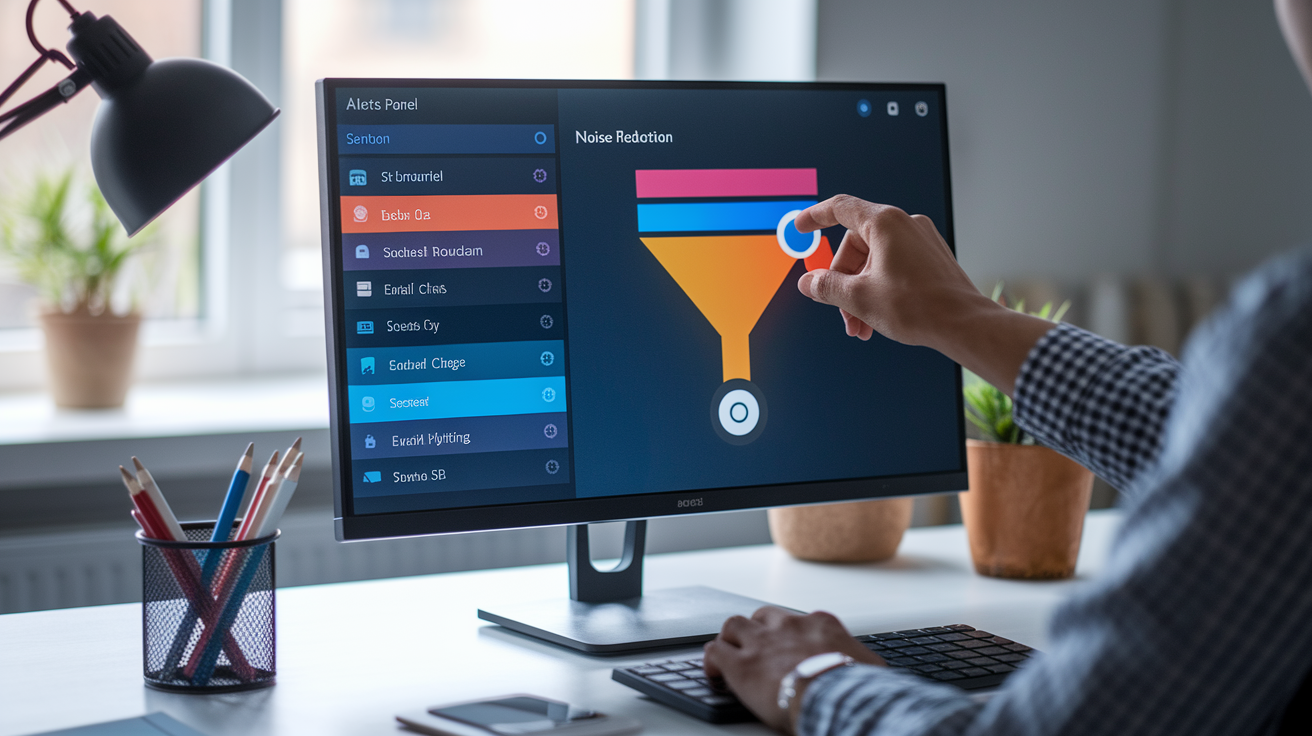
Effective alerting balances speed of detection against alert fatigue. Too many alerts train teams to ignore notifications, while too few delay incident response and extend downtime. Set alert thresholds based on error budgets and SLO targets. If your 99.9% uptime SLO allows 43 minutes of downtime per month, trigger alerts when you’ve consumed 50% of that budget or when failure rate exceeds the pace needed to stay within target.
Reduce false positives by requiring multiple consecutive failures before alerting. A recommended starting point is three failures within a five minute window. This filters transient network blips and brief service restarts while still catching real outages within minutes. Use multichannel notifications that escalate based on severity and time: send email and chat messages for initial alerts, add SMS after 10 minutes without acknowledgment, and page on-call engineers if the incident persists beyond 20 minutes or affects critical SLOs.
Steps to design noise reducing alert configurations:
- Define alert conditions tied to SLO violations, not arbitrary thresholds. Alert when availability drops below 99.9%, not just when any check fails.
- Set retry logic and consecutive failure requirements to filter transient issues (three failures in a row, checks spaced 1 to 2 minutes apart).
- Configure severity levels based on business impact: critical alerts for revenue blocking outages, warnings for degraded performance, info for non urgent issues.
- Route alerts by severity and time: critical issues go to on-call immediately, medium issues batch into hourly summaries during business hours.
- Implement alert suppression during planned maintenance windows and deployment periods to avoid noise from expected downtime.
Designing Dashboards for Service Availability Visibility

Dashboards translate raw monitoring data into actionable insights by visualizing uptime trends, current health, and historical performance in a single view. A well-designed availability dashboard answers three questions at a glance: Is the service up right now? How has availability trended over the past day, week, and month? Are we meeting SLA commitments?
Display current availability percentage prominently alongside real-time error rate and response time. Add time-series graphs showing uptime and latency over the past 24 hours, 7 days, and 30 days to reveal patterns and correlate outages with deployments or traffic spikes. Include recent incident history with duration, affected components, and root cause so teams can quickly reference past issues when troubleshooting new ones. Use historical baselines to highlight when current performance deviates from normal, making degradation visible before it violates SLOs.
Essential dashboard widgets for service availability include:
- Current availability percentage with SLA target and remaining error budget for the reporting period.
- Real-time health status for critical components (green/yellow/red indicators for databases, APIs, queues).
- Response time and latency graphs with percentile breakdowns (p50, p95, p99) to catch tail-latency problems.
- Error rate trends showing failures per minute or percentage of requests, segmented by error type and endpoint.
Tooling Options for Monitoring Service Availability

Choosing the right monitoring tool depends on your infrastructure, team size, and whether you need external uptime checks, deep application tracing, or both. External monitoring tools like Pingdom and UptimeRobot run checks from multiple geographic locations to verify your service is reachable from the public internet, making them ideal for validating customer-facing availability. They’re simple to set up. Add a URL, set a check interval. But they provide limited visibility into internal components or root causes.
Traditional infrastructure monitoring platforms like Nagios offer flexibility and full control for teams that want to self-host and customize every check, plugin, and alert rule. They require more configuration work but excel at monitoring legacy systems, on-premise infrastructure, and non-standard protocols. Application performance monitoring (APM) tools like Datadog and New Relic combine synthetic checks with deep application tracing, centralized logging, and real user monitoring, providing end-to-end visibility from external availability through to code performance and error tracking.
Synthetic focused platforms run scripted multi-step tests that simulate user journeys, catching issues in authentication flows, checkout processes, and API integrations that simple uptime checks miss. These tools often include built-in alerting, status pages, and integrations with incident management systems, reducing the tooling overhead for smaller teams.
| Tool | Monitoring Type | Typical Use Case |
|---|---|---|
| Pingdom | External synthetic, uptime checks | Public website and API availability from multiple global locations |
| UptimeRobot | External synthetic, basic checks | Simple HTTP/HTTPS uptime monitoring with free tier for small projects |
| Nagios | Infrastructure, server, and service checks | On-premise and legacy system monitoring with custom plugins |
| Datadog | APM, synthetics, RUM, infrastructure | Unified monitoring across applications, infrastructure, and user experience |
| New Relic | APM, synthetics, distributed tracing | Application performance and availability with code-level root cause analysis |
Step-by-Step Implementation Guide for Monitoring Service Availability
Implementing comprehensive availability monitoring requires a phased approach that starts with critical endpoints and expands to full-stack visibility. Begin by identifying your top three revenue-generating or customer-facing services, then layer in deeper checks as you validate the monitoring foundation.
- Select a monitoring tool that matches your infrastructure (cloud-native APM for modern apps, traditional monitoring for on-premise systems, or external synthetic checks for public-facing services).
- Configure basic uptime checks for critical HTTP endpoints, setting check intervals to 1 to 5 minutes and alerting thresholds to three consecutive failures.
- Add health endpoints to your applications that return JSON status including database connectivity, cache availability, and dependent service health.
- Implement synthetic transaction scripts that test multi-step user flows like login, search, checkout, or API authentication sequences.
- Deploy Real User Monitoring by adding lightweight JavaScript to front-end applications or instrumenting API clients to capture live session data.
- Install APM agents on application servers to enable distributed tracing, error tracking, and performance profiling across your stack.
- Build dashboards that display current availability, recent incidents, SLA compliance, and error rates, then share them with engineering and operations teams.
Integrate availability checks into CI/CD pipelines to catch regressions before they reach production. Run smoke tests immediately after deployment that verify critical endpoints respond correctly and dependent services are reachable. Configure deployment tracking in your monitoring tool so dashboards and alerts correlate outages with recent releases, speeding root-cause identification when new code causes failures.
Schedule regular availability checks using cron jobs, systemd timers, or CI/CD triggers for continuous validation even outside deployment windows. For non-critical environments, configure automatic restart logic that attempts to recover failed services before escalating to human responders, reducing operational overhead while maintaining availability.
Final Words
In the action, this guide showed how to monitor service availability: pick a tool, run baseline checks, define SLIs/SLOs, map critical functions, measure downtime, use synthetic tests and RUM, monitor components, set alert rules, and build clear dashboards.
Follow the step-by-step setup, tune thresholds to avoid noise, and link monitoring to release pipelines and error budgets.
Practically, how to monitor service availability comes down to clear checks, meaningful metrics, and fast alerts. Set those up, iterate, and you’ll improve reliability steadily.
FAQ
Q: How do you measure service availability?
A: You measure service availability by calculating the percentage of agreed service time the system was up. Use Availability = 100% × (AST − downtime) / AST, then track uptime%, MTTD, and MTTR.
Q: What does 99.9 uptime mean? What does 90% uptime mean?
A: Uptime percentages show the share of time a service is available. 99.9% allows about 8.76 hours of downtime per year; 90% allows about 876 hours (≈36.5 days) per year.
Q: What are the three levels of monitoring?
A: The three monitoring levels are synthetic monitoring (external scripted checks), real‑user monitoring (RUM capturing actual user traffic), and component‑level monitoring for servers, databases, networks, and app dependencies.

