
How long will you be stuck when Discord goes down?
Most outages clear in one to two hours, though small feature hiccups often vanish in under 30 minutes and major platform failures can take three to four hours.
This post gives real-time status signals and historical data so you can set expectations fast.
You’ll get typical duration benchmarks, the main causes that stretch outages, and practical ways to track recovery so you know when to wait and when to switch to a backup.
How Long Discord Outages Usually Last (Real‑Time and Historical Data)

Most Discord outages wrap up in 1–2 hours. Minor stuff, like a single feature acting weird, often clears in under 30 minutes. The big platform-wide meltdowns can stretch to 3 or 4 hours if the root problem turns out to be gnarly. When Discord goes dark, how long you’re stuck waiting depends on what broke. Voice chat tends to bounce back faster than deep API or database issues that need serious backend surgery.
Duration swings a lot depending on what’s broken. Voice server trouble, which makes up a huge chunk of reported incidents, usually lasts 30 to 90 minutes. API problems that kill bots and integrations can drag on longer because fixing them requires backend tweaks that don’t touch the core chat experience. There was a voice incident in April 2026 that ran “over an hour” before Discord posted a status update at 1:07 pm PDT saying they’d found the issue and were restoring traffic. Text or streaming bugs tied to specific features usually fix themselves faster since they hit narrower parts of the system.
Looking at past patterns, minor incidents (one-off bugs, isolated server hiccups) clear in 15–45 minutes. Common problems (voice drops, partial API failures) typically take 45 minutes to 2 hours. Major events that spike user reports into the thousands tend to last 2–4 hours. One tracked outage in April 2026 hit over 14,000 reports at peak, with first problems logged at 3:29 pm EDT and investigation confirmed by 3:46 pm ET. By the time the article got updated, recovery had been announced roughly an hour earlier, putting total duration around the 2-hour mark. Over time, voice and API issues show up most often, while full platform blackouts stay rare.
Status pages are gold for figuring out how long things took. The first detection timestamp tells you when monitoring systems or users flagged the problem. Investigation updates show when engineers started working on it. Messages like “we believe we have identified the issue and are taking action” signal you’re halfway there. Final updates like “Voice and video should have recovered” mark the finish line, though secondary issues (like lingering API bugs) can stretch partial downtime. Comparing these timestamps gives you a solid duration estimate even when Discord doesn’t spell it out.
Benchmark outage types and typical durations:
- Minor feature outage – Isolated bug in settings, notifications, profile stuff: 15–30 minutes.
- Voice outage – “Awaiting endpoint” errors, voice server drops: 30 minutes to 90 minutes.
- API degradation – Bots offline, webhook failures, integration breakage: 1–2 hours.
- Partial service outage – Text works but voice doesn’t, or the other way around: 1–3 hours.
- Major platform-wide outage – Can’t log in, database overload, total blackout: 3–4 hours (sometimes longer).
Factors That Influence Discord Outage Duration

System-level causes stretch downtime because they need deeper fixes. Infrastructure failures (server hardware crashes, data center network issues, cloud provider incidents) can take hours to diagnose and patch. Database overload during traffic surges (big gaming events, viral spikes in concurrent users) forces engineers to rebalance load or scale capacity, which isn’t instant. Software bugs from updates might demand rollbacks or emergency patches, adding time. DDoS attacks require mitigation layers to kick in and attackers to be filtered out, which can drag on if the attack keeps coming.
Voice server failures have their own duration quirks because Discord runs voice on separate clusters from text. When voice servers go down, you get that “awaiting endpoint” message. The client can’t reach the voice subsystem to connect. These failures can hit specific regions or voice server pools, so recovery happens in waves as clusters come back. Voice issues from routing problems or CDN misconfigurations often clear faster than backend infrastructure trouble, but regional rollout means some users recover before others.
Cloudflare, CDN, and DNS failures make duration hard to predict. Discord leans on Cloudflare for DDoS protection and content delivery, so a Cloudflare incident can make Discord unreachable even if Discord’s own servers are fine. DNS failures stop clients from resolving discord.com or API endpoints, blocking access until DNS propagates or caches clear. These third-party dependencies mean Discord can’t always fix the problem directly. They’re stuck waiting for the upstream provider to restore service, which pushes duration beyond their control.
Four major technical factors that impact duration:
- Root cause complexity – Simple config errors fix fast. Deep database corruption or multi-region failures take hours.
- Third-party dependency status – Cloudflare, AWS, CDN outages stretch duration until the provider fixes their incident.
- Traffic load during incident – High user counts slow diagnostics and make safe rollout of fixes harder.
- Geographic spread of the problem – Single-region issues clear faster than global multi-cluster failures.
Measuring and Tracking Discord Outage Duration

Duration gets measured by comparing first detection to final restoration. Status monitoring tools track server response times, API availability, feature-specific health checks, logging the exact moment metrics go sideways. Official status pages publish these timestamps publicly: first detection, investigation start, fix deployment, service recovery. User-reported timelines sometimes differ because people notice problems at different times depending on what they’re doing. Someone in an active voice call sees the failure instantly. Someone offline learns about it later. The gap between first internal detection and first public report can be minutes or longer, so checking multiple sources improves accuracy.
You can verify outage duration using official logs, third-party monitors, user reports. Incident logs from Discord’s status page give you authoritative start and end times, plus intermediate updates that show progress. Real-time monitoring platforms gather user complaints and plot report volume over time, giving a crowd-sourced view of when the problem peaked and when complaints dropped off (signaling recovery). API performance charts show request success rates and latency spikes, pinpointing exactly when the API degraded and when it came back. Feature-specific testing (trying to join a voice call, send a message, trigger a bot command) confirms whether a service is still down or has recovered, even if official updates lag.
Six methods to track outage duration accurately:
- Status page timestamps – Compare “Investigating” and “Resolved” times for official duration.
- User report volume graphs – Watch the spike and decline on tracking platforms to see the incident curve.
- API performance charts – Monitor request success percentages and response times for exact degradation windows.
- Incident post-mortem logs – Discord sometimes publishes detailed timelines after major outages with minute-by-minute breakdowns.
- Feature-specific testing – Test voice, text, bot functions at intervals to confirm when each service comes back.
- Social media signal aggregation – Track complaint volume and “it’s working again” posts to triangulate recovery timing.
How to Check Discord Outage Duration Using Official and Third‑Party Sources

Official status pages are your best bet for duration tracking. Discord’s status site lists current incidents with timestamps for when the issue got detected, when investigation started, when services were restored. Messages like “Voice and video should have recovered” at 1:07 pm PDT give you a concrete recovery marker. The page also shows partial restorations. Voice might come back while API issues are still being tracked down, so you can see exactly which services are live and which are still broken. Refresh the page during an outage to watch updates appear in real time.
Crowdsourced reports often spike before official acknowledgment. Third-party monitoring platforms collect user complaints and graph report volume over time. A documented April 2026 outage hit over 14,000 problem reports at peak, with first reports logged at 3:29 pm EDT. That’s 17 minutes before Discord’s official investigation update at 3:46 pm ET. That gap shows how quickly users notice and report problems compared to how long it takes for Discord to confirm and post publicly. User-reported duration can feel longer because you experience the problem immediately, while official timelines start only when monitoring systems flag it or enough reports pile up. Comparing both gives you the full picture: when users first felt the impact and when Discord formally tracked it.
Five sources to confirm and track outage duration:
- Discord status page – Official timestamps, incident descriptions, restoration updates posted by Discord’s team.
- Outage map services – Visual heat maps showing geographic spread and concentration of user reports.
- Third-party uptime monitors – Real-time checkers that ping Discord servers and log response failures.
- Social media updates – Discord’s official X account posts messages like “Our team is actively investigating an issue…” with timing context.
- Real-time reporting platforms – Sites that gather user complaints and show report volume trends, helping you spot peaks and recovery drops.
How Discord Communicates Duration Estimates and Restoration Timelines
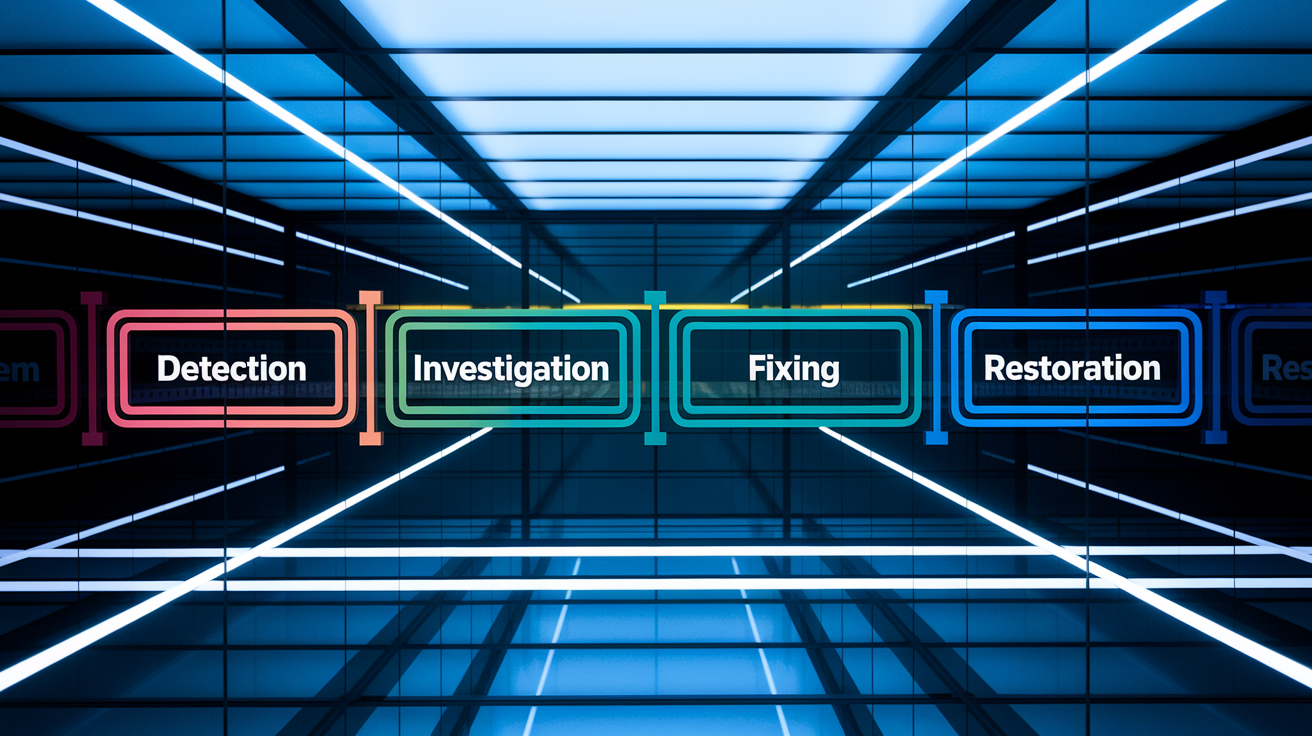
Discord posts status updates with timestamps at key moments. When an outage starts, the status page logs the time of first detection and posts an “Investigating” message. As the team figures out what broke, updates appear with phrases like “We believe we have identified the issue and are taking action to try and restore voice traffic.” That signals the midpoint where the cause is known and fixes are rolling out. Final updates announce restoration, like “Voice and video should have recovered and users should be able to connect to voice calls,” often followed by notes about lingering issues (for example, “We are still tracking down issues with our API”). Each update includes a timestamp, so you can track how long each phase lasted.
Phrases like “identified the issue” mean diagnosis is done and engineers are deploying a fix, but the outage isn’t over yet. “Taking action to restore” means active work is happening (rolling out patches, restarting services, rebalancing traffic), which can take 15 minutes to an hour depending on complexity. “Tracking down API issues” after main services recover means some features are still broken. Bots and integrations might stay offline even if voice and messaging are back. These partial-recovery windows stretch total duration for users who rely on those features, so reading the exact wording tells you whether your use case is fixed or still waiting.
Post-incident summaries sometimes show up hours or days later, giving the official total duration and a detailed timeline. These reports break down the incident minute by minute: when the problem started, when it got detected, how long diagnosis took, what fix got applied, when full service was restored. They also explain why duration was longer or shorter than typical. A database issue that needed a full restart versus a quick config change, for example. Reading these summaries helps you understand what “normal” duration looks like for different failure types.
User-Side Troubleshooting During Discord Outages and Duration Expectations

Troubleshooting won’t shorten an official platform outage, but it helps you confirm whether the problem is Discord’s or yours. If restarting your app, clearing cache, switching networks, and disabling your VPN don’t fix it, and other users are reporting the same symptoms on social media or outage trackers, you’re dealing with a real platform outage. At that point, more troubleshooting won’t help. You’re waiting for Discord to restore service. If your tests show Discord works on mobile data but not Wi-Fi, or works for other users in your server, the issue is local (your network, ISP, device config), and troubleshooting can fix it right away.
Duration expectations depend on what broke. Voice outages from server-side issues typically last 30–90 minutes. If you’ve ruled out local problems and confirmed widespread reports, expect to wait in that window. API failures that break bots can run 1–2 hours because backend fixes take longer. Full platform outages (login failures, total blackout) usually clear within 3–4 hours, though rare catastrophic failures can stretch beyond that. If you see a status update saying “we have identified the issue,” you’re likely halfway through. If you see “services should have recovered,” test immediately because your connection might take a few extra minutes to stabilize even after the official fix.
Eight troubleshooting steps to confirm scope and rule out local issues:
- Restart Discord completely – Quit the app (don’t just close the window) and relaunch to clear temporary connection state.
- Use Ctrl+R (or Cmd+R on Mac) – Reload the desktop app to refresh the client without a full restart.
- Clear Discord cache – Go to User Settings > Advanced > Clear Cache to remove corrupted local data.
- Switch networks – Test on Wi-Fi, then mobile data, to figure out if your ISP or router is blocking Discord.
- Check minimum bandwidth – Voice needs at least 1 Mbps upload. Streaming needs more depending on quality.
- Disable VPN and proxy – VPNs can route traffic through blocked IPs or add latency that breaks voice connections.
- Flush DNS and reset network – Run
ipconfig /flushdns(Windows) orsudo dscacheutil -flushcache(Mac) to clear DNS cache. Restart your router. - Change voice server region – In server settings, switch to a different voice region to bypass a failing cluster.
Alternatives to Use If Discord Outage Duration Is Extended

When Discord downtime stretches past 2 hours or kills critical voice/video features, switching to a backup platform keeps things running. TeamSpeak and Mumble offer voice-focused alternatives with self-hosting options, so you control uptime and don’t rely on a third-party service. Guilded is gaming-focused like Discord and includes voice, text, scheduling tools. Slack and Microsoft Teams work well for group coordination and voice calls, especially if your community already uses them for non-gaming stuff. Telegram supports large group chats and voice rooms. Zoom handles voice and video meetings with screen sharing. Element (Matrix protocol) gives you decentralized, encrypted messaging and voice, with no single point of failure.
Seven alternatives for extended Discord outages:
- TeamSpeak – Low-latency voice chat with self-hosting. Reliable for gaming teams during outages.
- Mumble – Open-source, self-hosted voice with minimal setup and strong voice quality.
- Guilded – Gaming-centric platform with voice, text, events, scheduling built in.
- Slack – Text, voice, integrations. Works well for organized communities and project teams.
- Microsoft Teams – Video calls, voice, chat. Familiar for users in work or school environments.
- Telegram – Fast group messaging and voice chats. Mobile-first with desktop support.
- Element (Matrix) – Decentralized, encrypted messaging and voice. No central server dependency.
Final Words
Typical Discord outages run from under 30 minutes for minor glitches to 1–2 hours for common incidents, with major platform problems sometimes stretching to 3–4 hours. Status pages and trackers usually show timestamps you can follow in real time.
How long an outage lasts depends on the failure type—voice clusters, CDN/DNS, API, or load—and the fix steps needed.
Use official status updates, third‑party monitors, and quick troubleshooting. Knowing discord outage duration helps you plan, and most issues are resolved fairly quickly.
FAQ
Q: Is Discord having an outage today?
A: Whether Discord is having an outage today depends on live signals; check Discord’s official status page and third‑party outage trackers plus recent user reports for current incident details and recovery estimates.
Q: What is the 13 rule on Discord? Is Discord 13+ or 17+?
A: The 13 rule on Discord means users must be at least 13 in most countries; some regions set higher minimums, so Discord’s general minimum age is 13 rather than 17—follow local law and platform rules.
Q: How long until Discord says you’re offline?
A: Discord shows you as offline immediately if you log out, go invisible, or the app loses connection; it typically switches to idle after about five minutes of inactivity before marking a disconnect as offline.