Is Flux Pro the first text-to-image model made for real production, not weekend experiments?
Built by Black Forest Labs, it aims for photorealistic, prompt-faithful images that fit creative pipelines.
If you manage marketing visuals, product imagery, or agency deliverables, Flux Pro promises speed, consistent quality, and commercial licensing.
This post breaks down the model’s core capabilities, shows the usage-based pricing you’ll actually pay, and walks through API access and integration steps.
Read on to see what changes, who benefits, and whether Flux Pro fits your workflow.
Comprehensive Overview of the Flux Pro Model Capabilities

Flux Pro is a professional text-to-image generator built for production environments where you can’t afford to waste time on mediocre outputs. Black Forest Labs made this thing for creative professionals, marketing teams, and enterprise users who need images that actually match what they wrote. The system focuses on clarity and detail, getting you close to photorealistic quality while sticking to your prompt without wandering off into weird territory.
This isn’t for hobbyists experimenting on weekends. Professional photographers, art directors, product designers, and content creators use Flux Pro when they need marketing visuals, concept illustrations, or reference imagery under tight deadlines. It slots into existing creative pipelines where image quality, predictability, and commercial licensing trump experimental features.
Flux Pro carved out its spot in the professional imaging market by balancing speed with output quality. Unlike generators aimed at casual users, it prioritizes what matters in commercial environments: accurate prompt interpretation, consistent style application, and resolution options that work for print and digital publication. The workflow integration lets teams add AI-generated visuals without messing up their existing asset management systems.
What you get:
- High-resolution output up to 2K, works for web, print, and presentations
- Enhanced detail rendering that keeps fine textures, lighting nuances, and complex compositions intact
- Superior prompt adherence that shrinks the gap between what you describe and what you see
- Clarity improvements making generated images harder to spot as synthetic
- Professional workflow compatibility with standard creative software and asset pipelines
Technical Specifications of the Flux Pro Model Architecture

Flux Pro runs on a 12-billion-parameter flow transformer architecture that combines multimodal inputs with parallel diffusion transformer blocks. The model uses flow matching methodology paired with rotary positional embeddings to handle spatial relationships across the image generation process. This setup lets the system maintain coherence across large resolution outputs while processing complex prompt instructions that reference multiple objects, styles, and spatial arrangements.
The hybrid design integrates text encoders with visual synthesis pathways, so the model can interpret nuanced language and turn abstract concepts into concrete visual elements. Parallel transformer blocks spread computational work across the generation pipeline, cutting down bottlenecks that usually slow high-resolution image creation. Flow matching guides the diffusion process with more precision than standard approaches, giving you outputs with fewer artifacts and better alignment with what you asked for.
The system is tuned for minimal latency while keeping image quality intact. Engineers balanced throughput with detail preservation, letting professional users generate publication-ready images without extended wait times or endless refinement passes.
| Specification | Description |
|---|---|
| Parameter Count | 12 billion parameters |
| Architecture Type | Flow transformer with hybrid multimodal and parallel diffusion blocks |
| Max Resolution | Up to 2K (2048 × 2048 pixels) |
Performance Benchmarks and Image Quality of the Flux Pro Model
Flux 1.1 Pro generates images six times faster than Flux 1.0 Pro, according to developer testing. The speed boost comes from architectural tweaks and parallel processing enhancements that cut the time needed to produce a single image at equivalent quality settings. Speed gains show up across all resolution tiers, making the model viable for real-time creative workflows where you’re iterating rapidly on visual concepts.
The model scored highest on the Artificial Analysis image arena leaderboard, a benchmark that ranks text-to-image systems based on visual quality and prompt accuracy through head-to-head comparisons. Elo scoring reflects community preferences across thousands of side-by-side evaluations. Independent testers used identical prompts across multiple systems to isolate quality differences, confirming that Flux 1.1 Pro produces outputs with greater detail retention and fewer compositional errors.
Image quality evaluation focused on clarity, prompt adherence, and photorealism. Observers noted that generated images show exceptional sharpness and increasingly blur the line between synthetic and photographed content. The model’s improved prompt adherence means fewer generation attempts to hit the desired result, cutting both time and computational cost for professional users working under tight deadlines.
Benchmark testing covered four areas:
- Speed tests measuring end-to-end generation time from prompt submission to final image delivery
- Resolution consistency checks ensuring detail preservation across output sizes from 512×512 to 2048×2048
- Prompt adherence scoring evaluating how accurately the model interprets complex multi-element instructions
- Real-world workload evaluation simulating production environments with mixed prompt types, batch sizes, and resolution requirements
Pricing Structure and Billing Rules for Flux Pro Model Usage
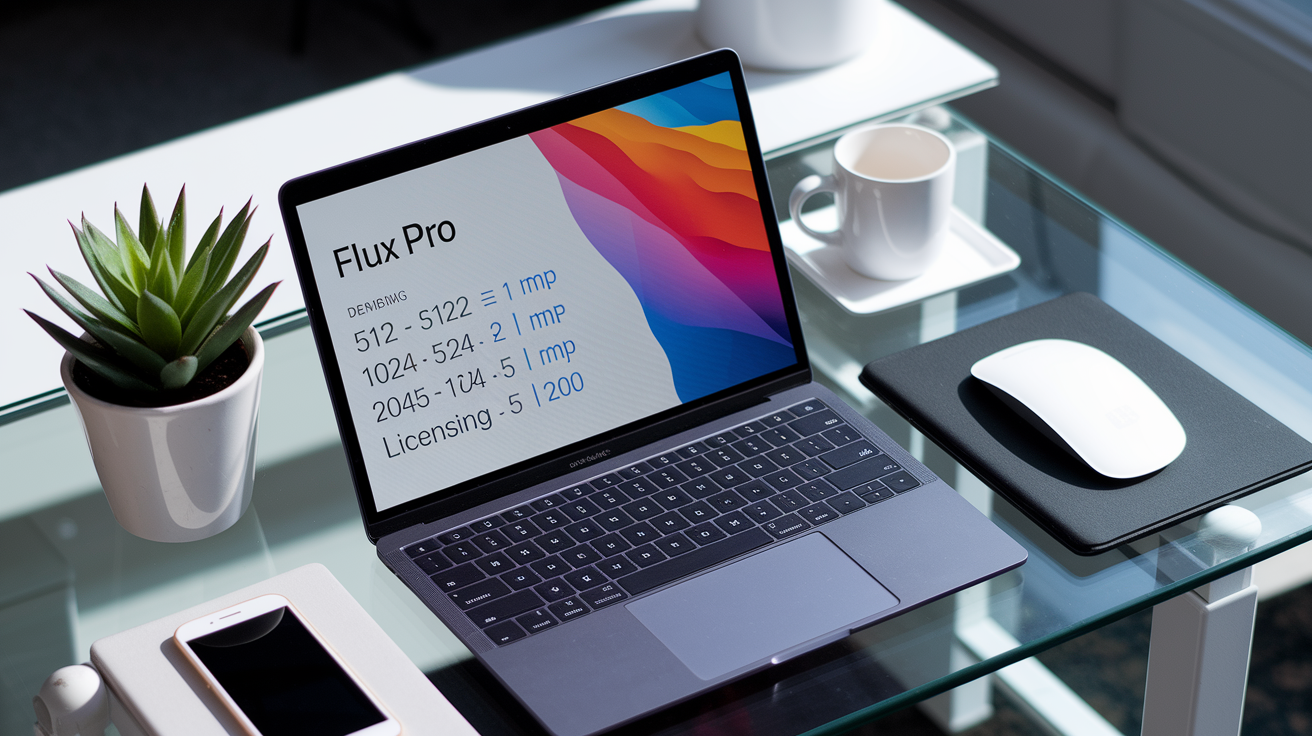
Flux Pro charges $0.04 per megapixel. Billing rounds the image resolution up to the nearest full megapixel. A 512×512 image measures 0.262 megapixels but gets billed as 1 megapixel, costing $0.04. A 1024×1024 image covers 1.049 megapixels, rounded to 2 megapixels for a charge of $0.08. A 2048×2048 output reaches 4.194 megapixels and gets billed as 5 megapixels at $0.20 per image.
This usage-based pricing includes commercial usage rights with no hidden fees, minimum commitments, or royalty obligations. Teams working on advertising campaigns, product photography, editorial content, or client deliverables can generate images and use them in commercial projects without additional licensing negotiations. Enterprise customers with high-volume requirements can contact the provider for custom pricing arrangements that reflect large-scale usage patterns and dedicated support needs.
| Resolution | Billed MP | Cost |
|---|---|---|
| 512 × 512 | 1 MP | $0.04 |
| 1024 × 1024 | 2 MP | $0.08 |
| 2048 × 2048 | 5 MP | $0.20 |
Professional users typically access Flux Pro through:
- Third-party hosted platforms offering subscription plans that bundle API credits with management dashboards and usage analytics
- Direct API access purchased through the model provider’s billing portal with pay-as-you-go credit systems
- Enterprise agreements that include dedicated support channels, SLA guarantees, and volume discounts negotiated with Black Forest Labs or authorized resellers
Integration and API Access for the Flux Pro Model

Flux Pro integrates into professional workflows through standard REST APIs that accept text prompts, configuration parameters, and image inputs. Developers install client libraries for TypeScript, JavaScript, or Python, then authenticate requests using API keys issued by the hosting platform or model provider. The API returns generated images as URLs or base64-encoded data, letting teams incorporate outputs directly into content management systems, design tools, or automated publishing pipelines.
The model supports multiple input types beyond text prompts. You can submit image URLs from cloud storage services like S3 for relighting tasks, upload reference images through drag-and-drop interfaces, or combine text descriptions with visual examples to guide style and composition. Serverless API endpoints simplify integration by eliminating infrastructure management, so developers can focus on prompt engineering and result validation rather than server maintenance.
API Setup Steps
API integration follows a standard four-step process that takes most development teams under an hour to complete for initial testing environments.
- Create an API key through the platform dashboard or provider portal, selecting usage limits and billing settings appropriate for the project
- Install the official client library using package managers (npm install flux-pro-client for JavaScript projects or pip install flux-pro for Python environments)
- Make a first request by submitting a simple text prompt with default parameters, verifying that authentication works and images generate successfully
- Configure a testing environment with error handling, retry logic, and rate limiting to simulate production load and validate system behavior under realistic conditions
Practical Use Cases of the Flux Pro Model

Flux Pro serves creative teams that need to produce finished visual assets on deadline. Advertising agencies use the model to generate campaign concepts, social media visuals, and product mockups without waiting for photoshoots or illustration contracts. The speed and quality let art directors present multiple creative directions to clients in a single meeting, speeding up approval cycles and cutting the time between brief and final deliverable.
E-commerce operations rely on Flux Pro for product imagery when traditional photography is impractical or expensive. Fashion retailers generate lifestyle shots showing products in various settings, furniture companies create room scenes that demonstrate scale and style, and consumer electronics brands produce hero images that highlight features without physical prototypes. The model’s prompt adherence keeps product details accurate even as backgrounds and contexts change across variations.
Architectural firms and real estate developers use Flux Pro to visualize projects before construction begins. Designers generate exterior renderings, interior walkthroughs, and neighborhood context shots that help stakeholders understand spatial relationships and aesthetic choices. Film and television pre-production teams create storyboards, concept art, and location references that guide cinematographers, production designers, and VFX supervisors during planning phases.
Practical applications:
- Concept art for games, films, and publishing projects requiring rapid iteration on character designs, environments, and prop details
- Marketing visuals for social media, email campaigns, and web content where fresh imagery is needed frequently and stock photography falls short
- Product mockups showing items in lifestyle contexts, seasonal settings, or aspirational environments that would be costly to photograph
- Editorial illustrations for magazines, blogs, and news outlets covering topics where original photography is unavailable or impractical
- Architectural visualization producing client-ready renderings of unbuilt spaces, material options, and lighting scenarios
- Research and development imagery for academic papers, technical documentation, and training materials requiring custom diagrams and visual explanations
Comparison Between Flux Pro Model and Previous Versions

Flux 1.1 Pro represents a significant performance leap over Flux 1.0 Pro, delivering the same image quality in one-sixth the time. Speed improvements let creative teams generate more variations during brainstorming sessions and reduce the cost of high-volume production workflows. Faster generation also enables real-time applications where users need immediate visual feedback: interactive design tools, live content creation during events, or customer-facing configurators that show product customizations instantly.
Image fidelity improvements mean that Flux 1.1 Pro produces sharper details, more accurate lighting, and better compositional balance than its predecessor. Side-by-side testing using identical prompts revealed that the newer model handles complex multi-object scenes more reliably, maintains consistent styles across variations, and reduces common artifacts like distorted text or anatomical errors. Prompt adherence also improved, with the model correctly interpreting nuanced instructions more often and requiring fewer regeneration attempts to match user intent.
| Feature | FLUX 1.0 Pro | FLUX 1.1 Pro |
|---|---|---|
| Generation Speed | Baseline | 6x faster |
| Image Fidelity | High quality | Enhanced realism and detail |
| Prompt Adherence | Reliable | Superior accuracy with complex instructions |
| Output Diversity | Standard variation | Greater stylistic range per prompt |
Final Words
We ran through the Flux Pro Model’s capabilities, technical specs, performance benchmarks, pricing rules, integration steps, and practical use cases.
It’s aimed at professional creators and teams who need sharper images, clearer prompt adherence, and production-ready output up to 2K. The article showed where it improves on prior versions and how billing rounds affect cost.
If you’re evaluating options, run a short API proof-of-concept, check billed megapixels against your targets, and test prompt fidelity. The flux pro model looks like a solid, practical upgrade worth trying.
FAQ
Q: What is the Flux Pro model and who is it for?
A: The Flux Pro model is an advanced text-to-image system aimed at professionals—designers, artists, and product teams—who need high-detail, prompt-faithful images up to about 2K for production and prototyping.
Q: What are Flux Pro’s key user-facing capabilities?
A: Flux Pro’s key capabilities include improved image detail and clarity, strong prompt adherence, support up to 2K resolution, diverse outputs, and tools suited for professional workflows and asset pipelines.
Q: What are the technical specifications of Flux Pro?
A: The Flux Pro model has 12B parameters, uses a flow-transformer hybrid multimodal architecture with rotary positional embeddings and flow matching, and supports high-resolution image outputs up to 2K.
Q: How does Flux Pro perform compared with previous versions?
A: Flux Pro performs far better than earlier releases, offering roughly 6x faster generation, higher realism, improved prompt adherence, and stronger visual fidelity in tests using identical prompts.
Q: How is Flux Pro billed and how do I calculate cost?
A: Flux Pro billing charges $0.04 per billed megapixel; resolution rounds up to the next full MP, so the billed MP, not raw MP, determines the final cost.
Q: What are typical pricing examples for common resolutions?
A: Pricing examples: 512×512 (0.262 MP) billed as 1 MP = $0.04; 1024×1024 (1.049 MP) billed as 2 MP = $0.08; 2048×2048 (4.194 MP) billed as 5 MP = $0.20.
Q: How do I integrate Flux Pro via API and what inputs are supported?
A: Flux Pro integration requires an API key and client libraries (TypeScript/Python); it accepts text prompts, image inputs via URLs or uploads, and standard text-to-image parameters—use retries and error handling in production.
Q: What are the API setup steps to start generating images?
A: The API setup steps are creating an API key, installing the official client library, sending an initial request with a test prompt, and validating responses in a test environment with logging and retry rules.
Q: What practical use cases work best with Flux Pro?
A: Flux Pro fits concept art, product mockups, e-commerce imagery, marketing visuals, architectural visualization, film pre-production, and rapid prototyping for research and digital design teams.
Q: Are commercial usage rights included with Flux Pro?
A: Commercial usage rights are included with Flux Pro, allowing generated assets to be used commercially without extra fees; enterprise pricing and custom licensing are available through the provider.
Q: Where do professionals typically purchase Flux Pro API credits or access?
A: Professionals usually purchase Flux Pro API credits or access via the provider’s developer portal, cloud marketplace partners, or direct enterprise sales for volume contracts and dedicated support.