
Server outages cost businesses an average of $5,600 per minute, according to recent data. But what actually causes these expensive disruptions? The answer isn’t simple. It’s rarely just one thing. Hardware wears out, power cuts off, software crashes, networks disconnect, and attackers flood systems with traffic. Sometimes multiple failures cascade into each other. Understanding what breaks and why helps you prevent it. This guide walks through the most common root causes of server downtime and shows you concrete steps to stop them before they knock your systems offline.
Hardware Failure and Server Infrastructure Breakdowns

Server outages come from all kinds of interconnected problems, but hardware failures top the list when it comes to physical issues that actually stop systems cold. Software bugs you can sometimes patch remotely. Hardware? That needs someone to physically swap out broken parts.
Servers run nonstop. This constant operation just wears things down. Hard drives develop bad sectors and die, power supplies degrade until they can’t deliver stable voltage anymore, memory modules start throwing errors, motherboards lose capacitors, processors fail from electrical stress. Every component has a clock ticking on it, and the heat plus electrical load speed up the inevitable breakdown.
Then there’s the environmental stuff. Overheating from cooling failures remains one of the biggest culprits. When AC quits, fans clog with dust, or airflow gets blocked, servers shut themselves down to avoid permanent damage. Too much humidity in the server room causes condensation and short circuits. Too dry? Static electricity becomes a real problem. Dust buildup acts like insulation, trapping heat and making components run hotter than they’re designed for. This shortens their life and makes failures way more likely.
Good diagnosis means checking error logs for hardware warnings, watching temperature sensors to catch cooling issues early, looking at SMART data for drives so you can predict failures before they happen, and sticking to regular maintenance schedules. Equipment checks help you spot worn components, loose connections, and problems that are just starting before they knock everything offline. Replace aging gear before it fails, clean dust out of cooling systems, make sure airflow’s working right. That prevents most hardware disruptions.
Network Connectivity Issues and Infrastructure Failures

Network outages are probably the most common reason servers go down. They stop servers from talking to other computers, users, and the services they need. Your server hardware and software can be running perfectly, but if the network’s broken, nobody can reach anything.
Different parts of the network create different failure points. Router failures mess up traffic routing between networks. Switch problems disconnect entire server segments. DNS failures mean domain names don’t resolve, so users can’t find servers by name. ISP outages cut you off from the outside world completely. Physical cable damage from construction or accidents just severs everything. Load balancer issues prevent traffic from distributing properly across server clusters. Configuration errors are brutal too. Wrong routing tables, firewall rules blocking legitimate traffic, VLAN misconfigurations… any of these can instantly isolate servers.
Diagnosing network problems means checking network logs for errors and connection failures, testing connectivity with ping and traceroute, looking at routing tables to verify paths are configured right, monitoring bandwidth to spot saturation or weird traffic patterns, and systematically isolating the problem area. Staff training helps people troubleshoot or at least narrow down where the issue is so IT can fix it faster.
| Network Component | Common Failure Mode | Diagnostic Tool |
|---|---|---|
| Routers | Configuration errors, hardware failure, routing table corruption | Traceroute, routing table inspection, SNMP monitoring |
| Switches | Port failures, spanning tree issues, power supply problems | Port status checks, link lights, switch logs |
| DNS Servers | Service crashes, zone file errors, query overload | nslookup, dig, DNS query logs |
| Load Balancers | Health check failures, uneven distribution, connection limits | Load balancer logs, connection monitoring, backend health status |
| Physical Cables | Cuts, damage, connector corrosion, electromagnetic interference | Cable testers, visual inspection, link status indicators |
Power Outages and Electrical System Disruptions
When the power goes out, servers stop. It’s immediate and total. Unlike gradual hardware wear or software glitches, losing electricity means everything crashes within seconds. A primary power failure affects entire data centers at once.
UPS systems (battery backups that bridge gaps when power cuts out) are supposed to be your first defense, but they’ve got their own failure points. Batteries degrade and might not hold enough charge. Inverters malfunction and can’t convert battery power to usable AC. Sometimes capacity’s just miscalculated and runtime falls short during actual outages. Backup generators should kick in when UPS batteries run low, but generators fail to start sometimes. Fuel runs out. Transfer switches malfunction and can’t switch from grid to generator power.
Other electrical problems cause outages even when main power’s fine. Voltage fluctuations outside equipment tolerances crash servers or make them reboot. Power surges damage components. Circuit breakers trip from overloaded circuits and kill power to entire racks. Power distribution units inside racks can fail and take down multiple servers even though facility power’s stable.
Prevention’s all about redundancy and testing. Redundant power supplies in servers let them keep running if one supply dies. Properly maintained UPS systems with regular battery swaps ensure backup capacity exists when you need it. Generator testing schedules verify backup power actually works during emergencies. Monitoring electrical load distribution stops circuit overloads before they happen. Keeping networking equipment maintained prevents network disruptions that often come with power problems.
Software Bugs and Application Errors Creating Outages

Software bugs and bad code releases cause outages through errors in code, insufficient testing, or weird interactions between components. These range from minor glitches affecting specific features to catastrophic failures that bring everything down.
Server software that doesn’t get regular audits and updates is prone to breakdowns, glitches, freezes. New production deployments might work perfectly in testing but fail when they hit real-world data volumes, usage patterns, or environmental conditions nobody anticipated.
Common software failures include memory leaks that gradually eat all available RAM until the system crashes, database corruption from improper transactions or disk failures that destroy data integrity, null pointer exceptions when code tries to access memory that doesn’t exist, race conditions where timing-dependent execution produces unpredictable results, resource deadlocks where processes wait forever for resources other processes are holding, unhandled exceptions that crash applications when unexpected stuff happens, and infinite loops that consume CPU and make systems unresponsive.
Diagnosing software problems means looking at application logs for error messages and stack traces showing exactly where code failed, analyzing memory profiling data to find leaks and excessive consumption, reviewing database query logs for slow or failing operations, and monitoring application performance metrics. Preventing bug-related outages requires automated testing, continuous integration, regular code reviews, and solid quality assurance before production deployment.
Modern development practices cut software-related outages significantly. CI/CD pipelines with automated testing catch problems before deployment. Staged rollouts limit how much damage bugs can do if they slip through. Documented rollback procedures let you quickly revert to stable versions when issues show up. Code reviews add extra scrutiny. Monitoring new deployments closely during the first few hours catches problems before they affect everyone.
Cyberattacks and Security Breaches Causing Downtime

DDoS attacks (coordinated traffic floods from tons of sources) overwhelm servers with traffic, eating all available bandwidth, connections, and processing capacity so legitimate users can’t get through. In 2023, malware forwarding and DDoS were the most common cyber attacks causing downtime. These don’t necessarily breach security or steal data. They just make systems unable to serve real users through sheer volume.
Ransomware creates different outages by encrypting essential data and systems until you pay. When ransomware spreads through a network and encrypts databases, file systems, even backup systems, you’re looking at complete shutdowns lasting days or weeks. Recovery means either paying ransoms (which doesn’t guarantee anything works) or rebuilding from clean backups and verified uninfected sources.
Malware infections and remote code execution vulnerabilities let attackers control systems and intentionally cause outages. The 2021 Log4Shell incident showed how one widespread vulnerability could affect thousands of organizations. Attackers could execute arbitrary code on vulnerable systems, potentially shutting them down, stealing data, or installing persistent malware. Other attack methods include SQL injection exploits that corrupt databases, zero-day vulnerabilities (security bugs attackers use before there’s a fix) that bypass defenses, and cryptojacking malware that burns resources mining cryptocurrency.
Insider threats and unauthorized access lead to intentional or accidental disruptions. Disgruntled employees with legitimate credentials can deliberately sabotage systems. Compromised credentials let external attackers access systems like they’re authorized users. Even well-meaning insiders cause outages through mistakes while accessing stuff they shouldn’t touch.
Detection and prevention need layered security. Combine runtime vulnerability analytics with application and perimeter protection through firewalls, intrusion detection systems that spot suspicious traffic patterns, regular security audits to find vulnerabilities before attackers do, patch management that rapidly deploys security updates, employee cybersecurity training to prevent social engineering, and incident response protocols that minimize damage when breaches happen. Keeping software updated closes known vulnerabilities attackers routinely exploit.
Human Error and Configuration Mistakes Leading to Failures

Human error accounts for a huge chunk of server downtime across the United States, often matching or beating technical failures as an outage cause.
This covers specialist mistakes, configuration errors, incorrect coding that creates outages even though systems technically work as configured. The problem isn’t the technology. It’s what people tell the technology to do. Mistakes during routine maintenance accidentally take systems offline. Misconfigurations like wrong firewall rules block legitimate traffic. Accidental deletions of critical databases destroy essential data. Incorrectly applied configuration changes break working systems.
Specific scenarios show how easily human mistakes cascade into major outages. A network engineer mistypes one character in a routing configuration and blackholes traffic for an entire region. A database admin runs a DELETE query without a WHERE clause and erases production data. A system admin applies an OS update without testing and triggers compatibility issues that crash services. A developer pushes code to production instead of staging and introduces bugs to live systems.
Reducing human error requires comprehensive training, strict change management protocols requiring review and approval for changes, automated systems for routine tasks that eliminate manual mistakes, and thorough review processes for critical actions. A “measure twice, cut once” culture for critical changes works. Teams verify configurations in test environments, document expected outcomes, have peers review plans, maintain rollback procedures. This dramatically cuts error rates.
Capacity Overload and Traffic Spike Server Crashes

High demand outages happen during major sales, promotional campaigns, or highly anticipated streaming premieres when traffic surges overwhelm systems not built for those loads. Servers, databases, network connections all have limits. When demand exceeds capacity, systems slow to a crawl or crash completely.
Different resource exhaustion creates different failure modes. CPU overload happens when processing demand exceeds available cores, causing requests to queue forever and users to hit timeouts. RAM limitations occur when applications consume all memory, triggering aggressive swapping to disk that grinds performance to nothing. Disk I/O saturation results from database queries, log writes, and file operations exceeding storage throughput. Network bandwidth exhaustion prevents new connections when traffic exceeds link capacity. Connection pool depletion happens when applications run out of available database or service connections, blocking new requests even though underlying systems have spare capacity.
Real examples show the business impact. Retailers launching Black Friday sales crash under unexpected demand. Streaming services collapse when highly anticipated shows premiere. Gaming platforms fail during major releases. Ticket sales systems crash within minutes of high-demand event availability. Each scenario represents a planning or infrastructure failure where capacity didn’t match demand.
Prevention through capacity planning, performance testing, scalable infrastructure, auto-scaling, load balancing, and contingency plans for anticipated peaks addresses this. Managing demand spikes requires scalable infrastructure that can grow to meet demand, load balancing that distributes traffic across multiple servers, performance testing that reveals bottlenecks before production traffic hits them, and contingency plans like queue systems that gracefully handle overflow rather than crashing. Cloud infrastructure with auto-scaling adds or removes capacity automatically based on demand, preventing both shortages and unnecessary spending during quiet periods.
Third-Party Dependencies and Cloud Service Disruptions
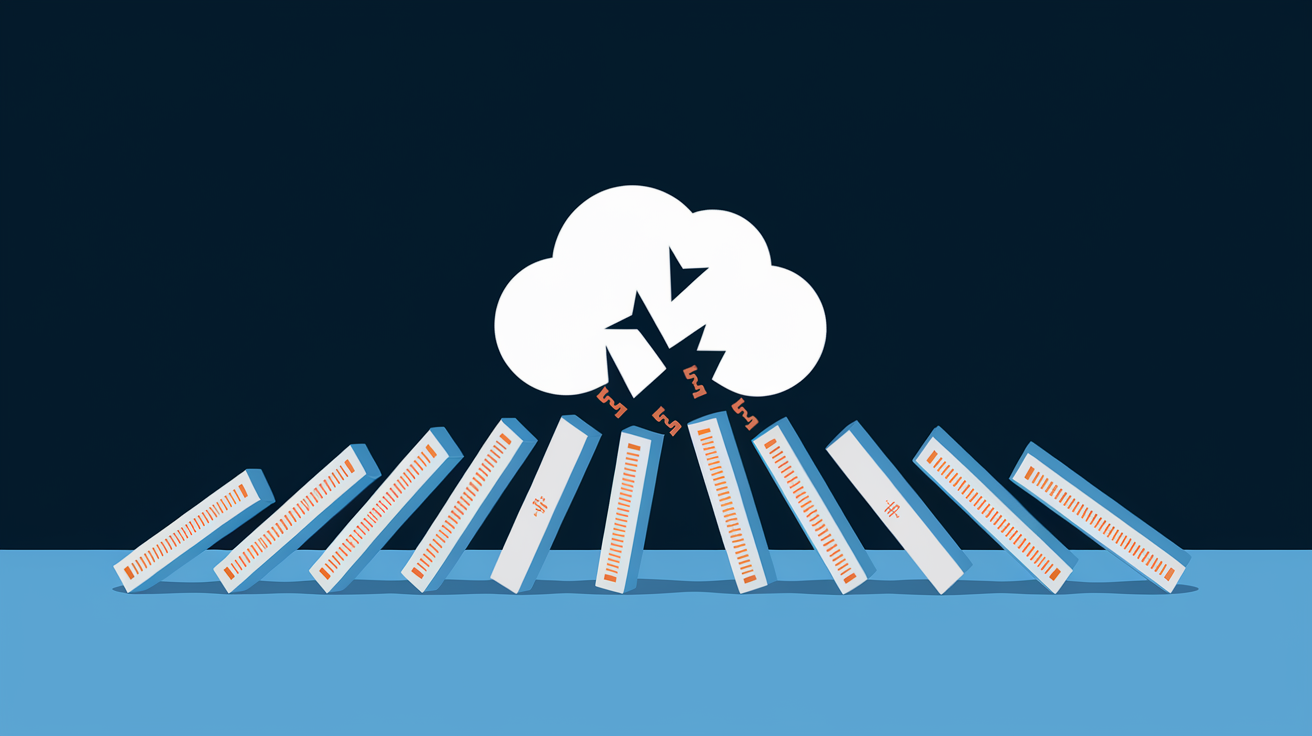
Businesses running cloud-hosted or hybrid setups risk downtime from vendor outages. Your availability depends entirely on someone else’s infrastructure reliability. When AWS, Azure, Google Cloud, or other providers experience regional outages, every customer using that region goes down simultaneously.
Specific dependency failures create cascading outages across interconnected services. Cloud provider regional outages affect all services hosted there. CDN disruptions (content delivery networks that cache content closer to users) slow or block content delivery globally. Payment gateway failures prevent transaction processing even when your systems work fine. Authentication service issues like Auth0 or Okta outages prevent user logins across hundreds of customer applications. API provider downtime blocks functionality depending on external services. The 2021 Fastly outage demonstrated this. A single CDN configuration error took down major sites including Amazon, Reddit, and news outlets worldwide for over an hour.
Cascade effects amplify impact where one provider’s outage hits multiple downstream customers who then create outages for their customers. When a cloud database service fails, every application using it fails. When a major DNS provider goes down, millions of websites become unreachable. Understanding AWS outages and other major provider incidents reveals how concentrated infrastructure creates systemic vulnerability.
Mitigation requires vendor due diligence before committing to dependencies, evaluating provider track records and incident response histories. Multi-cloud strategies distribute risk across providers so one vendor’s outage doesn’t take down your entire operation. Understanding vendor SLAs (service level agreements, uptime guarantees with compensation for failures) and business continuity plans helps set realistic expectations. Cloud server providers should outline exact processes for ensuring business continuity during their own outages. Maintaining fallback options for critical dependencies (alternative payment processors, backup authentication methods, cached content copies) prevents single points of failure from creating complete outages.
Natural Disasters and Environmental Data Center Threats
Natural disasters represent low-frequency but high-impact outage causes that can hit entire data centers at once, creating extended downtime that overwhelms normal redundancy and backup systems. Unlike hardware failures or software bugs that typically affect individual servers or services, natural disasters impact entire facilities, regions, or broader geographical areas.
Specific threats vary by location but include universal risks. Earthquakes damage buildings, sever utility connections, destroy equipment through physical shaking and infrastructure collapse. Floods inundate data centers, destroying electrical systems and servers in lower floors or basement facilities. Hurricanes and tornadoes combine wind damage, flooding, and debris impacts that can render facilities inoperable for extended periods. Wildfires force evacuations and can directly damage or destroy facilities, while smoke and ash infiltration damages cooling systems and equipment. Severe storms with lightning strikes cause power surges and electrical damage. Ice storms snap power lines and communication cables.
Indirect effects often outlast direct disaster impacts. Utility infrastructure damage cuts power and network connectivity for days or weeks after storms pass. Road closures and debris prevent staff from accessing facilities to restore services or perform emergency maintenance. Prolonged regional power grid failures exhaust backup generator fuel supplies. The cascading nature means recovery depends on restoring regional infrastructure, not just facility repairs.
Environmental threat mitigation includes geographical diversity by hosting critical systems in multiple regions far enough apart that disasters won’t affect both, disaster recovery sites in different climate zones with different risk profiles, flood-resistant facility design with raised floors, water barriers, and equipment placement above flood zones, fire suppression systems including specialized agents that don’t damage electronics, backup communication paths using multiple carriers and connection types, and insurance coverage appropriate to regional risks and potential loss scenarios.
Diagnostic Procedures for Identifying Server Outage Root Causes

Effective diagnosis requires systematic investigation rather than guessing at causes or throwing random fixes at the wall hoping something sticks. The difference between experienced operators and novices shows most clearly during outages. Experts follow methodical processes while others thrash between theories.
Comprehensive logging and monitoring infrastructure already in place makes diagnosis exponentially faster. Without logs showing what happened before failure, teams waste critical time trying to reconstruct events from fragments and memory. Continuous monitoring of software and sites provides complete visibility into server functioning for easier problem identification.
Systematic diagnostic checklist:
- Check monitoring dashboards and alerts to see what triggered first and what followed
- Review system logs (syslog, Windows Event Log) for kernel errors, service failures, resource warnings
- Examine application logs for error messages, stack traces, unusual activity patterns before failure
- Verify network connectivity to upstream and downstream services, checking for routing or DNS issues
- Check recent changes or deployments since many outages correlate with modifications made shortly before failure
- Test dependent services and databases to rule out external causes
- Review security logs for attack indicators like unusual authentication attempts or traffic patterns
- Consult vendor status pages for third-party services to identify external outages
Staff training helps troubleshoot or localize network issues so IT teams can fix them easier. Observability platforms enable proactive issue identification, remediation prioritization, and validation that implemented fixes address underlying problems. Post-incident root cause analysis documents what happened, why it happened, how it was fixed, what changes will prevent recurrence. These incident reports become institutional knowledge, creating runbooks that guide faster resolution when similar problems appear. Prevention strategies include well-documented recovery plans teams can execute under pressure without improvising.
Prevention Best Practices for Minimizing Server Downtime
Prevention’s way more cost-effective than reactive incident management. Every hour spent on preventive measures saves multiple hours of emergency response and potentially hundreds of thousands in outage costs.
Implement Redundancy and Failover Systems
Redundancy eliminates single points of failure by ensuring backup components can take over when primary systems fail. Redundant hardware means multiple servers handling the same function so one failure doesn’t create an outage. Redundant network paths provide alternative routes when primary connections fail. Redundant power supplies in individual servers allow continued operation when one supply dies. Geographical diversity places redundant systems in different locations so regional disasters don’t take down everything simultaneously. Automated failover systems detect failures and redirect traffic to working systems without human intervention, minimizing downtime to seconds or minutes rather than hours. Cloud-based server solutions provide redundancy backups when physical servers are out of commission.
Establish Comprehensive Monitoring and Alerting
Continuous infrastructure monitoring tracks CPU, memory, disk, network utilization to catch resource exhaustion before it causes outages. Application performance monitoring measures response times, error rates, transaction completion to identify degrading performance before total failure. Automated alerting systems notify teams immediately when thresholds exceed normal ranges, enabling proactive response. Observability platforms providing end-to-end visibility connect infrastructure metrics with application behavior and business outcomes, making it easier to identify root causes and measure real impact.
Maintain Regular Testing and Maintenance Schedules
Regular backup testing using separate servers ensures verified recovery options are always available. Untested backups are just wishful thinking. Disaster recovery drills verify documented procedures actually work and teams know how to execute them under pressure. Load testing reveals capacity limits and bottlenecks before production traffic exceeds them. Regular equipment maintenance checks help identify and fix problems before they cause outages, replacing worn components and cleaning cooling systems. Preventive replacement cycles swap aging hardware before it fails, based on manufacturer recommendations and failure statistics.
Enforce Change Management and Documentation
Strict change control processes require documentation, review, approval before modifications reach production systems. Peer review requirements add scrutiny to catch errors before deployment. Staging environments let teams test changes under production-like conditions without risking live systems. Rollback procedures enable quick reversion when changes cause unexpected problems. Maintaining updated documentation and runbooks ensures teams can follow proven procedures rather than improvising during outages. Network issue mitigation requires robust monitoring and management, redundant network paths, automated failover systems to maintain connectivity during disruptions.
Business Impact and System Reliability Metrics for Outages
91% of enterprises report that 1 hour of critical server downtime costs roughly $300,000 in losses. That figure captures direct costs but understates the full impact. Online retailers and businesses requiring constant access get hit especially hard by downtime. Every minute of unavailability translates directly to lost sales, abandoned carts, customers who may never return.
Server downtime impacts three main areas beyond immediate financial loss. Reputation damage accumulates as customers lose trust in reliability. One major outage erases months of perfect uptime in customer perception. Customer satisfaction drops during and after outages, with frustrated users sharing negative experiences across social media and review sites. Competitive disadvantage grows as customers switch to more reliable alternatives. In regulated industries, outages can trigger compliance violations, audits, penalties. Long-term revenue effects exceed immediate lost transactions as customer lifetime value drops from churn and reduced usage.
Key reliability metrics quantify system availability and guide improvement efforts. Uptime percentage measures the proportion of time systems stay operational. 99% sounds good until you realize it allows 3.65 days of downtime per year. Mean time between failures (MTBF, average time systems run before failing) indicates overall reliability. Mean time to recovery (MTTR, how long it takes to restore service after failure) measures operational effectiveness. These metrics directly relate to service level agreements that contractually define acceptable availability and compensation for failures.
| Uptime % | Downtime per Year | Business Suitability |
|---|---|---|
| 99% | 3.65 days (87.6 hours) | Acceptable only for non-critical internal systems |
| 99.9% | 8.76 hours | Minimum for customer-facing applications |
| 99.99% | 52.56 minutes | Standard for business-critical systems |
| 99.999% | 5.26 minutes | Required for financial services, healthcare, emergency systems |
| 99.9999% | 31.5 seconds | Mission-critical infrastructure (rare and expensive to achieve) |
Final Words
Server outages trace back to hardware failures, network disruptions, power issues, software bugs, cyberattacks, human error, capacity overload, third-party dependencies, and natural disasters.
Understanding what causes server outages helps you build stronger prevention strategies. Regular maintenance, redundant systems, comprehensive monitoring, and strict change management dramatically reduce downtime risk.
The financial stakes are real. One hour of critical downtime costs most enterprises around $300,000.
Start with the basics: test your backups, monitor continuously, document procedures, and train your team. Small prevention steps today prevent expensive emergencies tomorrow.
FAQ
Why do server outages happen?
Server outages happen due to multiple interconnected causes including hardware failures, network connectivity problems, power disruptions, software bugs, cyberattacks, human error, capacity overload, third-party service failures, and natural disasters affecting data center infrastructure.
How to fix a server outage?
To fix a server outage, follow a systematic diagnostic approach: check monitoring dashboards and alerts, review system and application logs, examine network connectivity, verify resource utilization, check recent changes or deployments, test dependent services, and consult vendor status pages before implementing targeted fixes.
Why does the server keep going down?
A server keeps going down typically due to recurring underlying issues such as inadequate capacity planning, insufficient redundancy, unresolved hardware problems, poorly tested software deployments, configuration errors, or lack of proactive monitoring and preventive maintenance to identify problems before they cause failures.
What causes server failure?
Server failure is caused by hardware breakdowns (hard drives, power supplies, cooling systems), network infrastructure problems (router failures, ISP outages), software bugs and deployment errors, cyberattacks like DDoS and ransomware, human configuration mistakes, excessive traffic overwhelming resources, or external factors like power outages and natural disasters.
What is the most common cause of server downtime?
The most common cause of server downtime is network outages, which typically occur during power shortages or hardware malfunctions and prevent servers from communicating with other systems due to router failures, cable damage, ISP problems, or network equipment malfunctions.
How much does server downtime cost businesses?
Server downtime costs businesses approximately $300,000 per hour for critical systems according to reports from 91% of enterprises, with additional unmeasured impacts including reputation damage, decreased customer satisfaction, competitive disadvantage, and potential regulatory compliance violations.
What is the difference between planned and unplanned downtime?
Planned downtime is scheduled maintenance or updates communicated in advance with preparation and mitigation strategies, while unplanned downtime occurs unexpectedly from failures, attacks, or errors without warning, typically causing greater business disruption and higher recovery costs.
How can I prevent server outages?
You can prevent server outages by implementing redundant systems and failover mechanisms, establishing comprehensive monitoring with automated alerts, maintaining regular testing and maintenance schedules, enforcing strict change management processes, and creating well-documented recovery plans with trained staff.
What tools help diagnose server outage causes?
Tools that help diagnose server outage causes include monitoring dashboards, system and application log analyzers, network connectivity testers, resource utilization monitors, observability platforms, security event analyzers, database query profilers, and vendor status pages for tracking third-party service disruptions.
How does a DDoS attack cause server downtime?
A DDoS attack causes server downtime by overwhelming servers with massive amounts of illegitimate traffic requests, exhausting server resources like bandwidth, processing power, and connection capacity, which prevents the server from responding to legitimate user requests and effectively renders services unavailable.
What is Mean Time to Recovery (MTTR)?
Mean Time to Recovery (MTTR) is the average time required to restore a system or service to full operational status after an outage occurs, measuring how quickly your team can diagnose problems, implement fixes, and return to normal operations.
What role does human error play in server outages?
Human error plays a significant role in server outages through configuration mistakes during maintenance, accidental deletions of critical data, incorrect firewall rules, botched software updates, improper change deployments, and coding errors that can be reduced through training, change management protocols, and peer reviews.
How do cloud service disruptions affect my servers?
Cloud service disruptions affect your servers by causing downstream outages when you depend on external providers for hosting, content delivery, authentication, payment processing, or APIs, with one provider’s failure potentially creating cascade effects across multiple dependent customers and services.
What is server redundancy and why does it matter?
Server redundancy is maintaining duplicate hardware, network paths, power supplies, and systems that automatically take over when primary components fail, which matters because it eliminates single points of failure and dramatically reduces outage duration by enabling seamless failover during component failures.
How often should I test disaster recovery plans?
You should test disaster recovery plans quarterly at minimum, with regular backup restoration tests, failover system verifications, and full disaster recovery drills to ensure recovery procedures work as expected, teams understand their roles, and recovery time objectives remain achievable.

